
Required Roles
Requester: Required to request the Name Change
Enrollment Officer: Required to acquire the updated identity documents for the person undergoing a name change
Approval Officer: Required to approve the name change
-
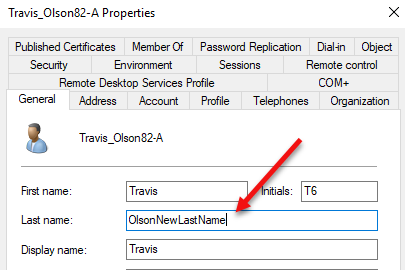
Update the information in the user’s directory. *Note, the samAccountName must stay the same.
-
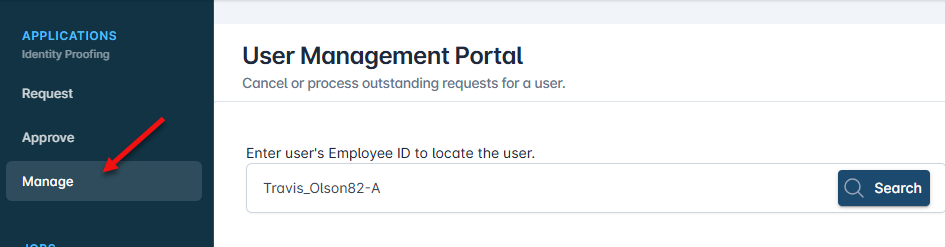
Authenticate to IDMS, click manage and search the user by their samAccountName.
-
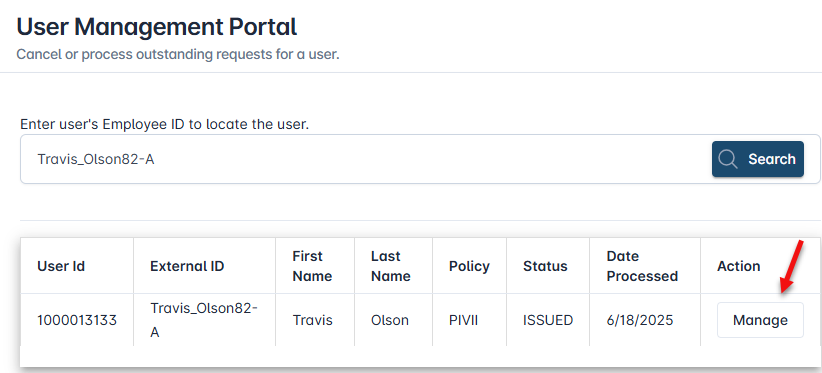
Locate the user in the search results and press Manage
-
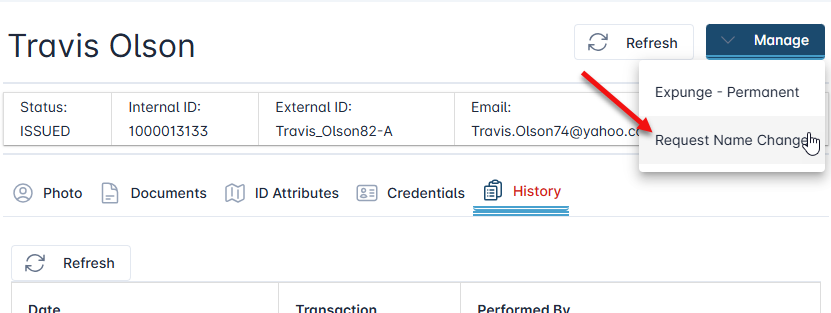
Click the Manage button and then click Request Name Change.
-
Search the user by their samAccountName.
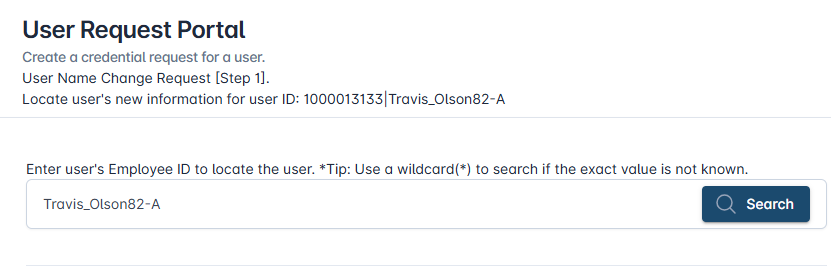
-
Locate the result. The first name and/or last name change will be reflected in the search table. Press the Name Change button.
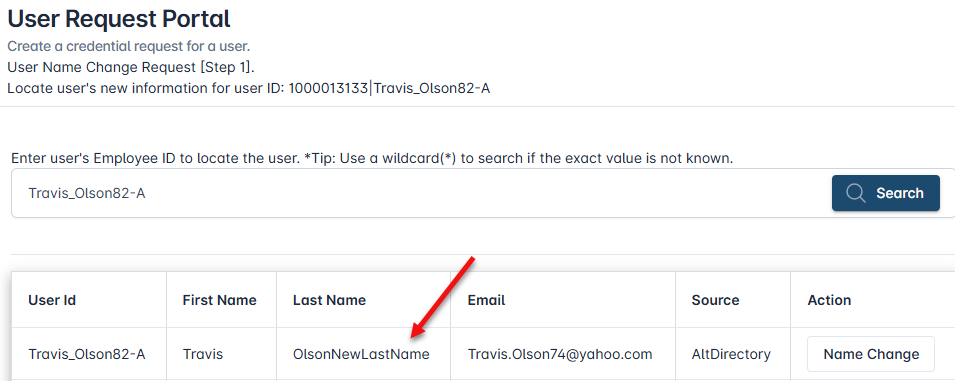
-
Select the same Credential Type the user currently has and press the proceed button.
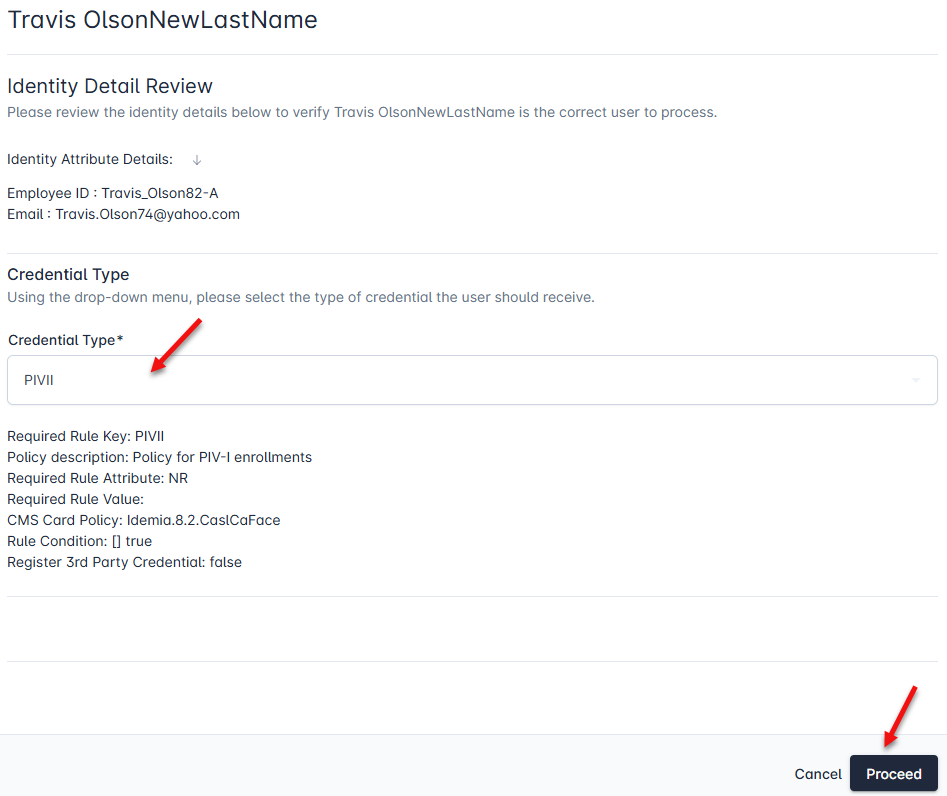
-
To move forward, click the Yes, proceed with change.
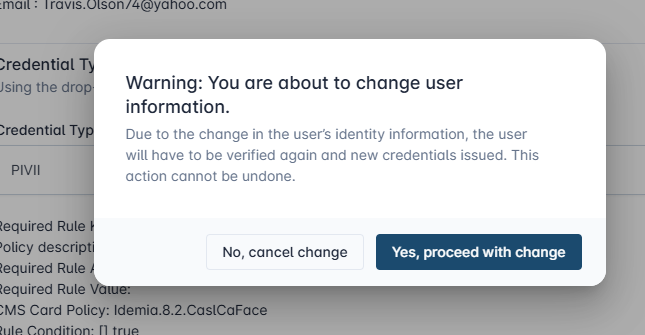
The name change request has been processed. The next step will be to acquired the user’s updated information required for the name change using the enrollment steps.