If the applicant has already been issued a PIV based credential, the IDMS can be configured to import the credential. This is useful for when the applicant needs to be issued a secondary credential.
|
|
|
|
|---|---|---|
|
1 |
Go to the Administration, select Features. |
|
|
2 |
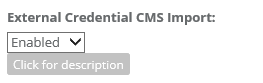
Select "Enabled" for External Credential CMS Import |
|
|
3 |
Click on system connections |
|
|
4 |
Press the "Add a new CMS credential target" button |
|
|
5 |
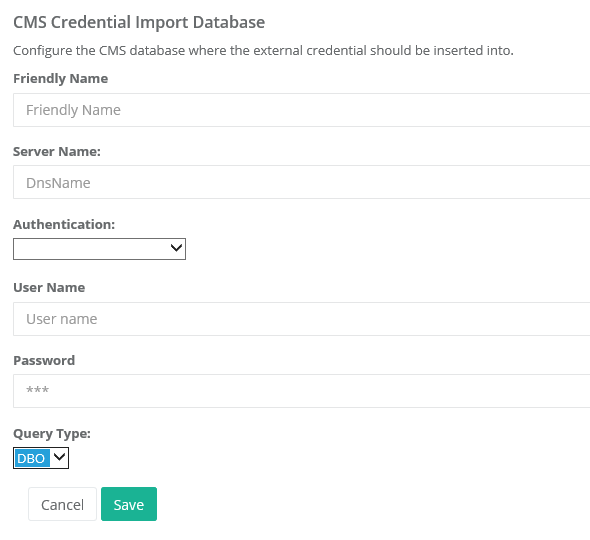
Enter the database information
*The query type referes to whether the CMS database is prefixed with DBO or AIMS. |
|
|
6 |
Press save to complete the information. |
|
|
7 |
Press check to verify the connection. |
|
|
8 |
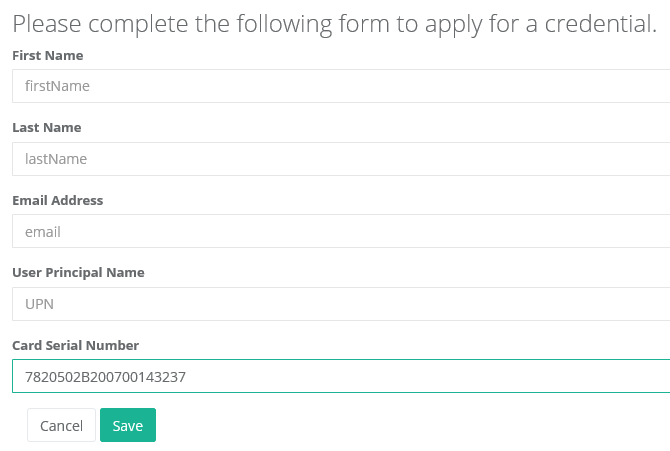
During the application process, enter the credential serial number into the application form. |
|
|
9 |
The user's certificate and credential serial number will be imported into the IDMS and CMS. |
|