
Depending on the organization’s security policy, credential holder has their legal name changed, they must have their identity reverified and their existing credentials updated. The procedures below describe how to use the IDMS to processes a name change and update their credentials.
IMPORTANT: The user’s existing information within the IDMS will be permanently changed. The user’s previous biographic data is encrypted and archived.
The user’s directory look up value, typically the samAccountName or UID, must remain the same.
Name Change Process
|
Task |
System where task is performed |
|
|---|---|---|
|
1 |
First and/or last name is changed in the organization’s directory. *Note the user’s SamAccountName must remain the same. |
Active Directory |
|
2 |
Name change is requested. |
IDMS |
|
3 |
Latest name information from directory is synched with IDMS |
IDMS |
|
4 |
Identity proofing documents are updated |
IDMS |
|
5 |
User is approved for name change |
IDMS |
|
6 |
Device is updated with name change |
CMS |
User Requirements
Because the name change feature also updates the user's credential information, the user must have issued credentials in order to qualify for a name change and be in the ISSUED state. For other scenarios where the user is not in an ISSUED state, the user will need to be either cancelled or expunged to ensure they have the latest data. The table below provides the permitted transactions based on the user state.
|
User State |
Permitted Transaction |
|---|---|
|
REQUESTED |
Cancel |
|
IDACQUIRED |
Cancel |
|
APPROVED |
Expunge |
|
ISSUED |
Name Change |
Credential Policy Requirements
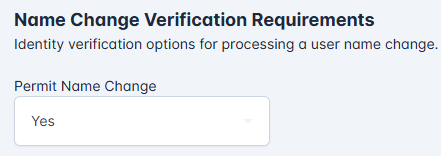
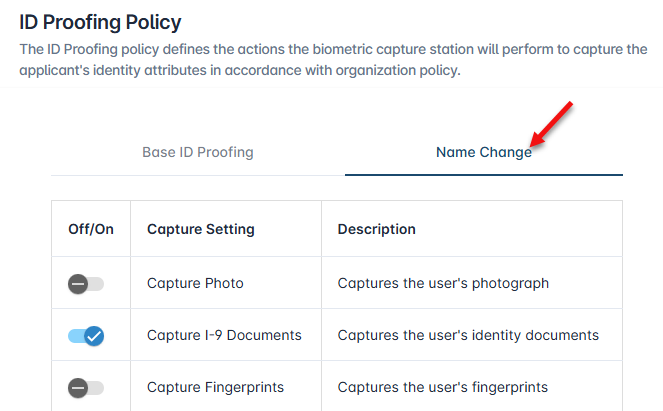
The settings within the credential policy → Identity Proofing section must be set with the following:
-
"Permit Name Change" must be set to Yes.
-
The options for the Name Change ID Proofing Policy must be set.
-
The CMS Card Policy within the credential policy → Device Issuance section must be the same as the user’s existing CMS Card Policy.
Enrollment Station Requirements
The station where the updated identity documents will be captured must have the browser extension and enrollment client installed. The new documents will be digitally signed with the enrollment officer’s smart card.