
When a user's request is cancelled, the user is removed from the workflow and put back into the the searchable queue where it can be processed again. To cancel the request, perform the instructions below:
|
Step Number |
Procedure |
Example |
|---|---|---|
|
1 |
Within the PIV Tab, press Manage. |

|
|
2 |
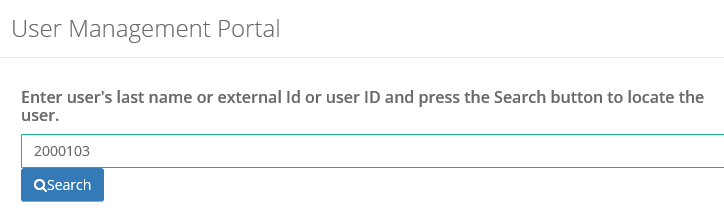
In the user management portal, enter the external ID or last name for the person to locate. |
|
|
3 |
Locate the user within the list and then press the Cancel button. |

|
|
4 |
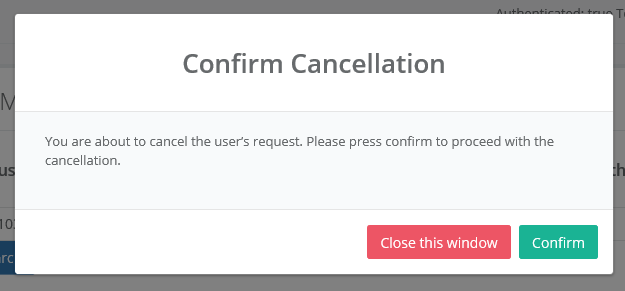
Press Confirm to cancel the request. |
|
|
5 |
The user request has been cancelled and the user is once again available to search in the Request tab. |