
In cases where the user should be removed from the system, the IDMS allows an authorized operator to expunge (permanently delete) a user. For example, if a user has left the organization and you want to recycle their badge / hardware, the user must be expunged prior to assigning the card to a new user.
When the user is expunged, all of personal information is deleted. However, their IDMS user ID and transaction history remains for audit purposes.
IMPORTANT: All of the user's personal information is permanently deleted from the IDMS and cannot be recovered.
Expungement Steps (Permanently Delete User)
Follow these steps to expunge the existing user. Once this is done an existing credential can then be recycled.
|
Item |
Procedure |
Example |
|---|---|---|
|
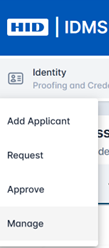
1 |
Click the Manage tab and search for the user by entering the User ID or last name. |
|
|
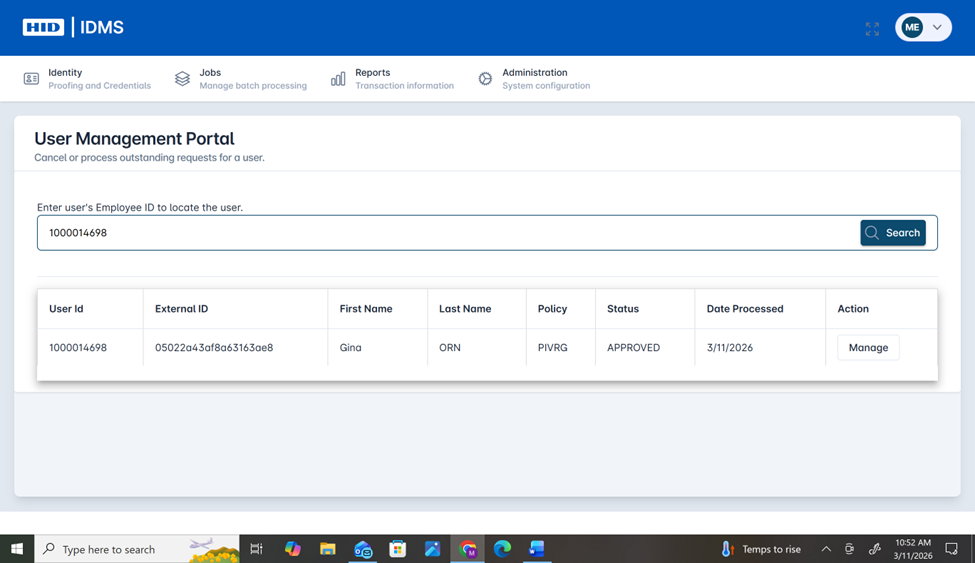
2 |
View the existing user entry record and select Manage under the action selection. |
|
|
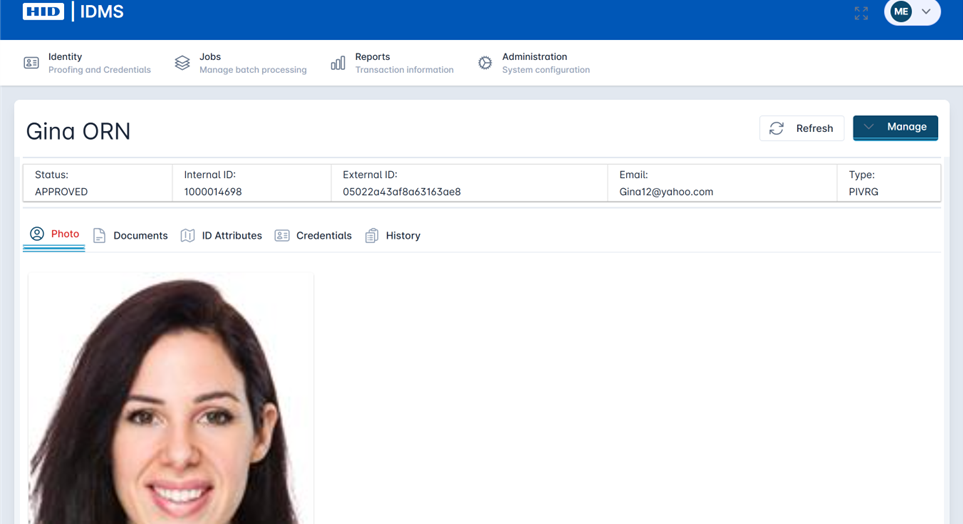
3 |
View the user’s profile and information. You can select Credentials to view the device details associated to the user. You can select Documents to view their documentation. |
|
|
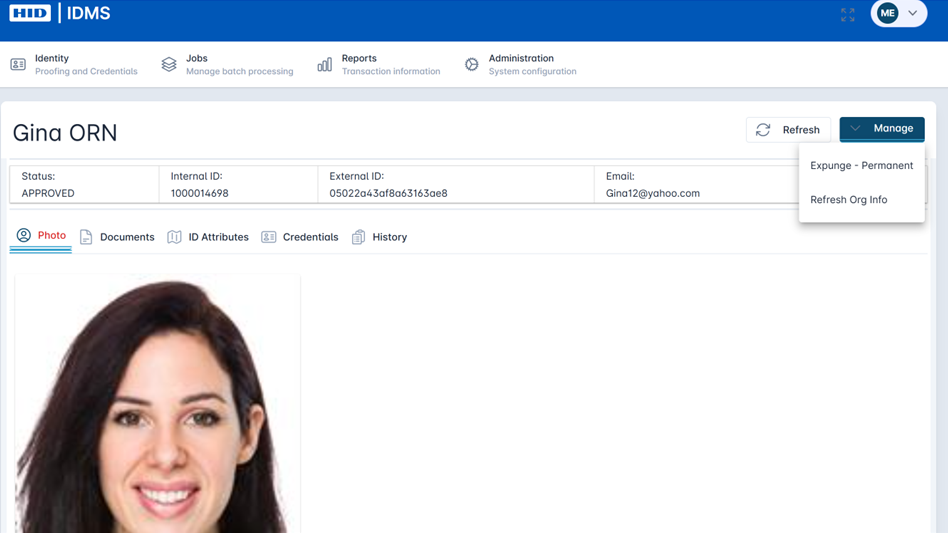
4 |
Select Manage at the user profile level. Select Expunge - Permanent to delete the user. Once the user is deleted the credential can be reassigned to another user.
|
|
|
5 |
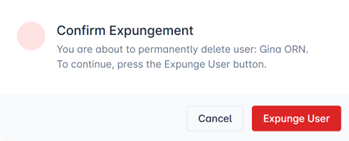
When you select Expunge - Permanent, you need to confirm you want to Expunge the user by selecting Expunge User. If you decide not to delete the user select Cancel. |
|
|
6 |
The system will notify you that the user has been expunged. The credential can then be recycled. |
|
Important: Expunging a user is permanent and will result in their information and documentation to be deleted from the system. Note, the history will be maintained for audit purposes.