
In cases where the user should be removed from the system, the IDMS allows an authorized operator to expunge (permanently delete) a user. For example, if a user has left the organization and you want to recycle their badge / hardware, the user must be expunged prior to assigning the card to a new user.
When the user is expunged, all of personal information is deleted. However, their IDMS user ID and transaction history remains for audit purposes.
IMPORTANT: All of the user's personal information is permanently deleted from the IDMS and cannot be recovered.
To Streamline the Expungement Process for Recycling Credentials
IDMS has smoothed out the process to expunge an existing user and then recycle the credential. Follow these steps for improved workflow.
Reference Expunge (Delete) User Procedures
|
Item |
Procedure |
Example |
|---|---|---|
|
1 |
Select Device, then Device Assistant. |
|
|
2 |
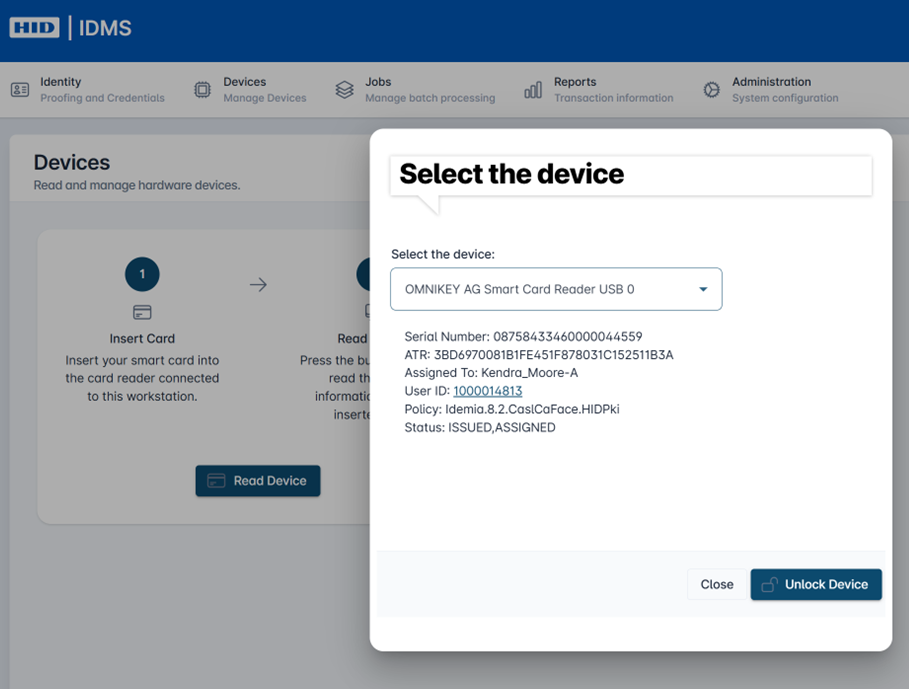
Enter the card into the reader. Select the applicable device. The card information loads and displays the status issued and assigned. |
|
|
3 |
Select the User ID hyperlink to take you to the manage user screen. |
|
|
4 |
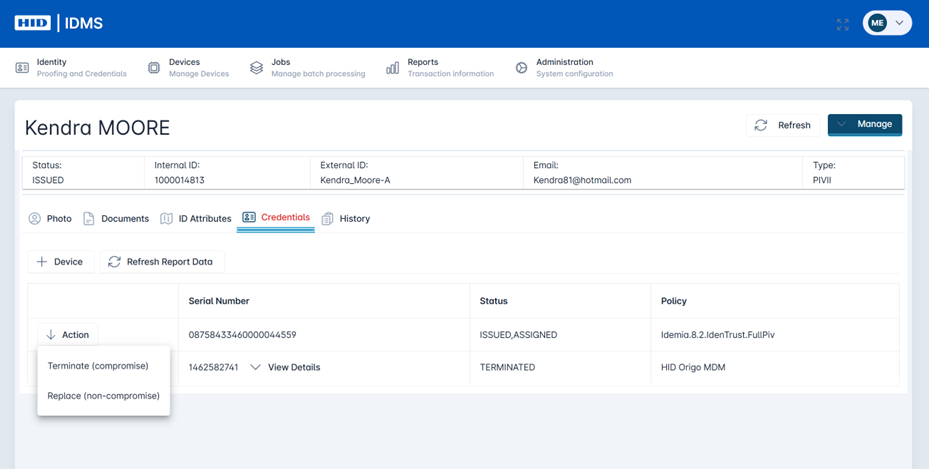
Select the Credentials tab. Under Action, select option to Terminate (compromise) user.
Confirm you want to terminate the user and enter the reason in the text box. Select Yes. |
|
|
5 |
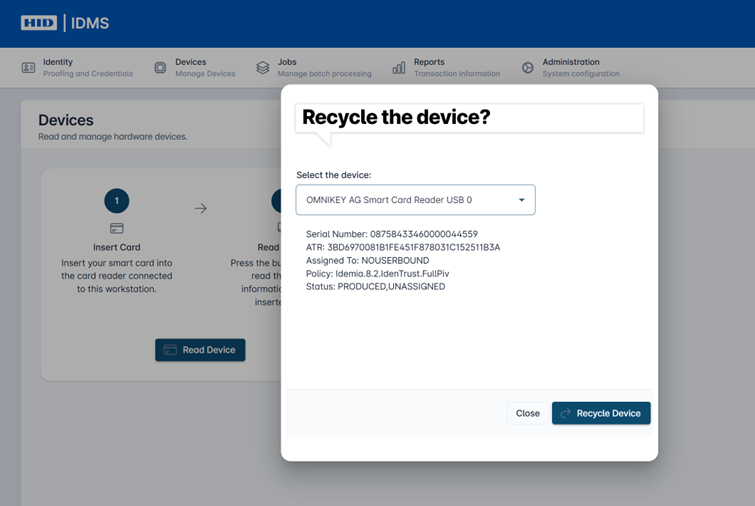
Once complete, select Device, Device Assistant again. This time it will read the card, show an unassigned status, and the credential can be recycled and assigned to a new user. To do this, select the Recycle Device button. |
|