
Should a user need a credential replacement, the system supports the issuance of a credential replacement. The replacement process is comprised of two phases that will allow the request to be set by an operator and the new credential to be issued by a different operator. When the credential is issued, the person receiving the credential must be verified by the operator as they were in the previous credential issuance.
Overview of the device replacement process
Phases
Phase 1: Credential Replacement Request: Roles Required: ApprovalOfficer
In this phase, an approval officer will look up the user and create issue a replacement request. The steps for this process are below.
Phase 2: Credential Issuance: Roles required: CredentialIssuer.
In this phase, the credential issuer will perform the identity verification and credential issuance process. The steps for this process are in section "Activating the credential".
To create a device replacement request
-
Authenticate to the IDMS Portal.
-
Click "Manage".
-
Enter the External ID, last name or user ID for the person and press "Search".
-
For the returned user, press "Manage".
-
Click the "Credentials" tab for the user.
-
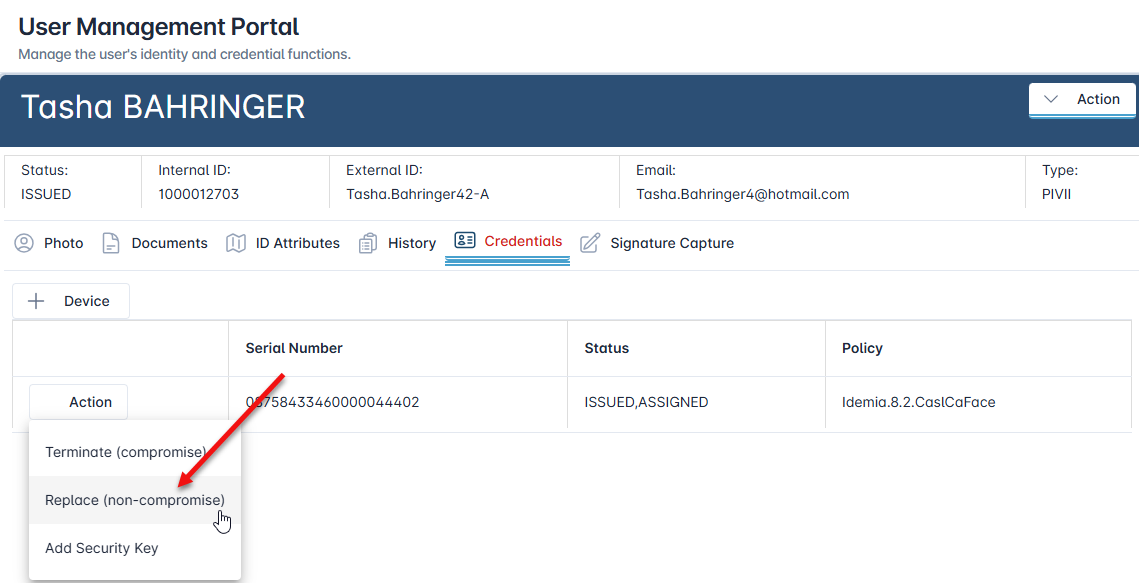
With the credential listed, click the "Action" button, and then select "Replace".
-
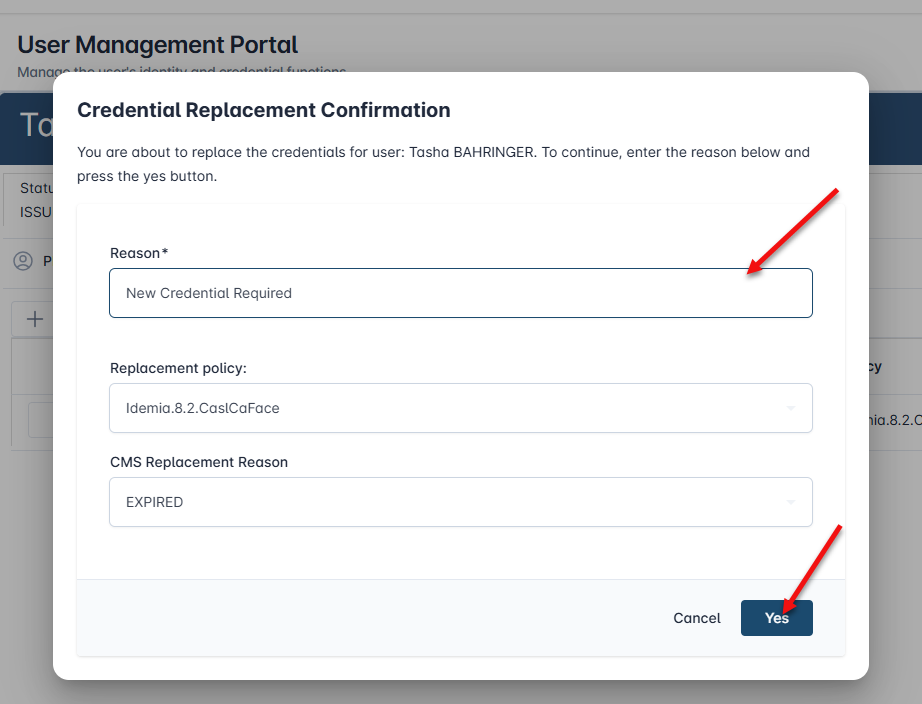
Enter the replacement reason and press "Yes".
-
The credential will be terminated and the IDMS will create a request to issue the user a new Credential.