The IDMS can be configured to monitor the source and status of credentials issued and then automatically perform management actions to ensure all credentials belonging to the credential holder are synchronized. This is useful when an organization wants to manage the lifecycle state of a credential that linked to a primary credential or dependent on the credential holder’s employment status. For example, when a derived credential is issued from a smart card and the derived credential needs to be revoked because the smart card was revoked.
Enabling Job Automation
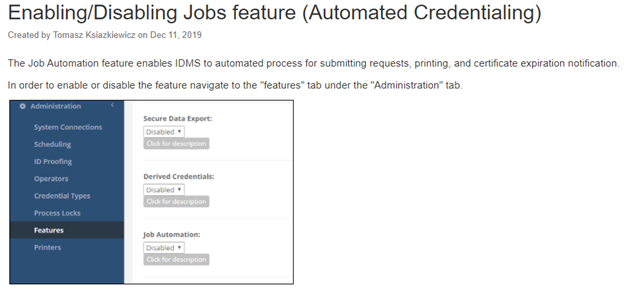
The first step is to turn on the job monitoring component of IDMS. To do this, go to administration, features and enable Job Automation.
Schedule Configuration
By default, when a derived credential is issued, the certificate revocation list information is retrieved from the certificate and stored. This CRL listing from this source will be used to continuously monitor the certifificate’s status. Specifically, IDMS will retrieve the CRL, parse the CRL and see if the certificate serial number is on the list. If the certificate serial number is on the list, the derived credentials issued from the primary credentials will be revoked.
Configuration Options:
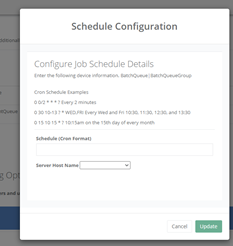
By default, the check runs every 7 days. However, the schedule can be configured to a custom schedule using the CRON format.
To make the configuration, go to Administration, Scheduling and locate the BatchQueue configuration. Press the Gear Icon and follow the configuration wizard to configure the time and frequency the job should be executed.
Revocation Configuration
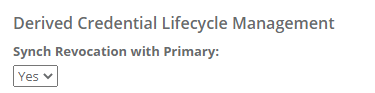
In certain circumstances, the operator may not want to automatically revoke the derived credentials if the credential holder’s primary credential has been revoked. For example, if the organization wants to give the user the ability to use their derived credentials as a backup means to authenticate. To configure, this option, go to the credential type policy and locate the “Synch Revocation with Primary”. If set to Yes the derived credentials will be revoked if the Primary credential is revoked.
Manually Handling Revocation Detection Errors
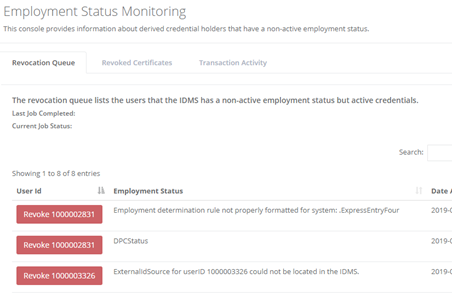
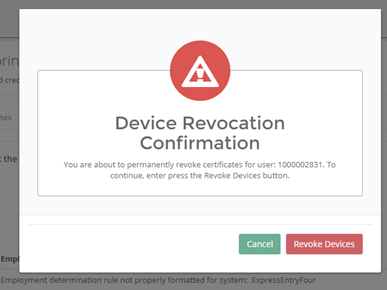
If the primary credential fails to be validated because of an error, the error is raised in the revocation dashboard. This error is manually reviewed and the operator can then decide to revoke the credential. To manually revoke the credentials associated with the user, click the revoke button, then then click revoke devices.
Employment Status Monitoring
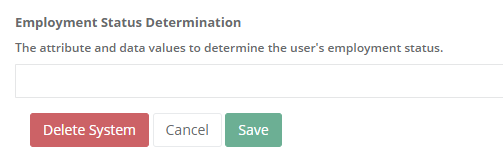
The IDMS can be configured to securely monitor the credential holder’s employment status. This is useful for when the organization wants to automatically revoke credentials if the employee separates from the organization. To configure:
Go to administration, system configurations and locate the user’s originating directory. Click manage and then configure the Employment Status Determination section.