
Diagnostic Test 1: Ipevo Presenter
Ipevo Presenter is an application published by Ipevo. The goal is to see if the camera can be initialized using the Ipevo Presenter
To test the camera with the Ipevo Presenter
-
Open the Ipevo Diag folder
-
Install the Presenter_win_6.5.0.11.msi
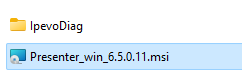
-
After the Presenter is installed, click the Presenter icon on the desktop
-
Verify the camera initializes by see if the contents from the camera’s lens is presented to the screen.
Diagnostic Test 2: Ipevo SDK
Ipevo publishes a software developer kit to enable customization of the Ipevo application. The goal is to see if the camera can be initialized using the Ipevo SDK.
To test the camera with the Ipevo SDK
-
Open the Ipevo Diag folder
-
Copy the IpevoDiag to c:\temp
-
Go to c:\temp and go into the IpevoDiag folder
-
Run the IPEVOCameraKitDemo_WpfApp1.exe
-
Press cancel when asked if allow access through the firewall
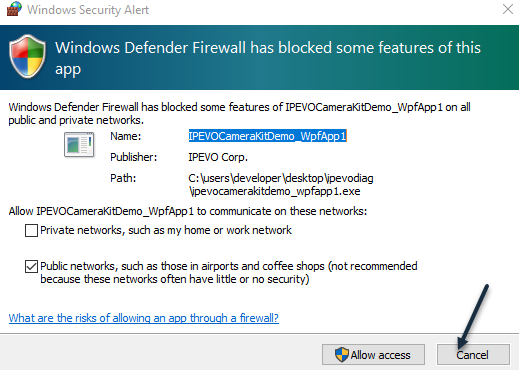
-
Verify the Video device is in the drop down. If present, select the camera
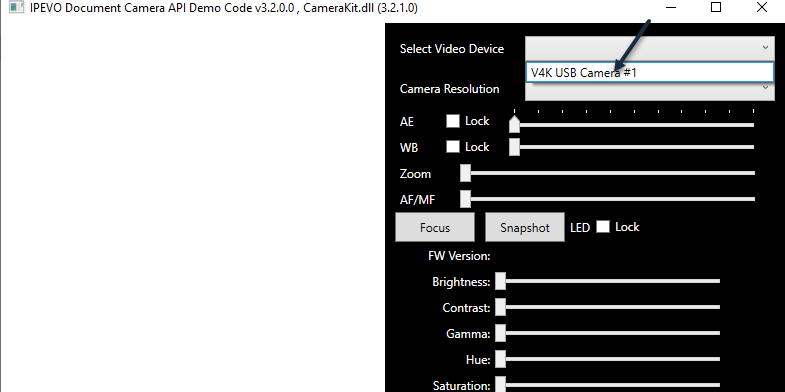
-
Verify the camera initializes by see if the contents from the camera’s lens is presented to the screen.