|
Step Number |
Procedure |
Example |
|---|---|---|
|
1 |
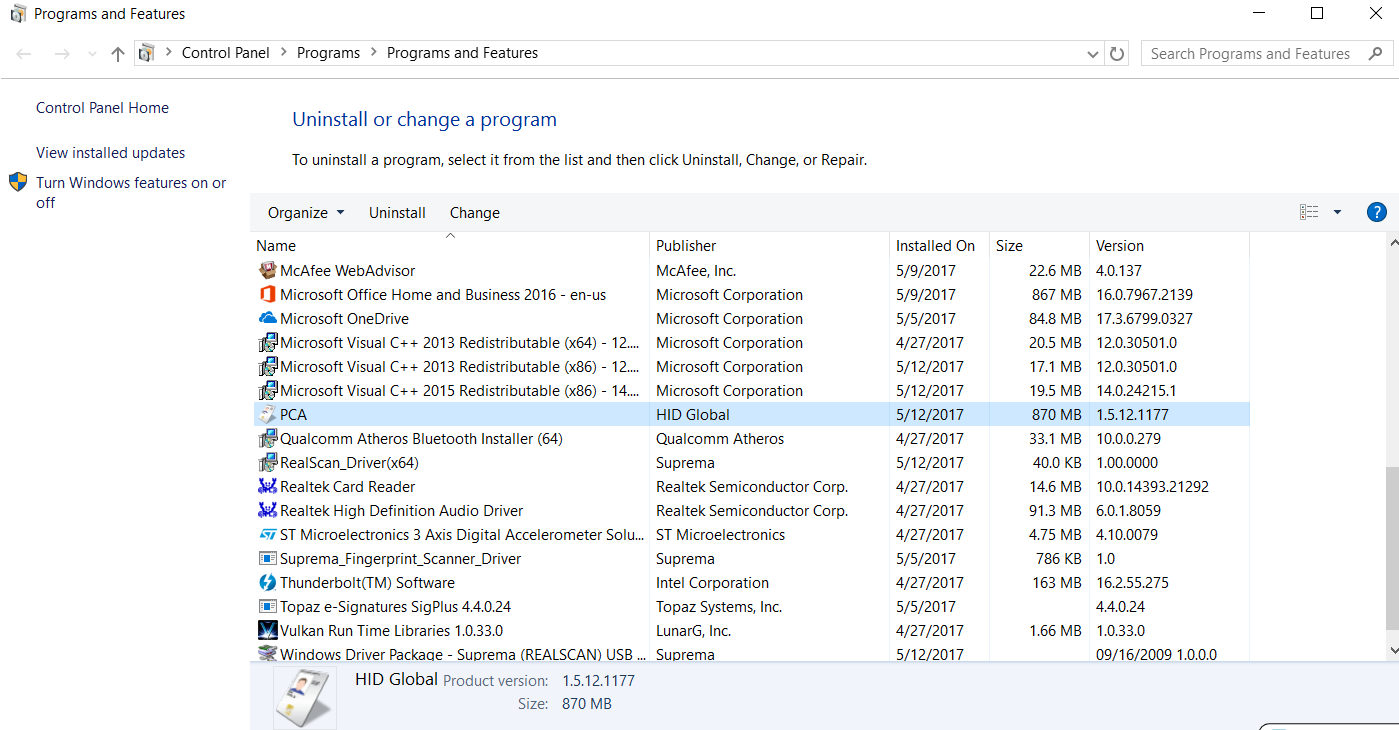
Search "Uninstall" in the desktop and then click on "Change or Remove Program". |
|
|
2 |
Click on "PCA". |
|
|
3 |
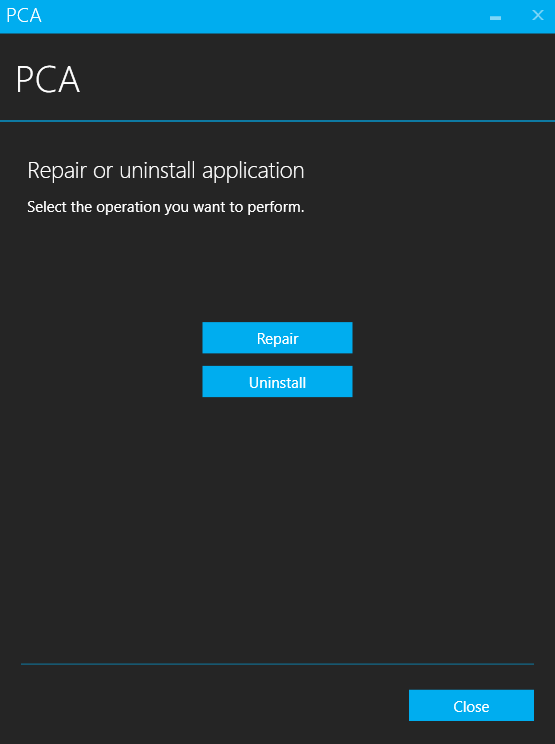
Then Press "Uninstall". |
|
|
4 |
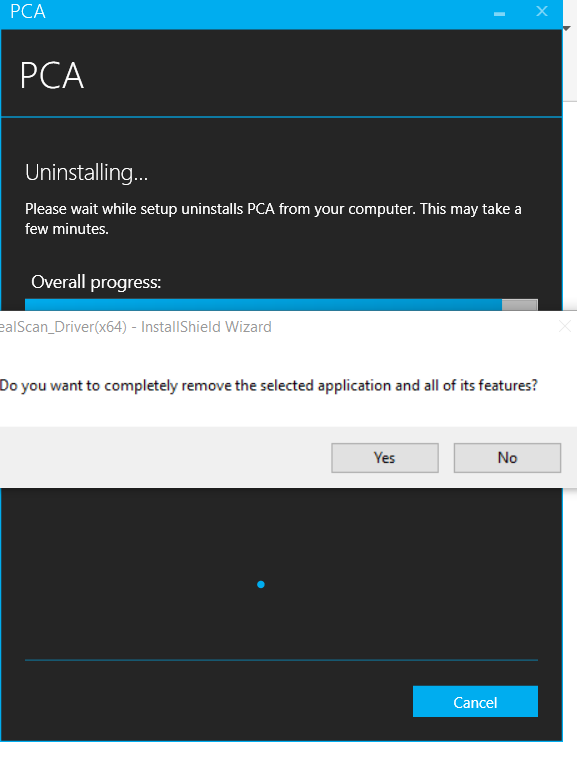
Select "Yes." |
|
|
5 |
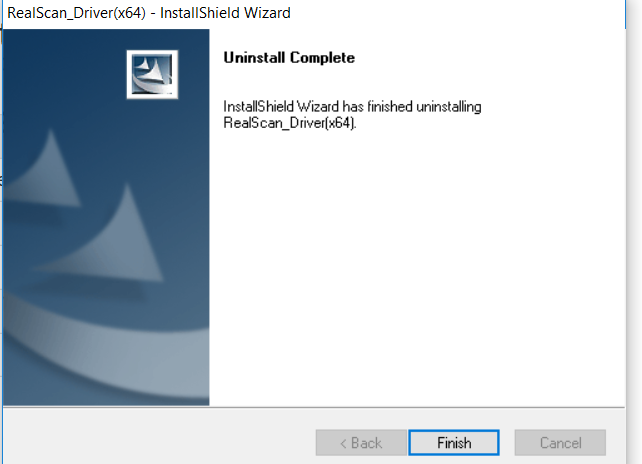
Select "Finish" and you are now done with the uninstall. |
|