
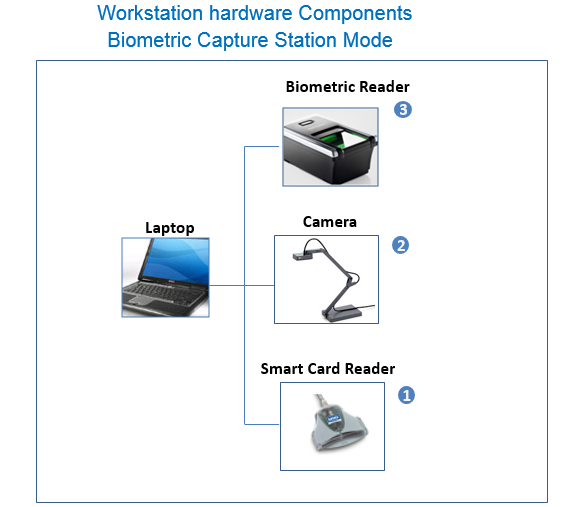
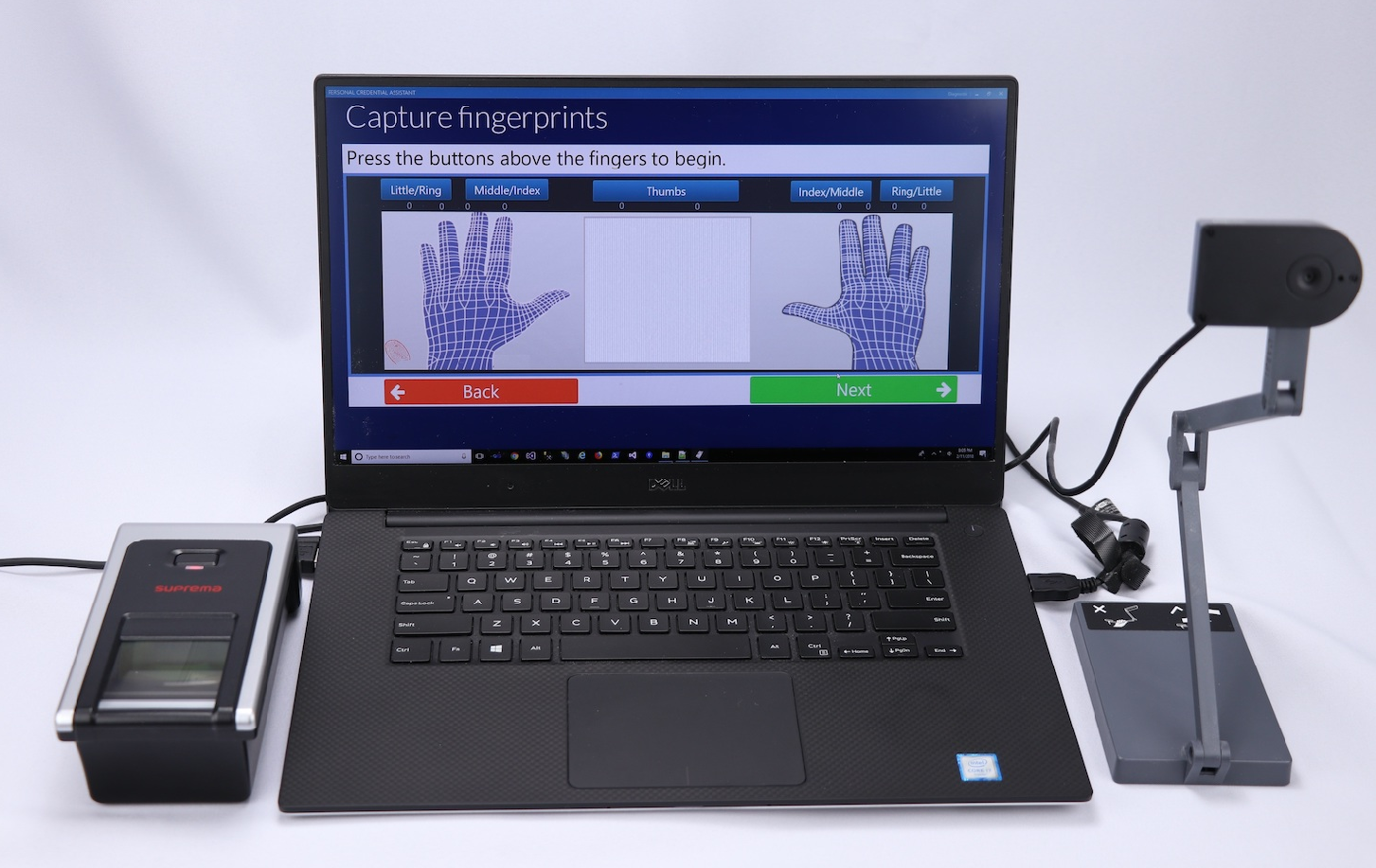
The objective of the workstation is to provide the capability to; capture biometrics and print credentials. The following graphic provides an illustration of what the workstation looks like once fully installed.
IDMS Connection
Verify that the required certificates have been installed and that the operator can connect to the IDMS server from the workstation.
USB Ports Required
The workstation will require 7 additional USB ports. Note, some of the ports must be plugged directly into the workstation and cannot be plugged into a USB hub. The reason is because the peripherals require an adequate amount of power to operate.
|
|
Device |
Description |
|---|---|---|
|
1 |
Combined camera/document scanner |
Will take the photo of the user and capture their identity documents for processing. |
|
2 |
2 print fingerprint scanner |
Will take the fingerprints of the user that is being processed. |
|
3 |
Operator smart card reader |
Hardware that will read the operator's smart card. |
|
4 |
Encoding smart card reader |
Hardware that will be used to encode the user's smart card. |
|
5 |
*Card printer |
Will be used to print the user's credential. *Important: this device must be plugged directly into the workstation and not the USB hub. |
Workstation
If installing the print software, verify that FIPS mode is not enabled on the Operating System (This will stop Asure ID, the SDK, the Workbench from working) To change, Local Security Policy\Local Policies\Security Options\System cryptography: Use FIPS compliant algorithms for encryption, hashing = (should be disabled)
If installing the camera, verify privacy settings allow the camera and microphone
Minimum computing platforms:
Windows 10/11 with i7 processor and minimum 8GB RAM
Minimum .Net Version
4.8. To verify, go to the following registry location:
Smart card readers
The workstation must have smart card reader hardware and software installed.
PIV/PIV-I/CIV encoded credential
The workstation requires an encoded PIV/PIV-I/CIV credential for operation. The workstation will read this credential for authentication purposes and will not work without the credential.