
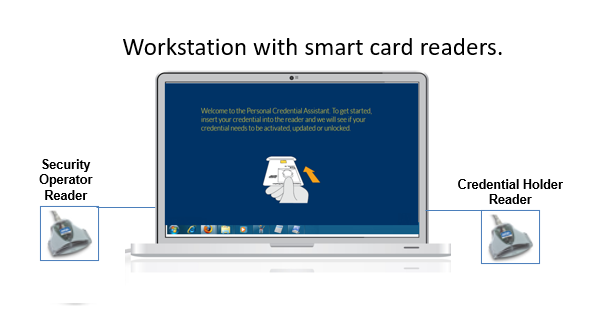
The Credential Check-In workstation enables a security officer to register a 3rd party issued smart card credential with local systems. For this, it requires the Personal Credential Software and two smart card readers. The smart card readers are readers that support the insertion of a smart badge and support the ISO 7816 standard.
IDMS Connection
Verify that the required certificates have been installed and that the operator can connect to the IDMS server from the workstation.
USB Ports Required
The workstation will require 7 additional USB ports. Note, some of the ports must be plugged directly into the workstation and cannot be plugged into a USB hub. The reason is because the peripherals require an adequate amount of power to operate.
|
|
Device |
Description |
|---|---|---|
|
1 |
Operator smart card reader |
Hardware that will read the operator's smart card. |
|
2 |
Encoding smart card reader |
Hardware that will be used to encode the user's smart card. |
Minimum computing platforms:
Windows 10/11 with i7 processor and minimum 8GB RAM
Minimum .Net Version
4.8. To verify, go to the following registry location:
Smart card readers
The workstation must have smart card reader hardware and software installed.
PIV/PIV-I/CIV encoded credential
The workstation requires an encoded PIV/PIV-I/CIV credential for operation. The workstation will read this credential for authentication purposes and will not work without the credential.