
The client interacts with the credential management system for various functions including; user data retrieval, card status inquiry and request management. The following configurations must be in place for the client to work properly.
Required CMS Settings
|
Procedure |
|
|---|---|
|
1 |
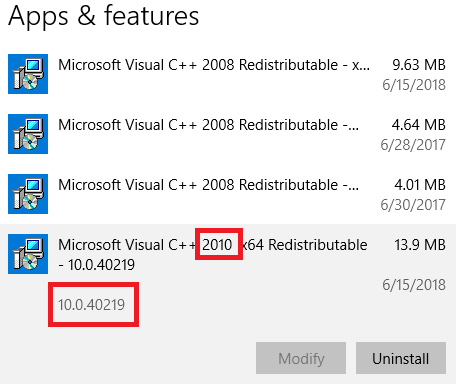
Install the Visual C++ 2010 40219 Runtime or verify that the Visual C++ 2010 40219 Runtime is installed. Install 64 bit and 32bit version. Install 32bit version 
Install 64bit version
|
|
2 |
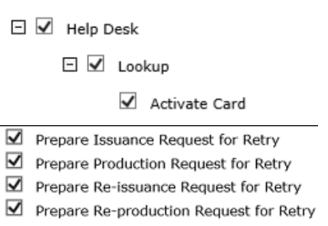
Operator with activator permissions The operator must also have a minimum of the CMS Issuance role with the additional permission of Help Desk, Lookup, Activate Card.
Configuration → Roles → Issuance 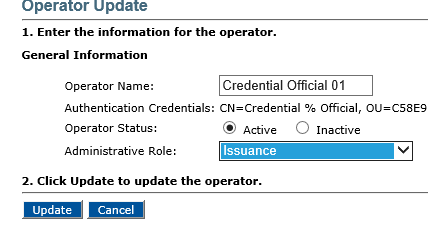
|
|
3 |
User Attribute Search The User ID LDAP Attribute must be set to sAMAccountName 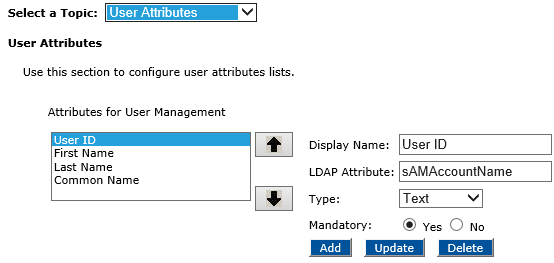
|
|
4 |
Photo retrieval The CMS needs to display the photo in the search result table.
Configuration → Customization → User Attributes (from drop down menu) *case sensitive 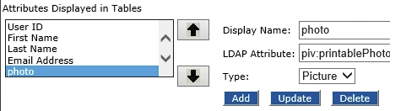
|
|
5 |
*Optional: Biometric Authentication *Only required for when performing biometric authentication with PCA. Within the generic plugins, the Biometric (plugin configuration) must be configured to retrieve biometrics by calling the biometric plugin. DEVICE_INFO.plugin.client = PIV_BioMatchOnServerSample 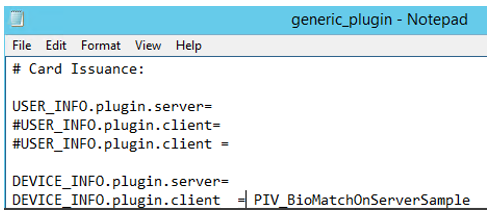

*Verify that the PIV_BioMatchOnServerSample.input only returns the fingerprints. The quality score must be ignored because the PCA receives the quality score from the template. *Verify the credential policy in place has the fingerprint application configured within the CMS. 
Verify the CyberArmed BioAdaptor software is installed. |
|
6 |
MyDigitalId Configurations The Authentication method must be set to LDAP password 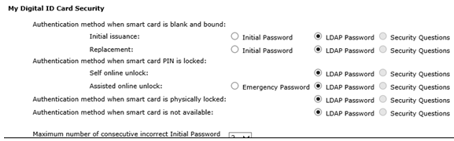
Configuration → Security Settings |
|
7 |
Card Unlock Configurations MyDigital ID must also be configured using these guidelines Unlocking a credential with PCA |