
-
To create an Issuance Official Operator Card
-
Issue the credential with a PIV Authentication certificate.
-
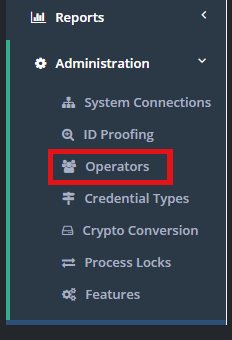
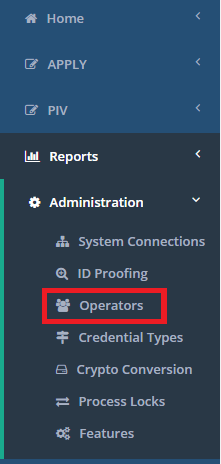
Go to IDMS, click administration, Click Operators
-
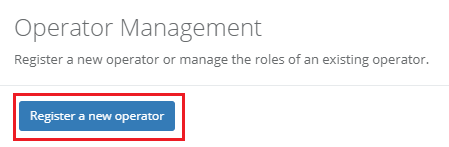
Register a new operator
|
Configuration Element |
Procedure |
Example |
|
|---|---|---|---|
|
1 |
Issue the credential with a PIV Authentication certificate. |
|
|
|
2 |
Register the credential with the IDMS. |
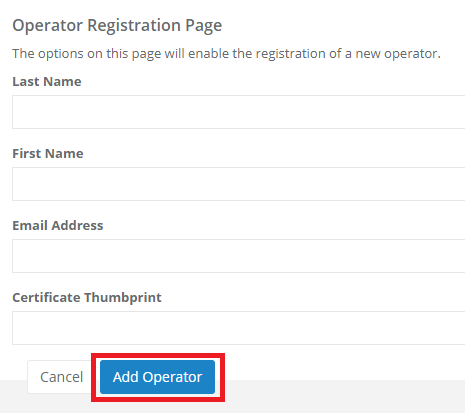
Create a new IDMS operator account
IDMS → Administration → Operators → Register a new Operator
Insert the thumbprint from the PIV Authentication Certificate to the operator account
|
|
|
3 |
|
After the operator was created click "manage" next to their name. |

|
|
4 |
|
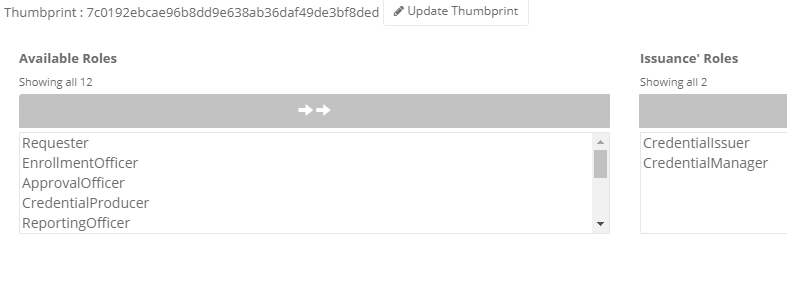
Grant the user the CREDENTIALISSUER and CREDENTIALMANAGER role |
|
|
5 |
Operator with activator permissions |
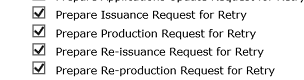
The operator must also have a minimum of the CMS Issuance role with the additional permission of Help Desk, Lookup, Activate Card.
Configuration → Roles → Issuance |
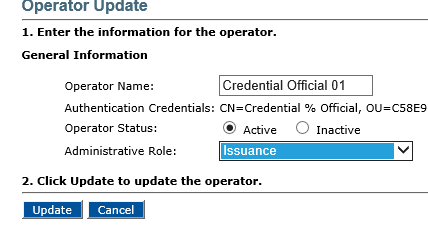
Note: The Issuance role must also have the Activate Card permission 
|