This section describes the steps for connecting to the workstation to the IDMS.
|
Step Number |
Procedure |
Example |
|---|---|---|
|
1 |
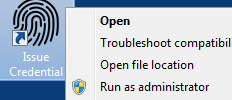
On the desktop, right-click the "Issue Credential" icon and run as administrator |
|
|
2 |
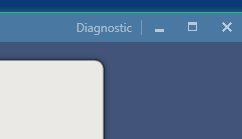
In the top right corner of the application, click Diagnostic |
|
|
3 |
In the IDMS URL Text box, replace the field "DNSName:444" with the enter the DNS name of the IDMS server. Please ensure the /WebApi/ is not changed. |
|
|
4 |
Next to the Subscriber Agreement text box, press the button to select the subscriber agreement, *Note, the subscriber must be in the RTF (Rich Text Format). |

|
|
5 |
After the subscriber agreement has been selected, press the "Save Configuration" button to save the changes. |

|
|
6 |
Restart the application. |