
The CMS MyDigitalId feature is a self-service portal that enables credential holders to unlock their credentials remotely.
Security Requirements: For security, the following requirements must be met:
-
An authorized CMS operator sets a PIN unlock request
-
The user must authenticate via their LDAP password
-
The user authenticates with their fingerprint.
Workstation Installation procedures
|
Step Number |
Procedure |
|---|---|
|
1 |
Install the ActivClient software |
|
2 |
Install the CMS BioAdaptor Biometric Software |
|
3 |
Install the Suprema Biometric hardware |
CMS Installation procedures
The CMS needs to be configured to prompt the user for the biometric.
|
Step Number |
Procedure |
Example |
|---|---|---|
|
1 |
Go to the C:\ProgramData\HID Global\Credential Management System\Shared Files folder |
|
|
2 |
Backup the current the generic_plugin.properties file |
|
|
3 |
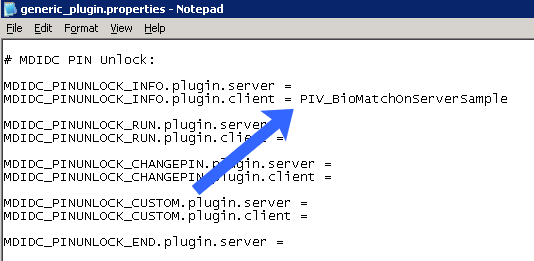
Edit the the current the generic_plugin.properties (as administrator) |
|
|
4 |
Locate the # MDIDC PIN Unlock: settings. Next, make the configuration
|
|
|
5 |
Copy the PIV_MatchBioPlugin_ANSI378.htm and PIV_MatchBioPlugin_ANSI378_BIOreq.htm files into the C:\Program Files\HID Global\Credential Management System\aims.war\data folder |
|
|
6 |
Restart the card management system. |
|
|
7 |
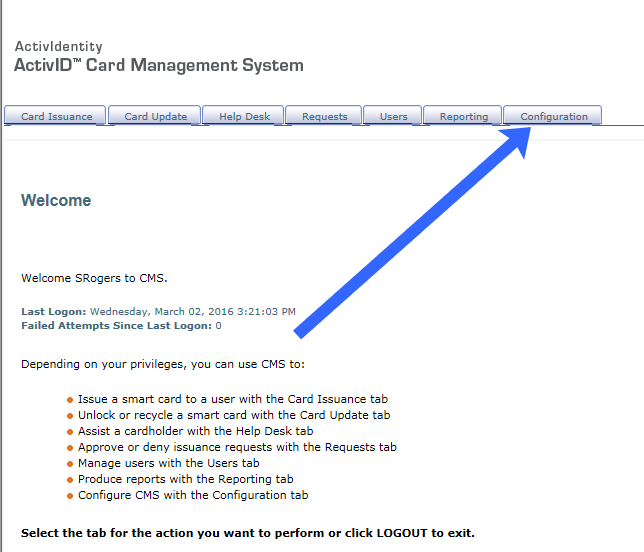
After CMS has been restarted, go to the CMS operator portal and click configuration |
|
|
8 |
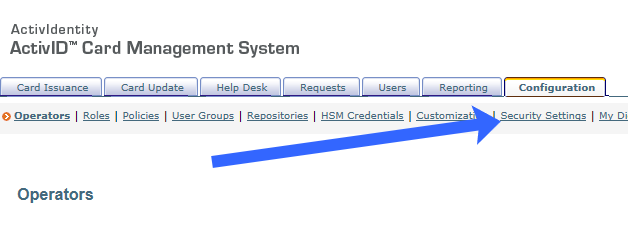
Next, click security settings. |
|
|
9 |
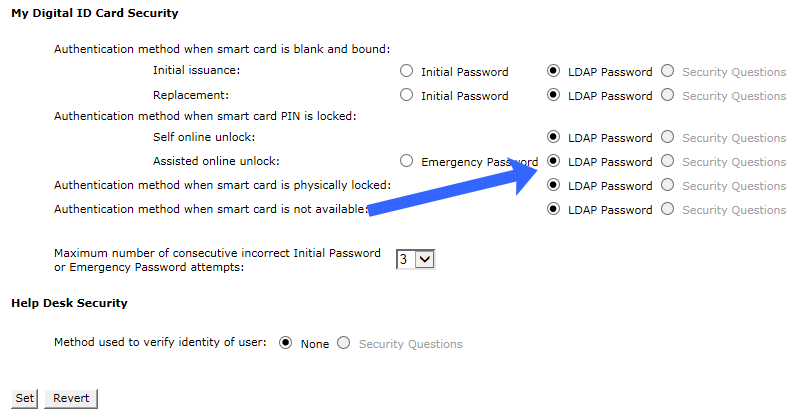
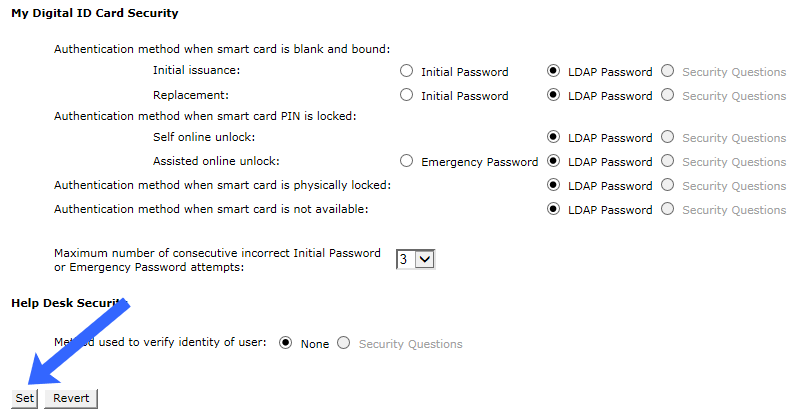
Scroll down to the My Digital ID Card security section and select LDAP password for authentication method when the smart card PIN is locked. |
|
|
10 |
After making the configurations, press the set button. |
|