The instructions below describe how to create a request to have your data exported. To perform this task, a PIV credential and web browser is required.
|
Step Number |
Procedure |
Example |
|---|---|---|
|
1 |
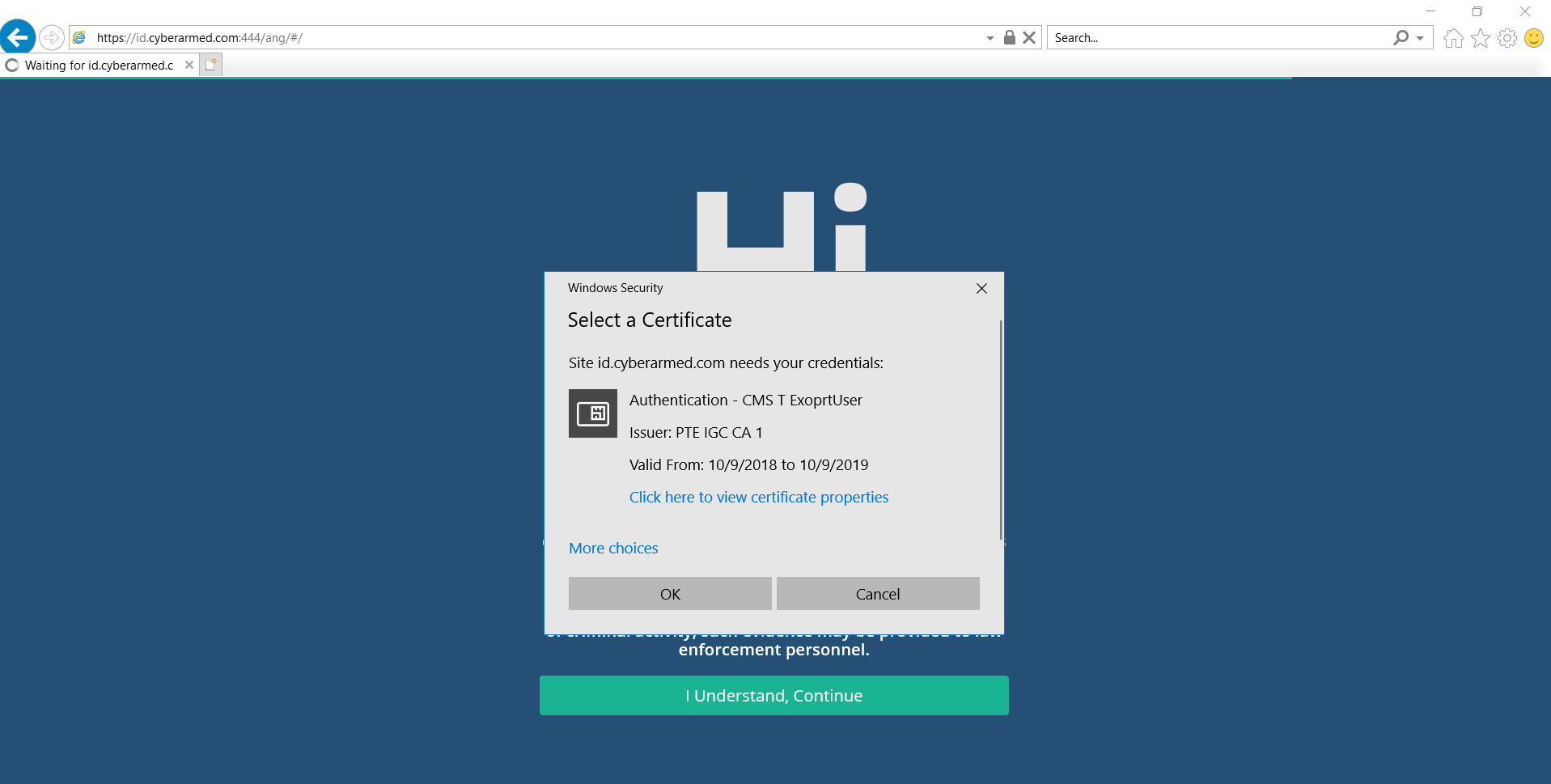
Log in to the IDMS website with your credentials. |
|
|
2 |
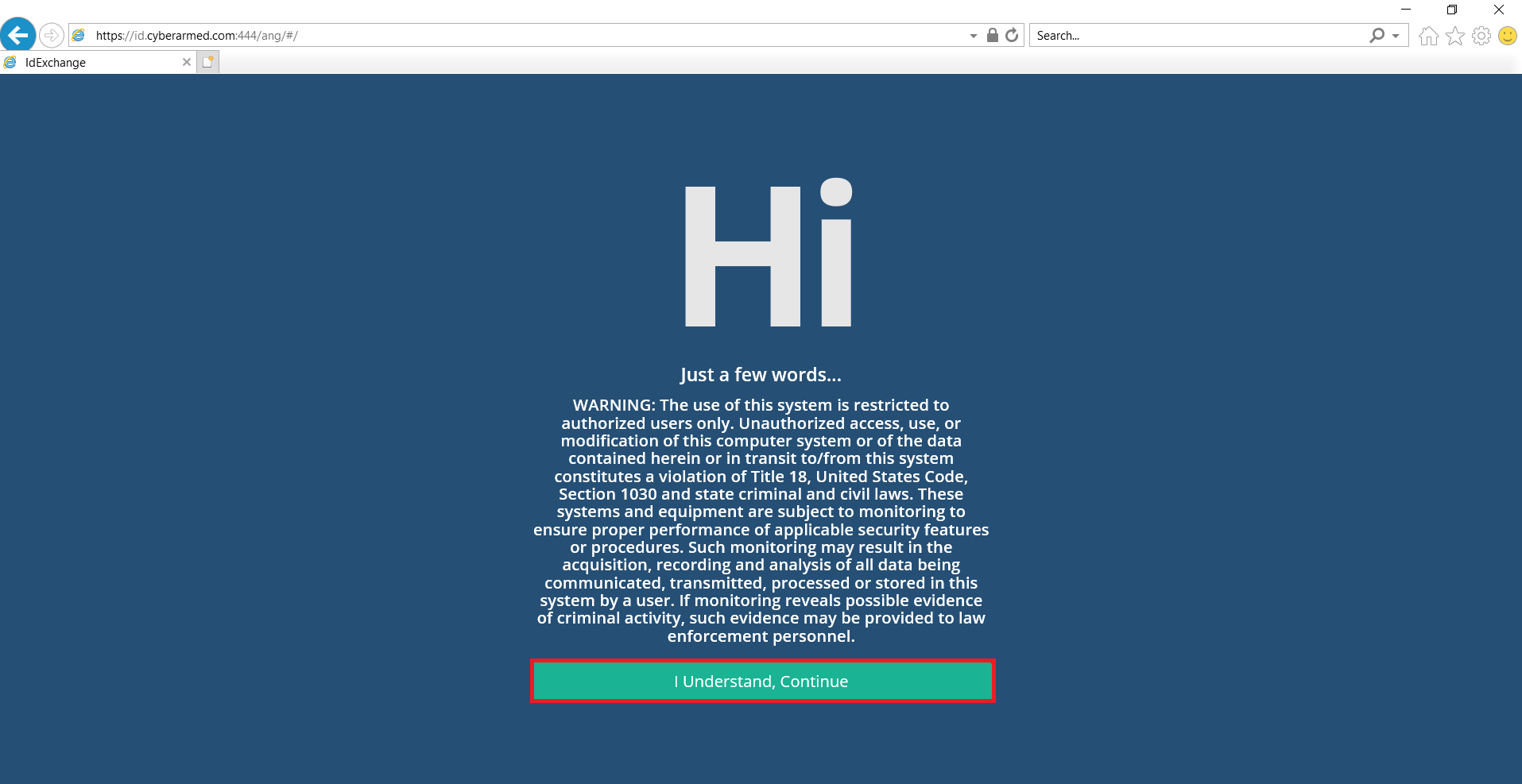
Click "I Understand, Continue" |
|
|
3 |
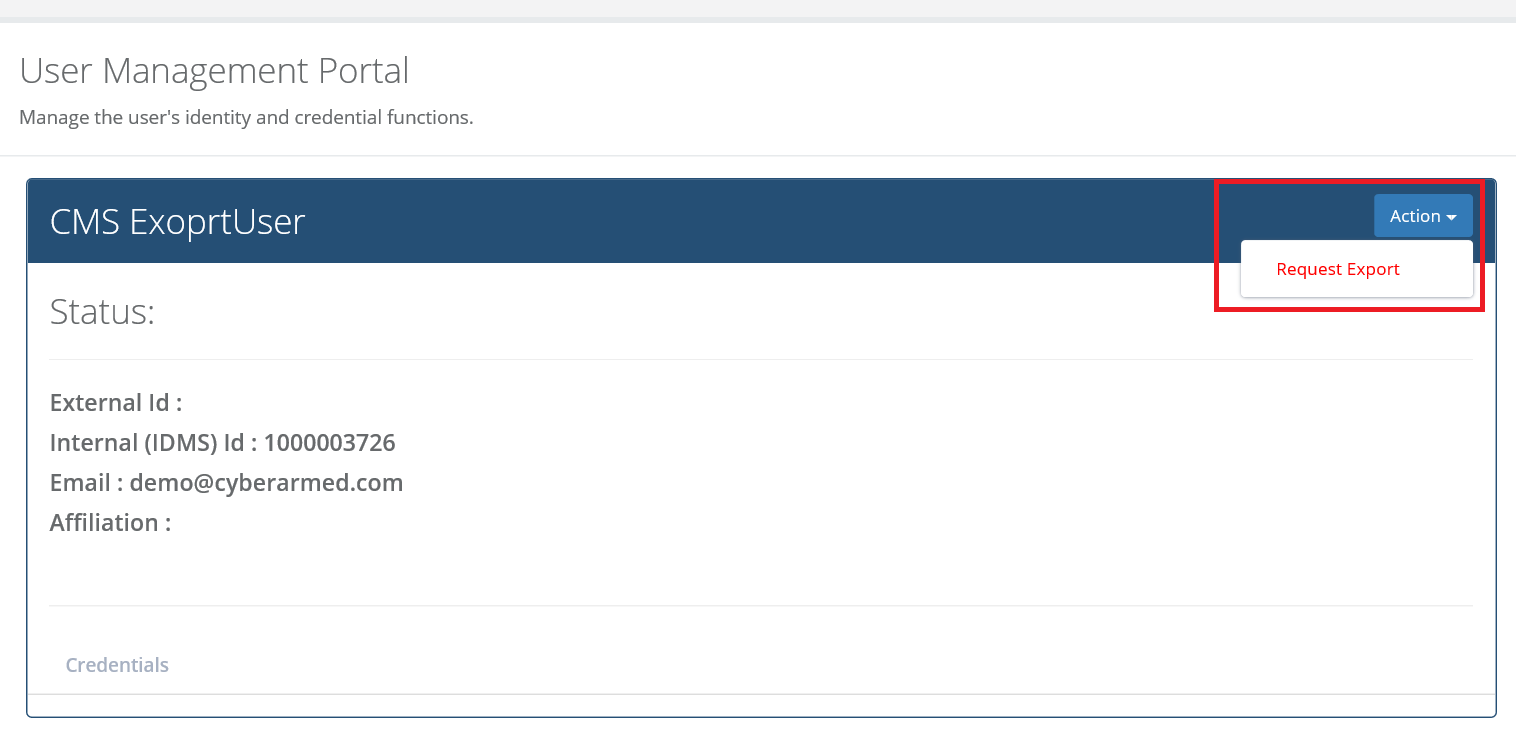
Click Action then "Request Export". |
|
|
4 |
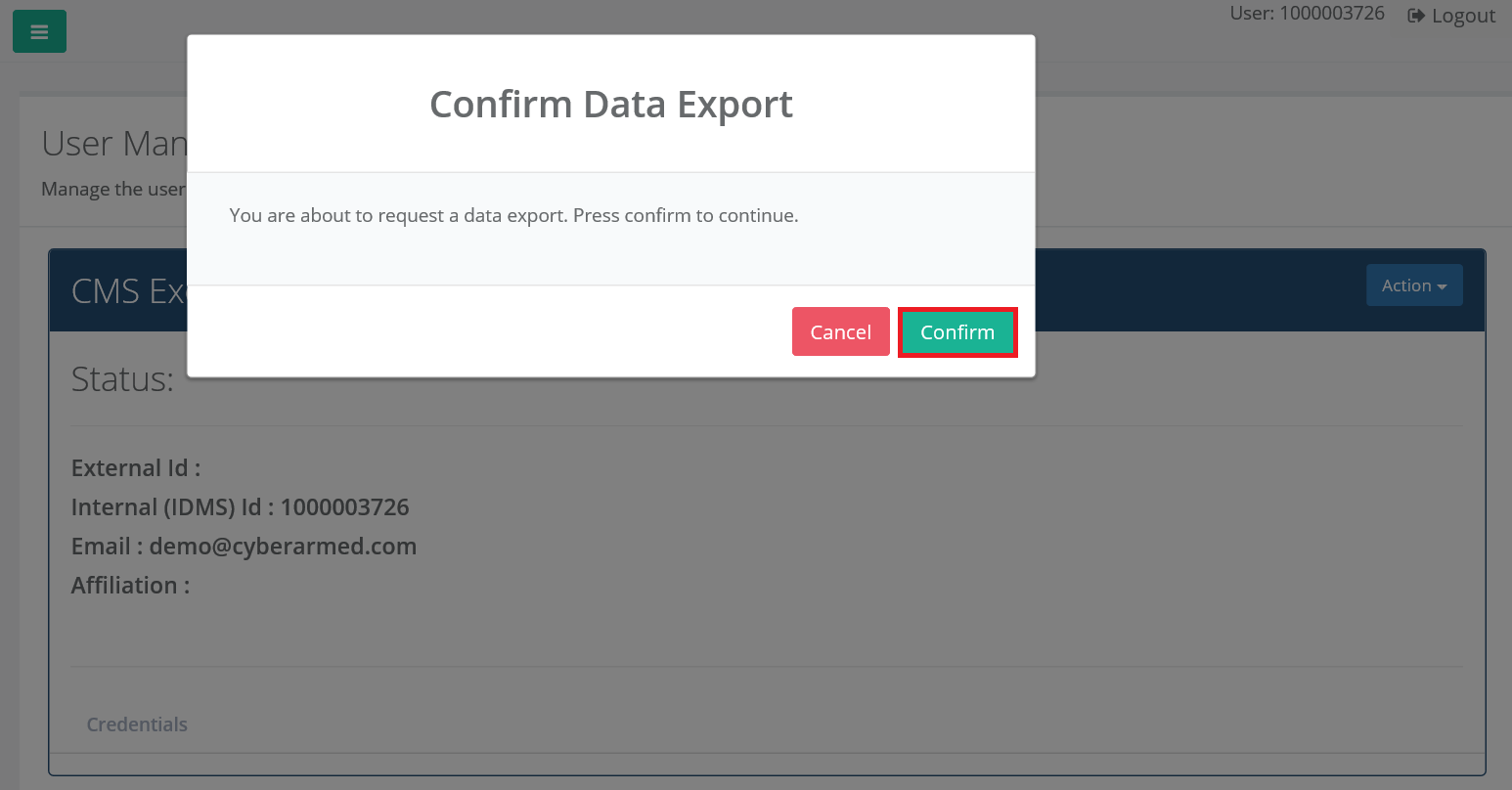
Click "Confirm"
Then logout, the request has been completed. |
|