
To update a credential with the CMS Operator Portal
-
Log in to the HID CMS
-
Insert the credential into the reader, click the Device Update tab, select the reader the credential is in and press proceed.
-
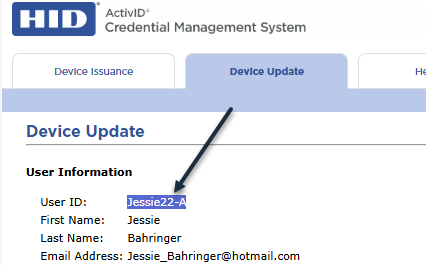
Copy the User ID that is listed
-
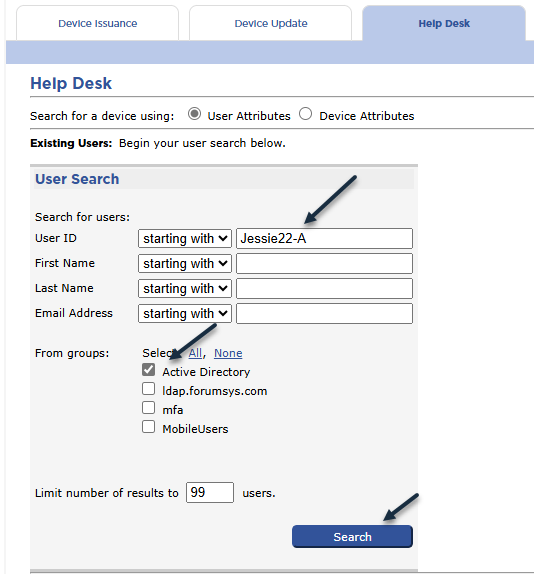
Click the Help Desk Tab. In the User ID field enter the value that was copied in the previous step. Next, select the user group the cardholder is in. Finally press Search.
-
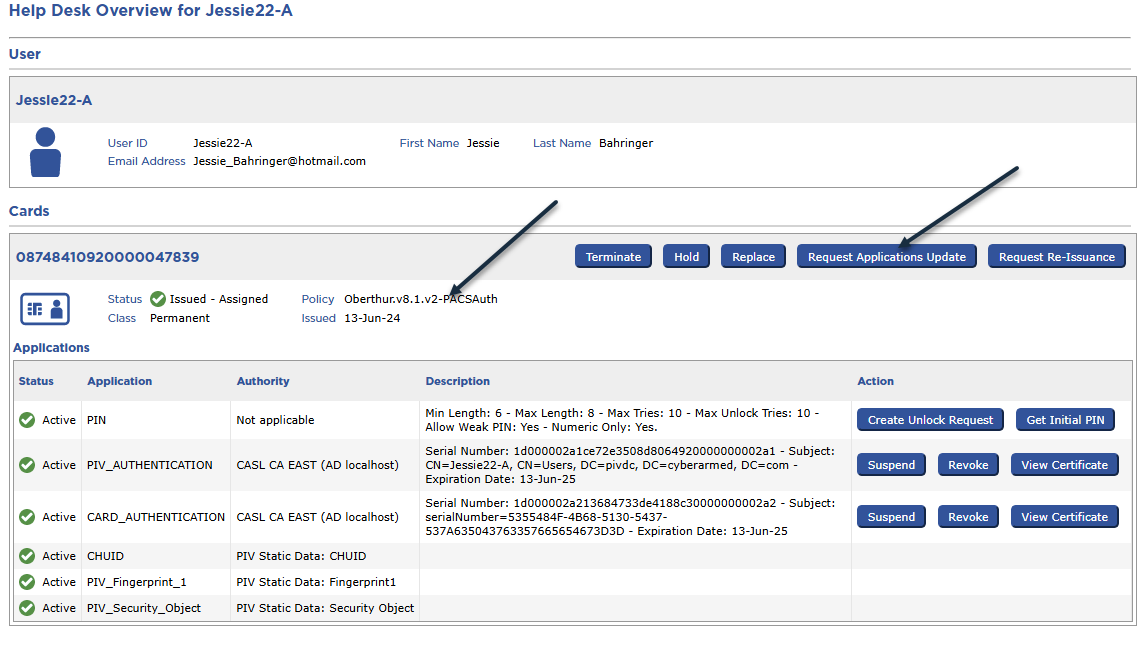
Review the user’s information and note the policy is assigned. Next, press the Request Applications Update button.
-
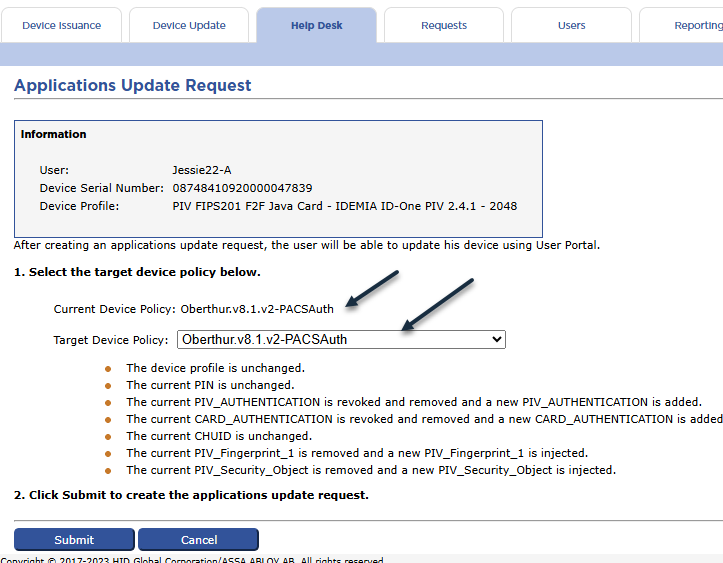
In the Applications Update Request window, specify the target device policy to be the same as the Current Device Policy. Press the submit button.
-
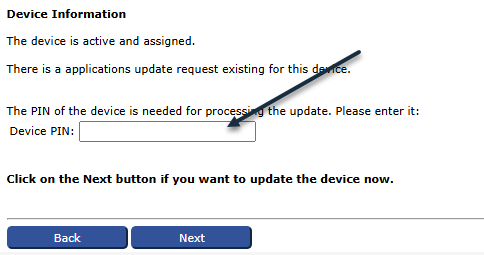
Click the Device Update tab. Next press Proceed. Have the card holder enter the PIN of their smart card and then press Next
-
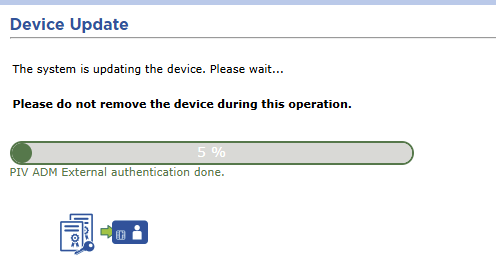
The device will be updated.
-
Once complete, the device will have new certificates.