The Personal Credential Assistant allows users to update their credential PIN.
Steps to perform an PIN update with PCA:
|
|
|
|
|---|---|---|
|
1 |
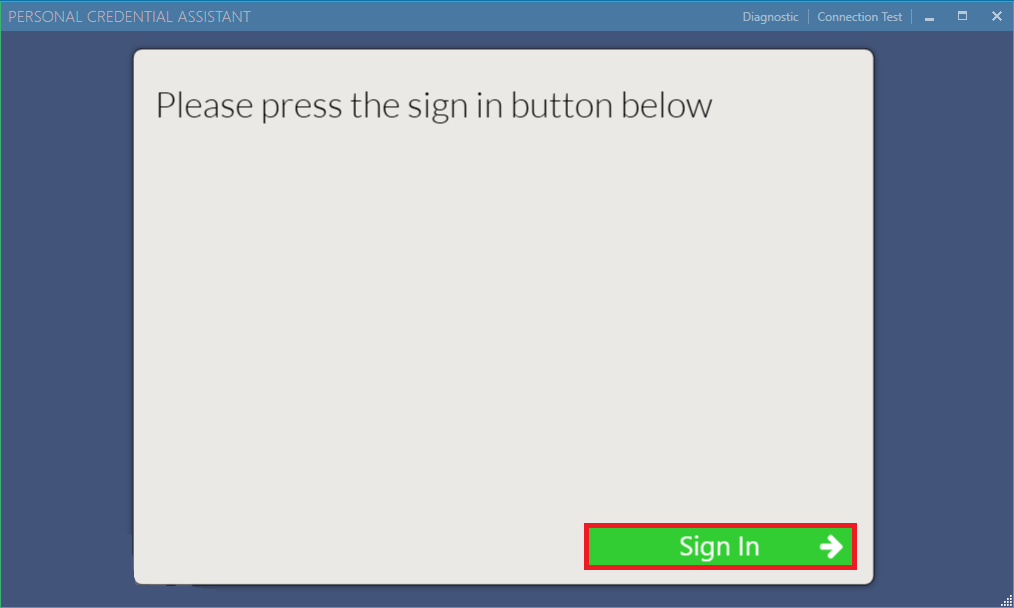
Launch PCA. Sign in with Credential Manager role |
|
|
2 |
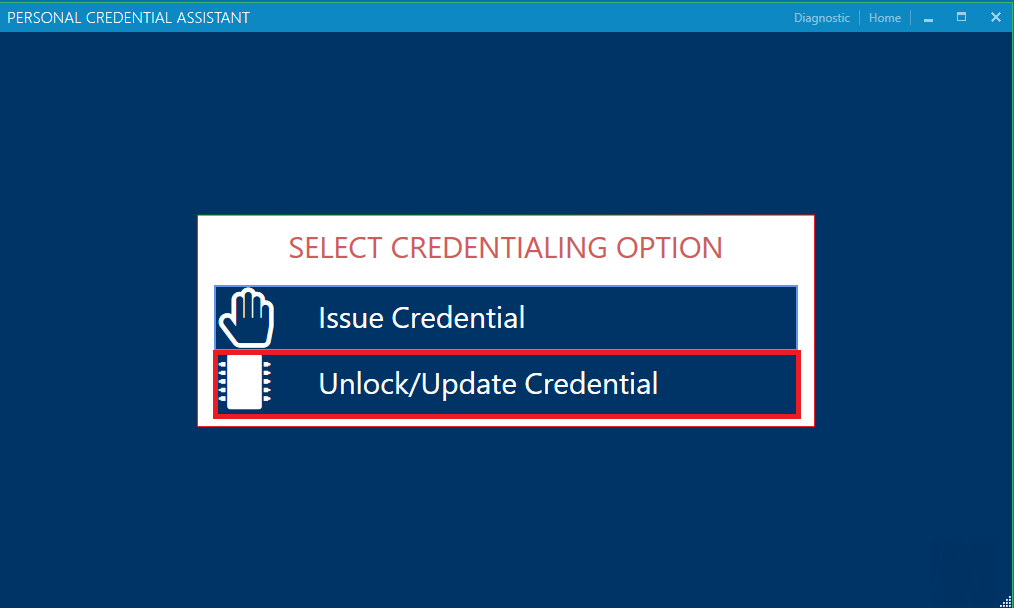
Select the "Unlock/Update Credential" |
|
|
3 |
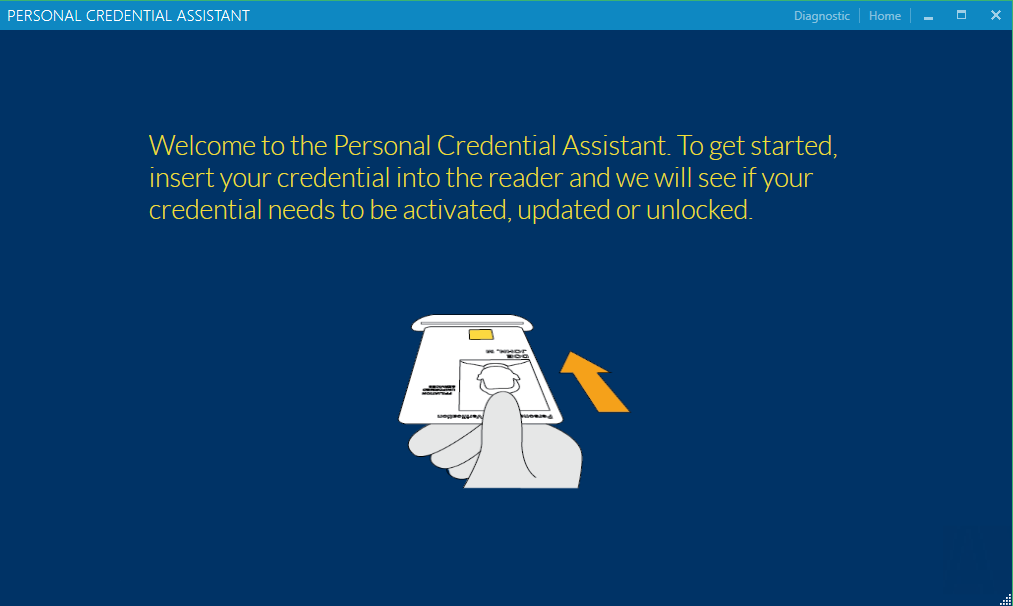
Insert the credential for PIN change |
|
|
4 |
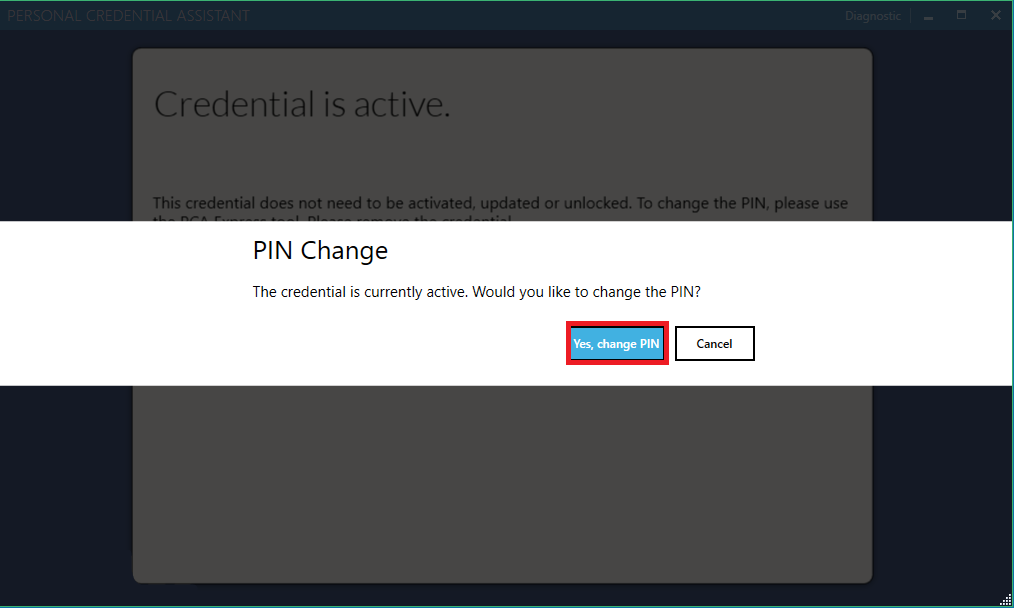
After inserting the credential, PCA will read the credential and let the cardholder know if they can perform a PIN change.
Press "Yes, change PIN" |
|
|
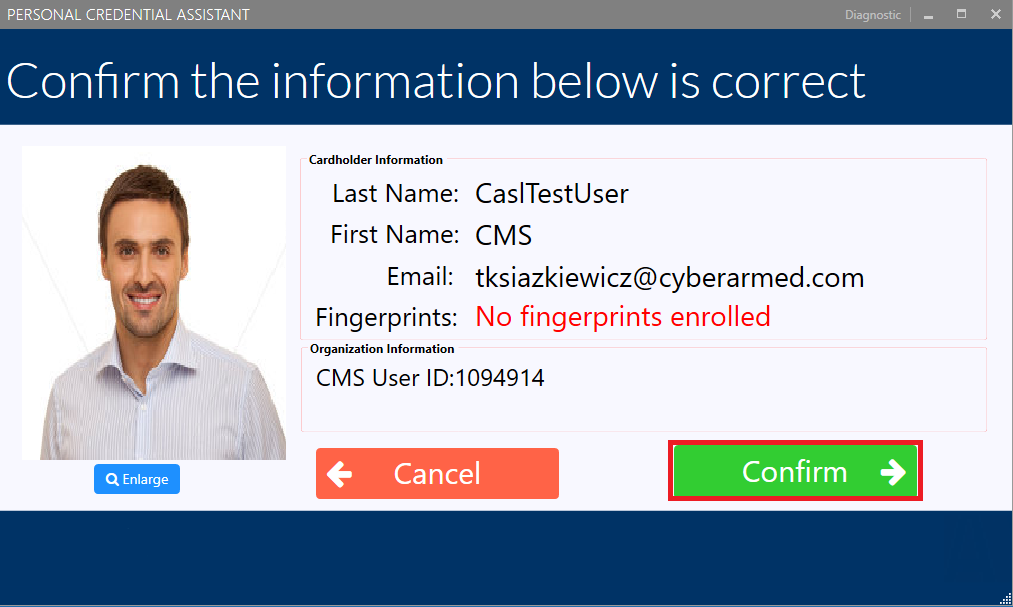
5 |
Confirm the cardholders information then proceed. |
|
|
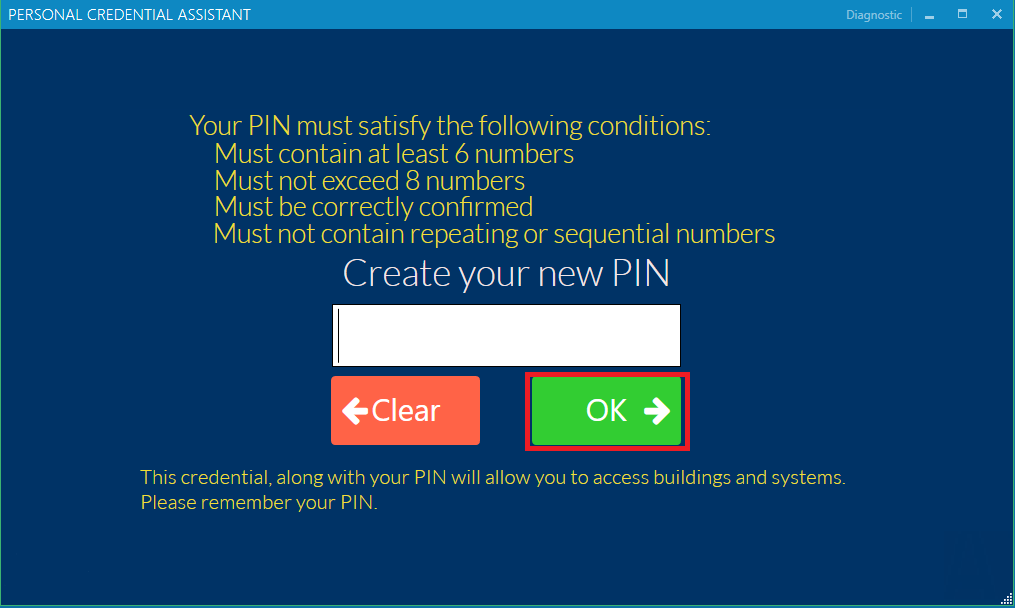
6 |
Create the new PIN number. |
|
|
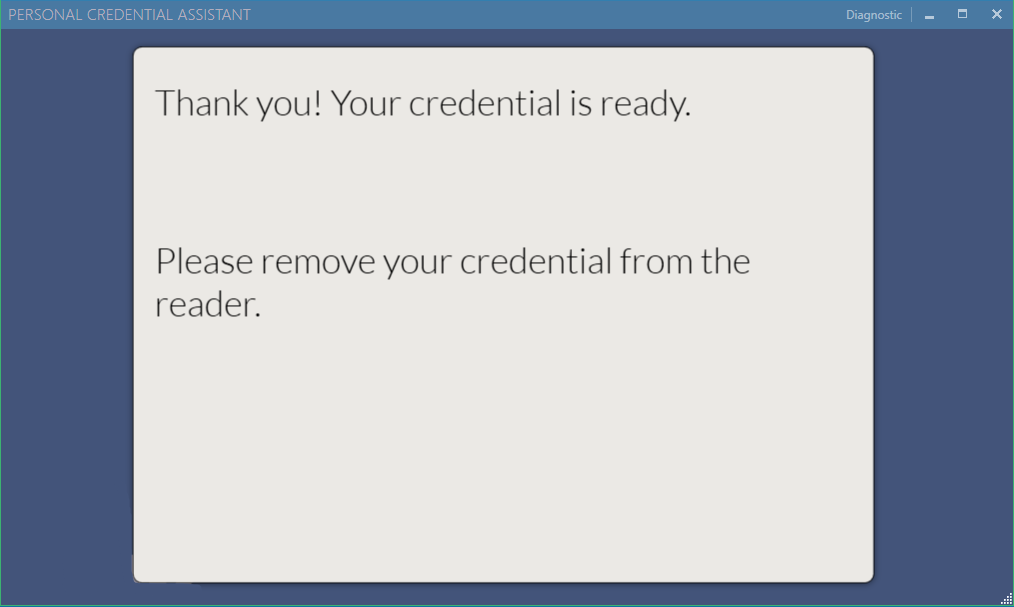
7 |
PIN successfully changed. |
|