
For identity proofing, the IDMS supports flexible photo and I-9 documentation capture based on organizational need. Configure the credential policy to include which document capture methods you want the operator to select within the user experience.
Selecting Document Capture Methodology
Complete the following process to configure the system to display the applicable document capture items needed based on the credential policy.
|
Item |
Procedure |
Example |
|---|---|---|
|
1 |
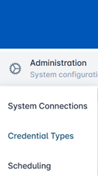
Click Administration and select Credential Types. |
|
|
2 |
Select a Credential Policy and press the corresponding gear button. Press Configure Policy. |

|
|
3 |
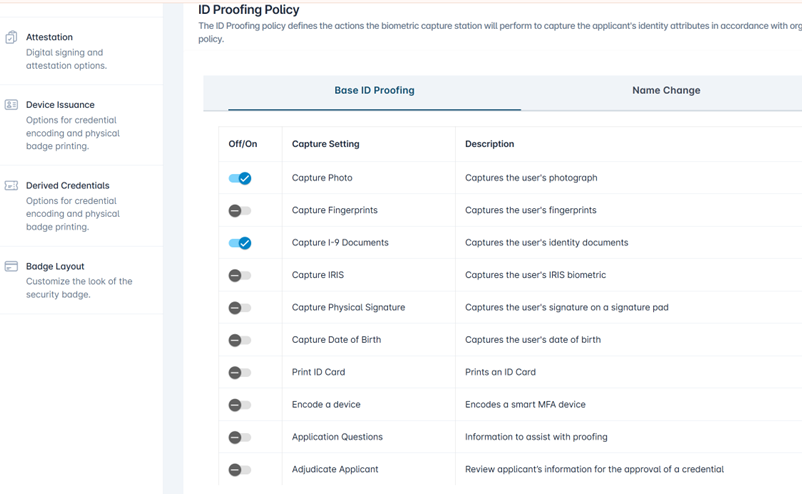
It will open to the Identity Proofing tab. Next to Capture I-9 Documents, select on using the radio button. |
|
|
4 |
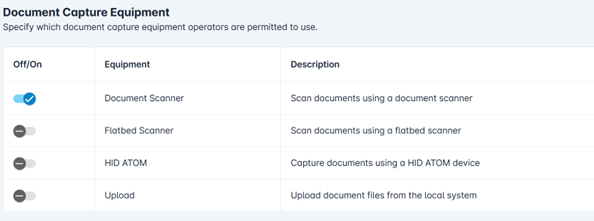
Scroll down and under the Document Capture Equipment section, turn on the items you want to use for document capture using the radio buttons. Selection includes document scanner, flatbed scanner, HID Atom, and upload.
|
|
|
5 |
Select Save Changes to complete the selection. One the main credential configuration page, select Confirm to apply the changes. |

|
The operator will see the configured document capture selection options during the I-9 document collection process based on the applicable credential policy.