To protect against unauthorized access, a PIV credential will lock after numerous unsuccessful attempts. When this occurs, the PIV credential cannot be used again until it has been unlocked. To determine if the credential has been locked, the following procedures can be used.
Determining if a credential has been locked via the CMS portal.
|
Step Number |
Proceduer |
Example |
|---|---|---|
|
1 |
Authenticate to the CMS portal as an operator. |
|
|
2 |
Insert the PIV credential that needs to be analyzed. |
|
|
3 |
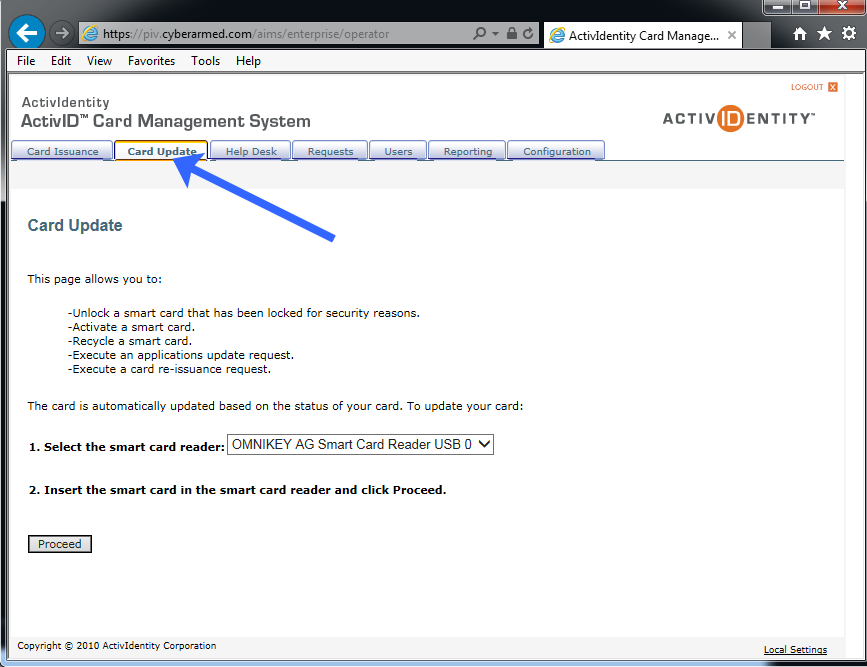
Click the Card Update tab. |
|
|
4 |
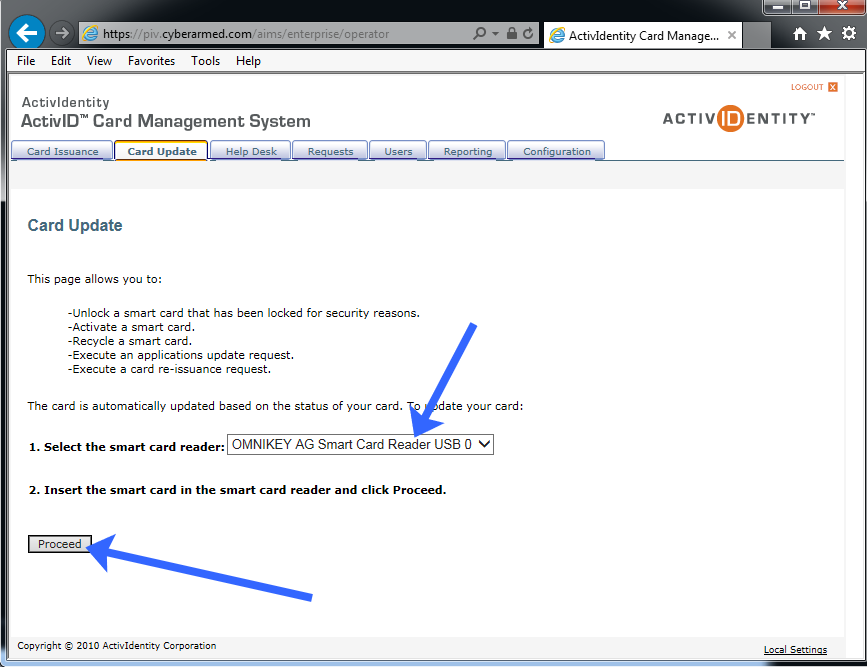
Next, select the reader that the PIV credential is inserted to and press Proceed. |
|
|
5 |
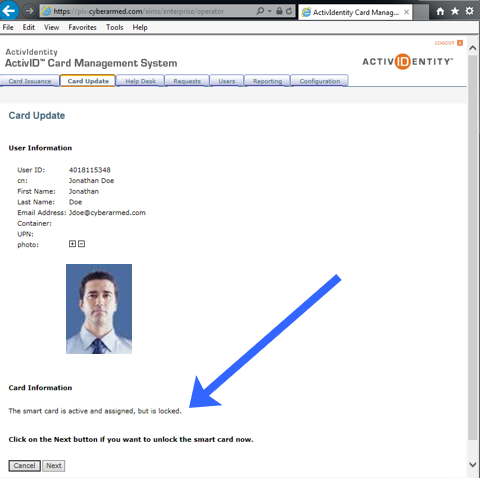
If the credential is locked, the card update screen will say "The smart card is active and assigned but is locked." |
|
Determining if a credential has been locked via the HID ActivClient
|
Step Number |
Procedure |
Example |
|---|---|---|
|
1 |
Insert the credential to be analyzed into the reader. |
|
|
2 |
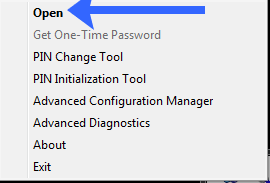
Go to the system tray and right click on the ActivClient Icon. Next click "Open." |
|
|
3 |
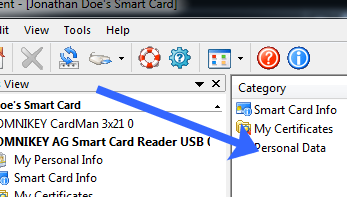
Next, click Personal Data. |
|
|
4 |
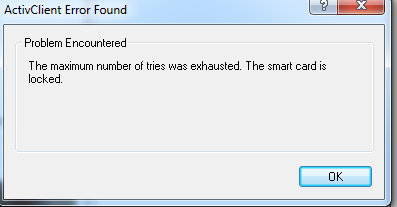
If the card is locked, the middleware will state that "The smart card is locked." |
|