
The IDMS platform supports physical smart cards along with derived and mobile credentials. The derived functionality is configurable and can be displayed or turned off to operators based on the credential policy.
Turn On or Off Derived Credential Feature
Complete the following process to configure the system to display option for derived credential based on the credential policy.
|
Item |
Procedure |
Example |
|---|---|---|
|
1 |
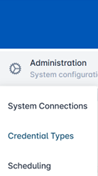
Click Administration and select Credential Types. |
|
|
2 |
Select a Credential Policy and press the corresponding gear button. Press Configure Policy. |

|
|
3 |
Select the Device Issuance tab. |
|
|
4 |
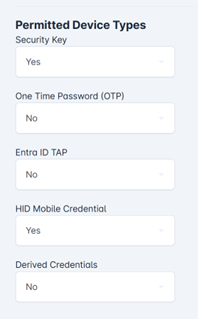
Go to the Permitted Device Types section. Select Yes or No using the drop down in the Derived Credentials field to configure the option for derived credential. |
|
|
5 |
Select Save Changes to complete the selection. One the main credential configuration page, select Confirm to apply the changes. |

|
If Yes is selected, derived credentials will show as an option to issue a device and if No is selected, it will not be displayed.