
The following procedures describe how to change the database configuration for the DataStar service. It is assumed that the existing database has been replicated.
|
Procedure |
Example |
|
|---|---|---|
|
1 |
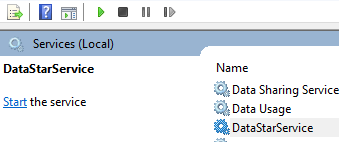
Go to the Services Management console, stop the DataStarService |
|
|
2 |
Go to the C:\Program Files (x86)\CyberArmed\DataStar folder |
|
|
3 |
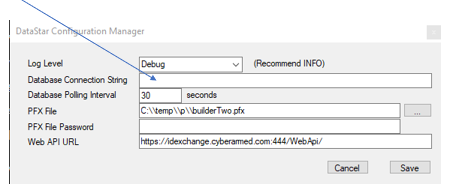
Run the DataStarConfigurationManager.exe application |
|
|
4 |
Within the database connection string, provide the updated database configuration. |
|
|
5 |
Press Save |
|
|
6 |
Go to the Services Management Console and start the DataStarService |
|
|
7 |
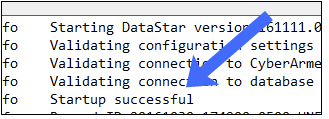
Next, go to the C:\Program Files (x86)\CyberArmed\DataStar directory and view the DataStar_LogFile file. |
|
|
8 |
Verify start up was successful. |
|