
The User Credentialing History reports provides a granular, detailed history of a user’s credential history. It lists their devices, certificates, and key generation history. Finally, it displays the operator that performed the transactions.
To Run the User Credentialing History Report
|
Item |
Procedure |
Example |
|---|---|---|
|
1 |
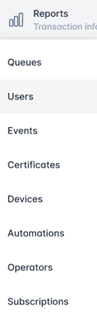
Login with the Reports Officer role and go to Reports, then Users. |
|
|
2 |
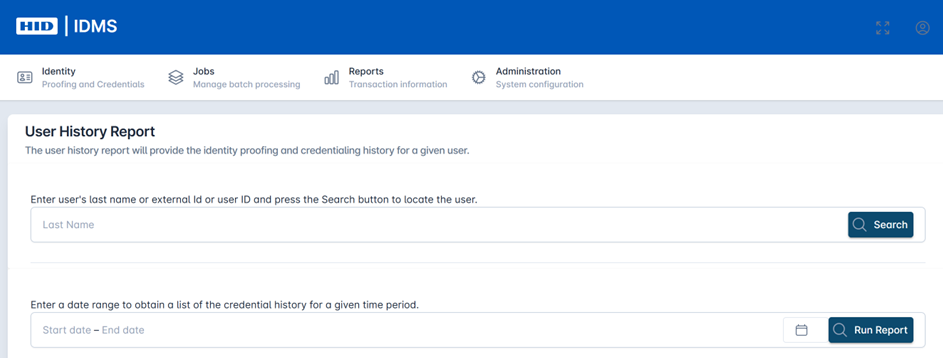
You can use the search bar to search for a specific user by last name, external Id or user Id. Press Search. In the date range field, click the calendar icon and select the date range. |
|
|
3 |
Press Run Report. |

|
|
4 |
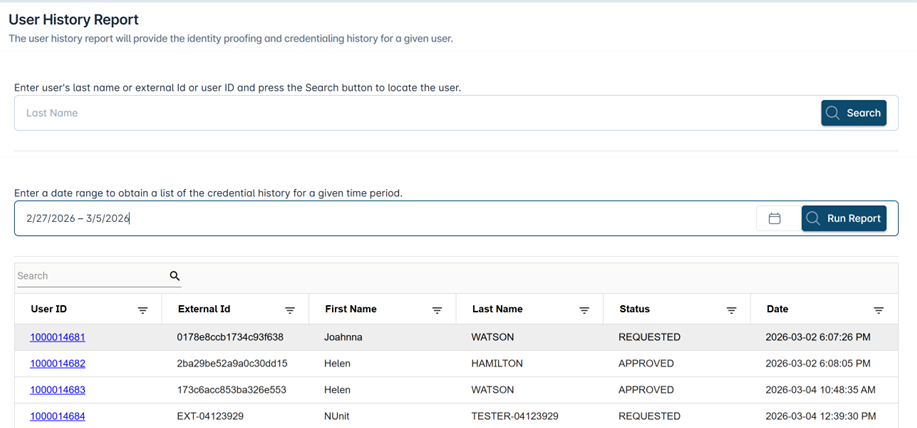
The results are displayed in the table below. Fields include User ID, External Id, First Name, Last Name, Status, and Date. To view the detail, click the hyperlinked User Id. |
|
|
5 |
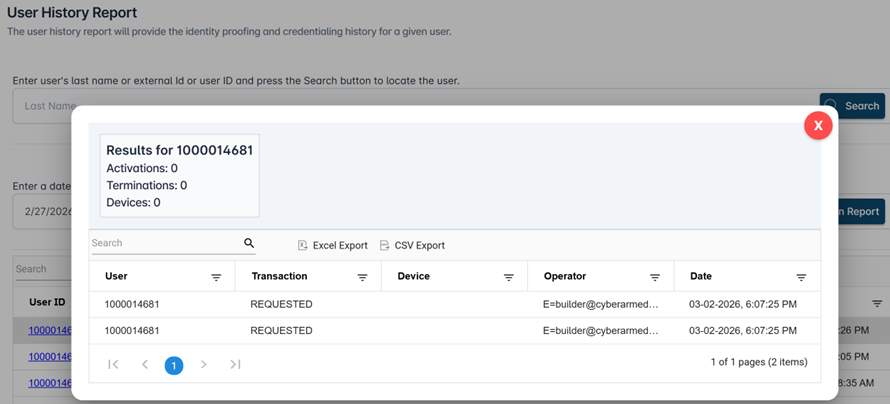
The detailed credentialing history will be listed for the selected user. The system displays summary detail for activations, terminations, and devices. It includes line-item detail for each transaction including the operator who performed the activity. Use the ‘Excel Export’ and ‘CSV Export’ buttons to download the data. |
|