General Navigation
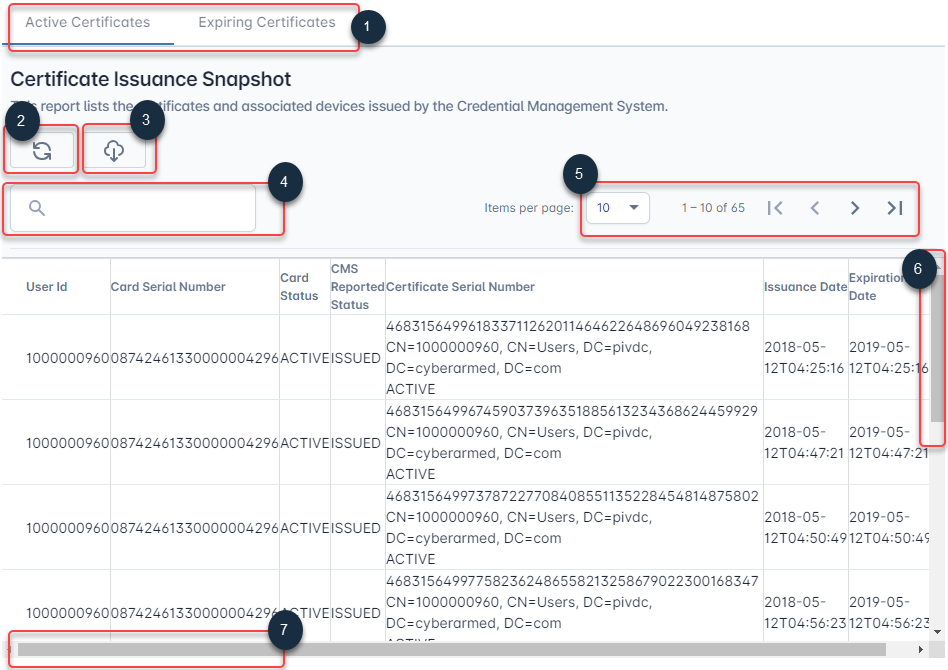
1 Tab Navigation: Clicking the tab will navigate you to a specific report.
2 Refresh: Click the refresh button will obtain the latest data.
3 Download: Click the download button to download the information from the table to your hard drive.
4 Search: After clicking the refresh button, filter the data table with a specific search query.
5 Page: Move to different locations of the data table
6 Scroll up/down: Move up and down to see the different rows in the table.
7 Scroll left/right: Move left and right to see the different columns in the table.
Using Dashboards
Setting Dates for Search
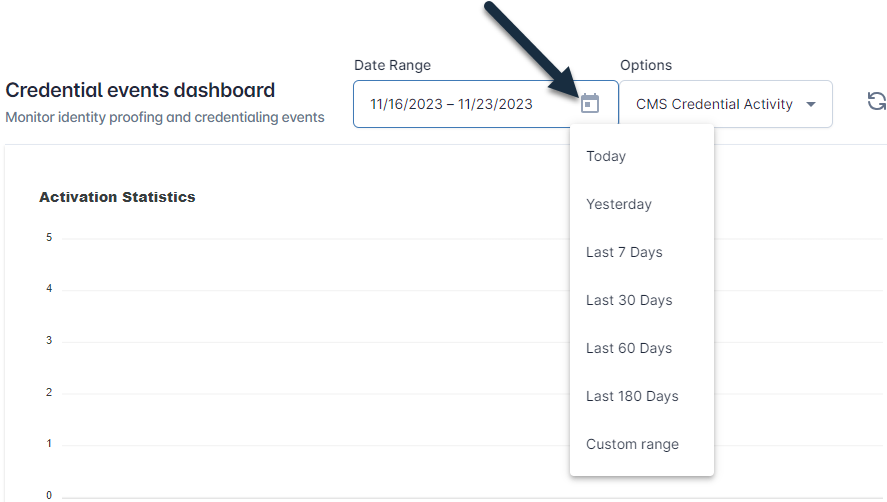
To select a date range, click the calendar icon to see the list of options. Select from one of the predefined ranges, or select custom range to set a specific timeframe. Once you have selected a date range, click the refresh button to update your report.