
The Certificate Expiration report provides oversight and operational maintenance and support ease. View the certificates that are approaching expiration at both summary and the detailed level.
The report lists the certificates that will be expiring in accordance with the renewal settings configured for the automated certificate renewal alerts.
Use this report to determine the users that will be sent an alert to update their certificate. It also includes their device and certificate details.
|
Item |
Procedure |
Example |
|---|---|---|
|
1 |
Login with the Reports Officer role and go to Reports, then Certificates. Select the Expiring Certificates tab. |

|
|
2 |
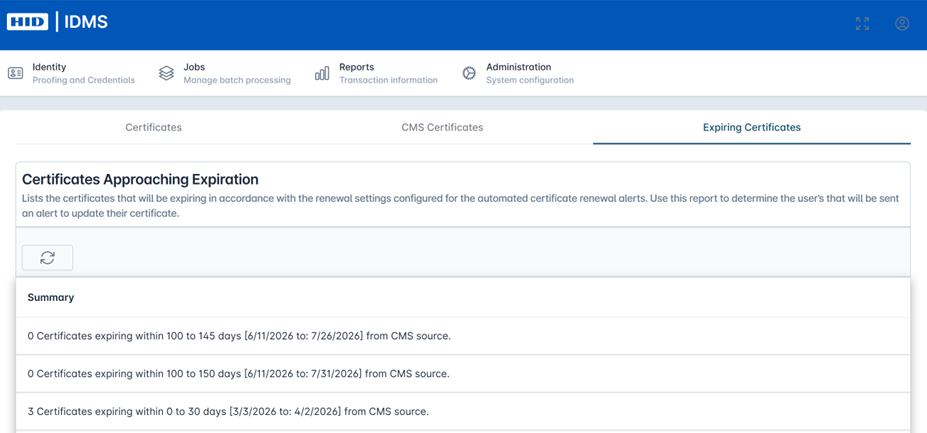
Select the Refresh button to load the certificates set to expire according to defined time period. You will see a summary view of expiring certificates. |
|
|
3 |
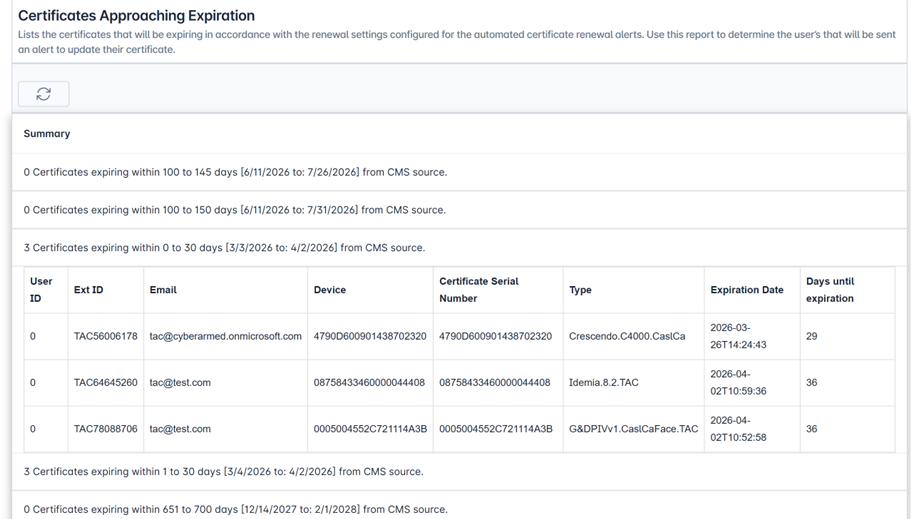
Select the summary row to see the certificate expiration and associated user details. Fields include User Id, Ext Id, Email, Device, Certificate Serial Number, Type, Expiration Date, and Days Until Expiration. |
|