
The Credential Events dashboard provides an enterprise view of the credential management transactions that have occurred in a given time frame. It also provides a graph and summary view to help quickly understand the types of transactions that are occurring.
To Run the Credential Events Report
|
Item |
Procedure |
Example |
|---|---|---|
|
1 |
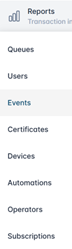
Login with the Reports Officer Role and go to Reports, then select Events. |
|
|
2 |
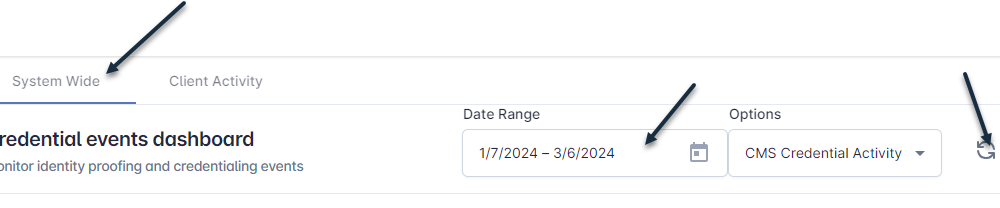
Click the System Wide tab, select a Date Range, and press the Refresh button. |
|
|
3 |
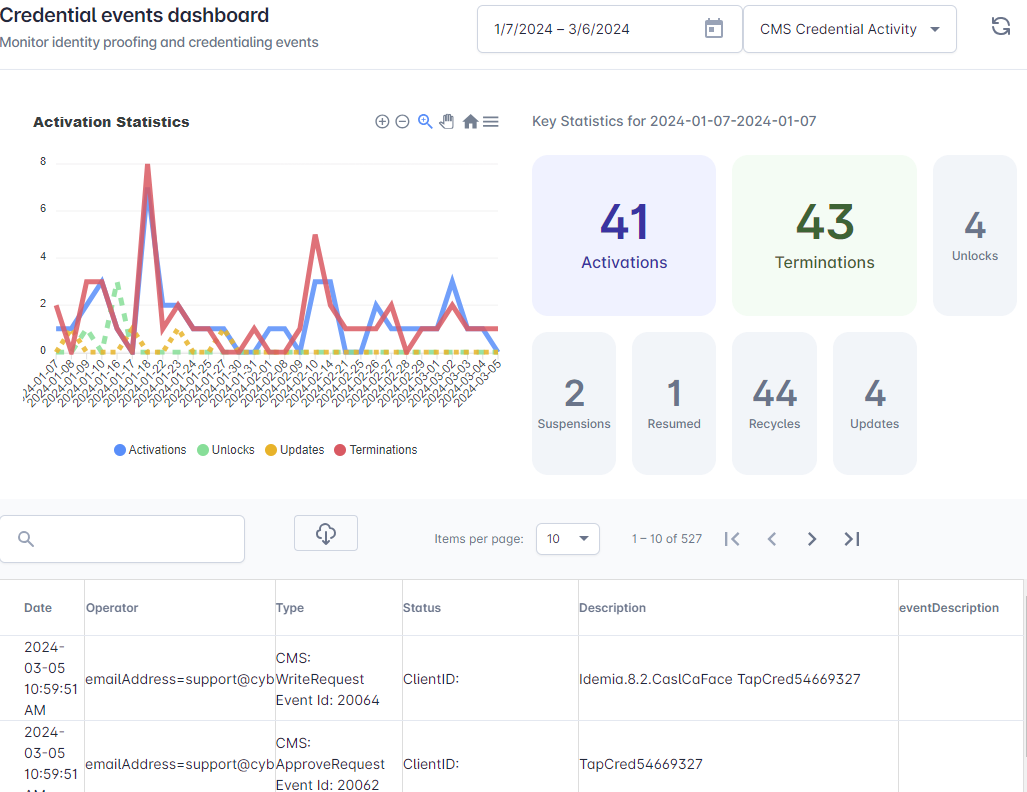
The trendline, summary panel, and details will be updated. Summary fields include Activations, Terminations, Unlocks, Suspensions, Resumed, Recycles, Updates, and Errors. |
|
|
4 |
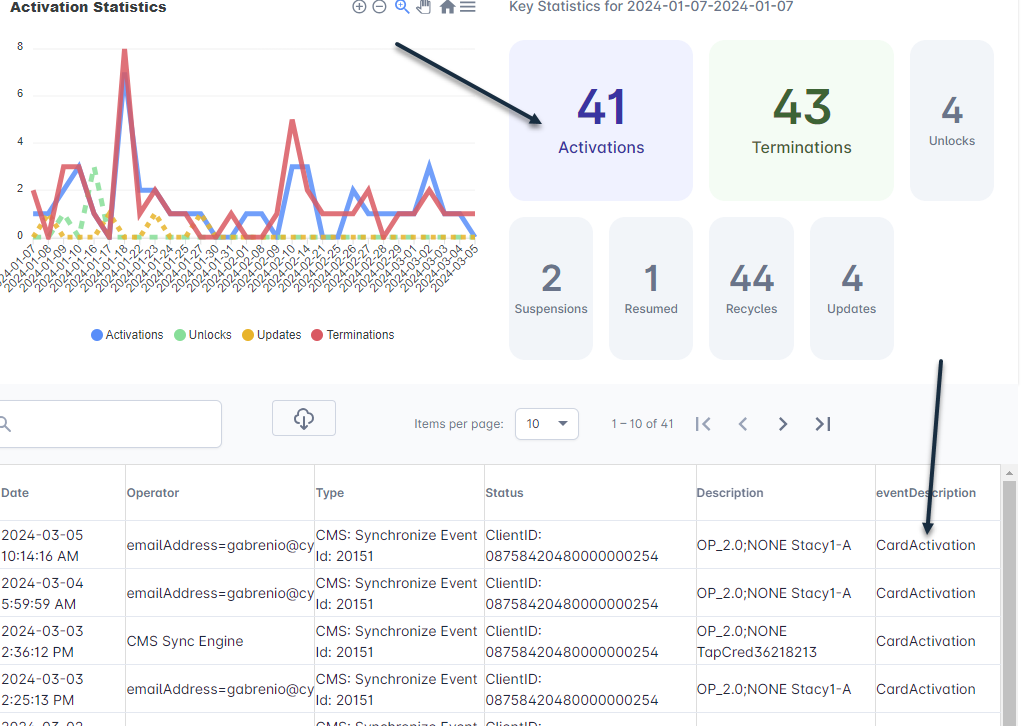
To view specific transactions, for example, Activations, click the Activations Summary button and the data table will be filtered by activation details. |
|
|
5 |
To search the detail, enter the search term in the search bar. Table fields include Date, Operator, Type, Status, Description, and Event Description. |

|
|
6 |
You can download the data by selecting the ‘Excel Export’ or ‘CSV Export’ button. |
|
General Navigation of the Credential Events Dashboard
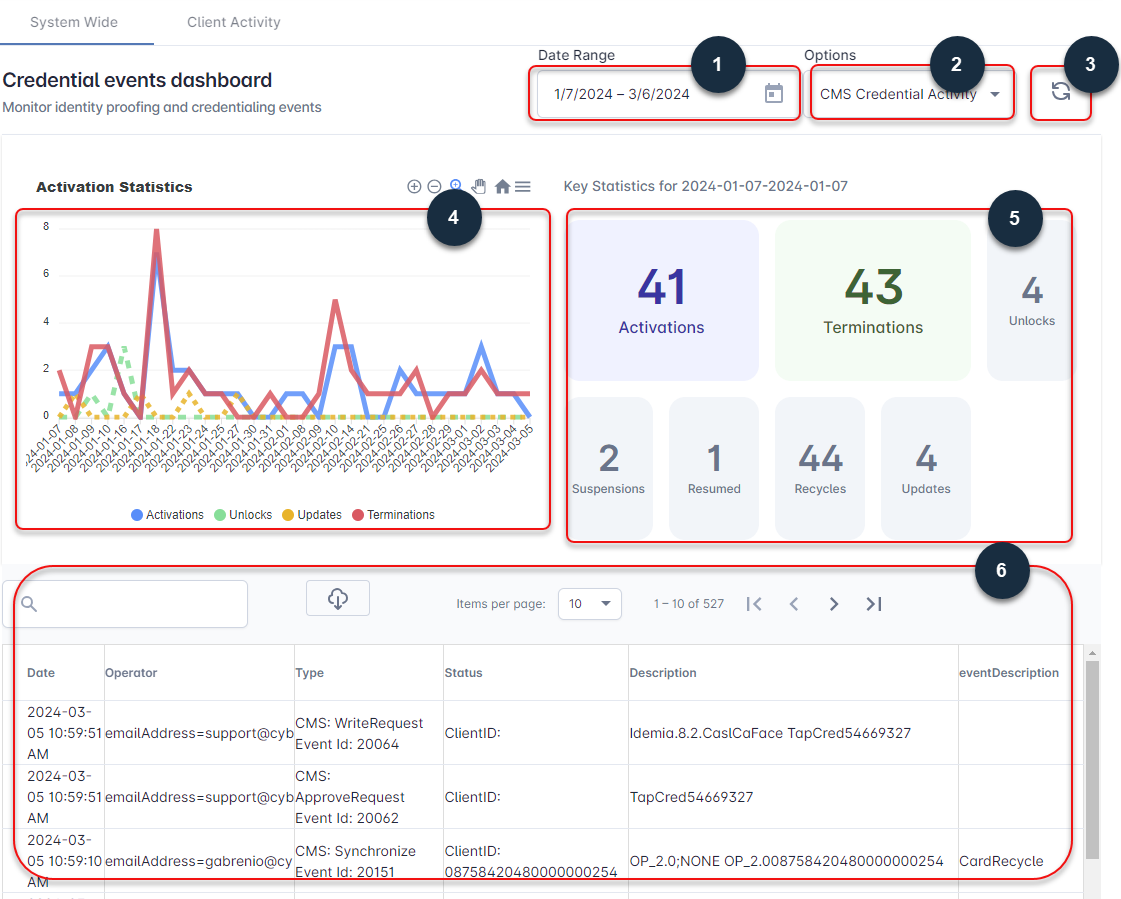
The following describes the report navigation and capabilities.
-
Date Range Selector: Select the date range desired to obtain credential data.
-
Options: Select the type of information to retrieve.
-
Refresh: Regenerate the report.
-
Activity Trendline: See the events over a given time frame.
-
Summary: View the summary of core credential transactions.
-
Detail: See the detail of each transaction.