
To update the IDMS Application Credential
-
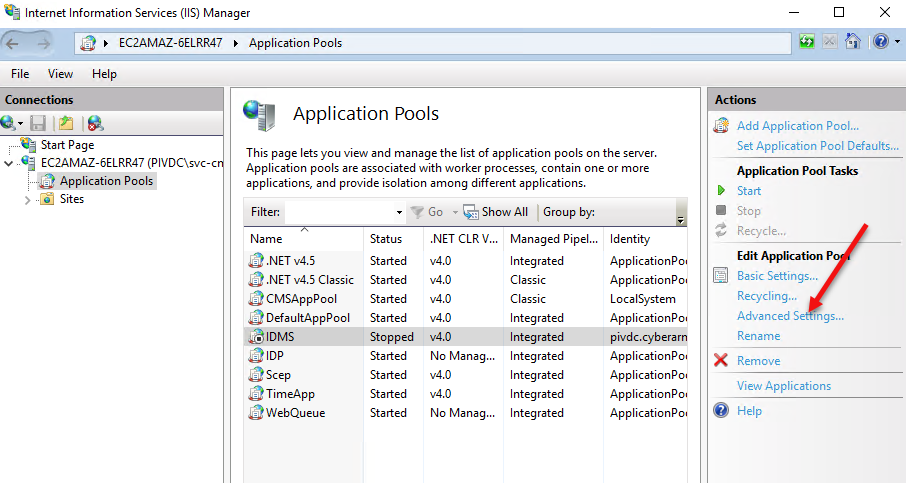
Open IIS manager
-
Click Application Pools
-
Click IDMS
-
Click Advanced Settings.
-
Click the identity column, then press the … icon.
-
Press the Set button
-
Enter the service account user name and the updated password. When complete, press OK.
-
Start the Application Pool.