
The procedures below describe how to move the IDMS to a different file location.
Note: This procedure must be performed every upgrade.
|
Procedure |
Example |
|
|---|---|---|
|
1 |
Stop IIS |
|
|
2 |
Open IIS Manager |
|
|
3 |
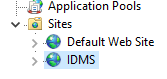
Expand the sites, click on IDMS. |
|
|
4 |
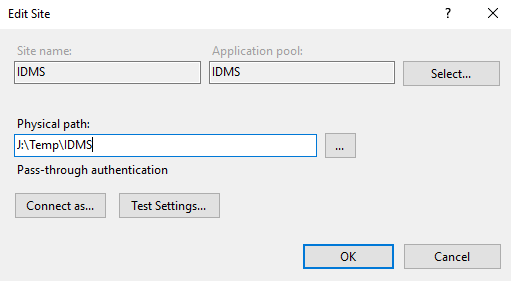
On the right site of IIS manager, click basic settings. |

|
|
5 |
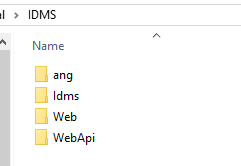
Open a windows explorer and go to the Physical path. |
|
|
6 |
Copy the entire IDMS folder to the new location. |
|
|
7 |
In the IIS Manager, update the physical path to point to this new location |
|
|
8 |
Press OK |
|
|
9 |
Restart IIS |
|
|
10 |
Log into IDMS, click administration, click system connections the system version number appears. |
|