These procedures describe how to backup the IdExchange database.
Warning: It is critical that the database backup is encrypted and stored in a secure location. After the backup is completed, used NIST-approved cryptographic algorithms to encrypt the backup. Once the backup is encrypted, store the encrypted backup in a safe location.
|
Step Number |
Procedure |
Example |
|---|---|---|
|
1 |
Using Microsoft SQL Management Studio, connect to the existing IdExchange database. |
|
|
2 |
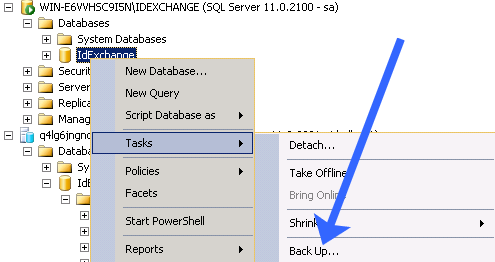
Right click on the IdExchange database and select "Back Up...". |
|
|
3 |
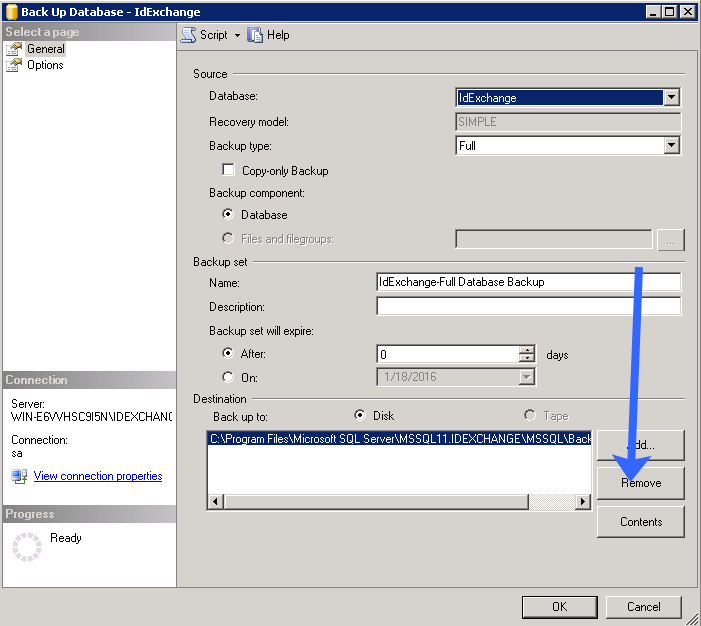
If there are any existing Destination paths, click the remove button. |
|
|
4 |
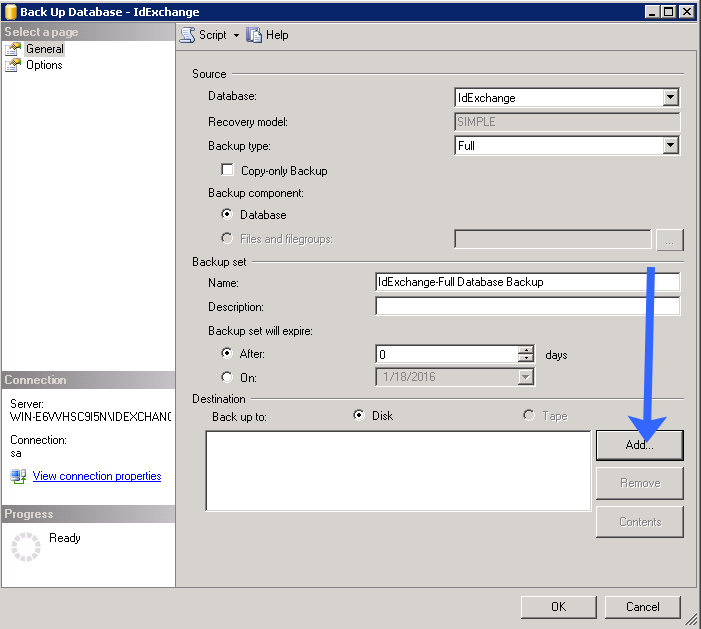
Next, in the destination section, select "Add". |
|
|
5 |
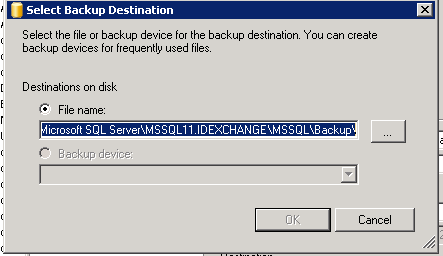
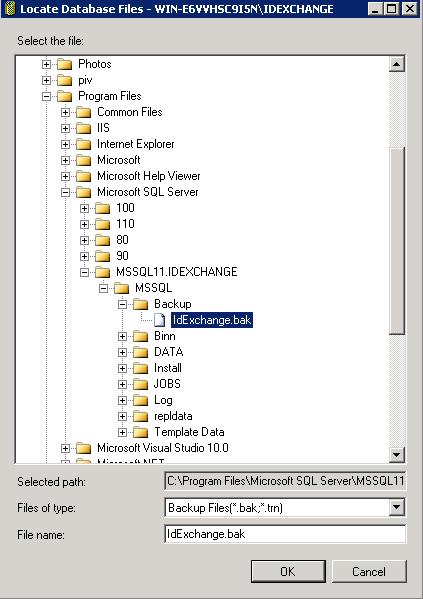
When the backup destination appears, select the backup destination folder and provide a name for the backup file.
After providing a name, press OK. |
|
|
6 |
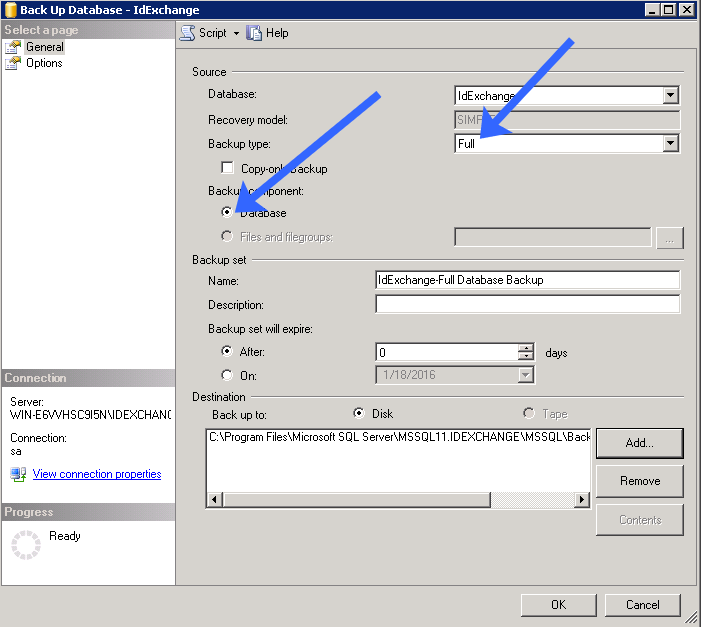
In backup types, select Full. Backup component select "Database".
Next, press the OK button. |
|
|
7 |
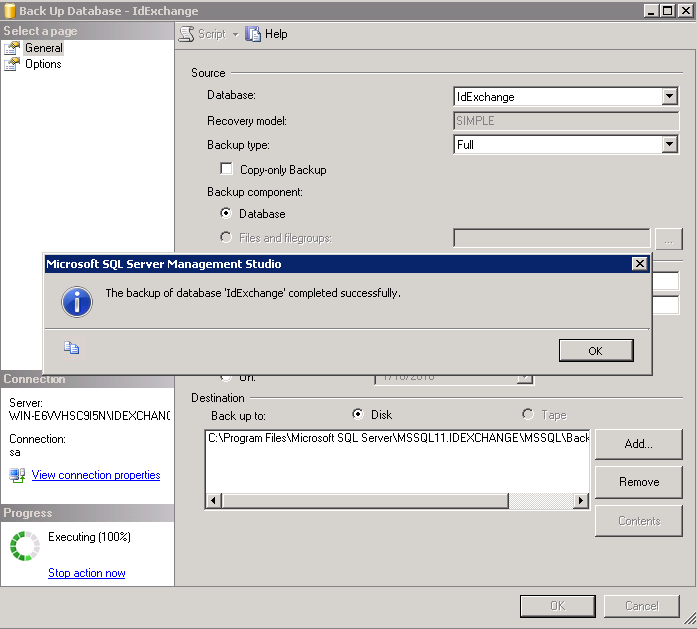
When complete, the dialog screen will show a status of the backup. |
|