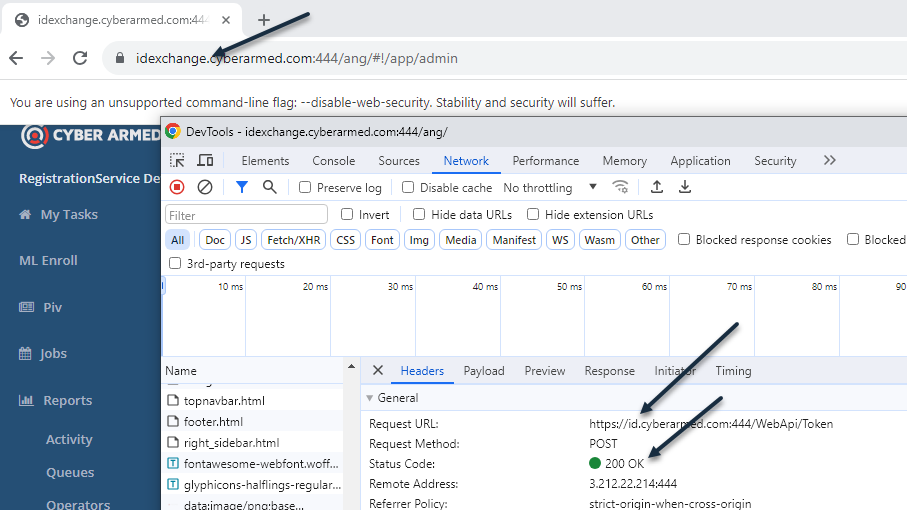
CORS occurs when the application's front end (user interface) uses a different DNS than the application server’s backend (Application Programming Interface). While CORS can be supported if the application server and app are configured properly, if the application server explicitly blocks the OPTION verb, CORS will not work due to the underlying protocol.
As a workaround, the browser can be configured to disregard CORS initialization requests and instead perform the HTTP query. This enables a CORS request to be fulfilled.
To enable the Chrome browser to perform CORS request, run the Chrome browser with the command line instruction:
"C:\Program Files\Google\Chrome\Application\chrome.exe" --disable-web-security --disable-gpu --user-data-dir=%LOCALAPPDATA%\Google\chromeTemp
WIth this browser mode, a CORS request is permitted (see screenshot below).