
Cross-Origin Resource Sharing (CORS) allows a server to indicate any origins (domain, scheme, or port) other than its own from which a browser should permit loading resources. For security purposes, the server usually only permits connections from the same origin.
|
Procedure |
Example |
|---|---|
|
Stop the IDMS application pool |
|
|
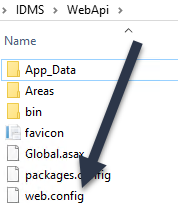
Using the file explorer, go to IDMS\WebApi and backup the web.config |
|
|
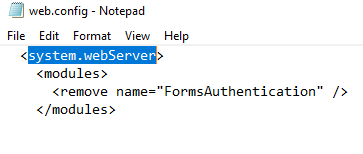
Open the web.config in notepad. Locate the system.webServer section |
|
|
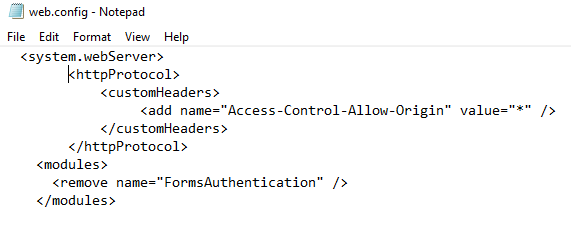
Directly under the <system.webServer>, enter the following
<httpProtocol>
|
|
|
Save the web.config and restart the IDMS application pool |
|