
|
Step Number |
Example |
|
|---|---|---|
|
1 |
Open IIS Manager |
|
|
2 |
In the left panel, click Application Pools |

|
|
3 |
In the Application Pools Window, click IDMS |

|
|
4 |
In the Right Actions Window, click Recycling |

|
|
5 |
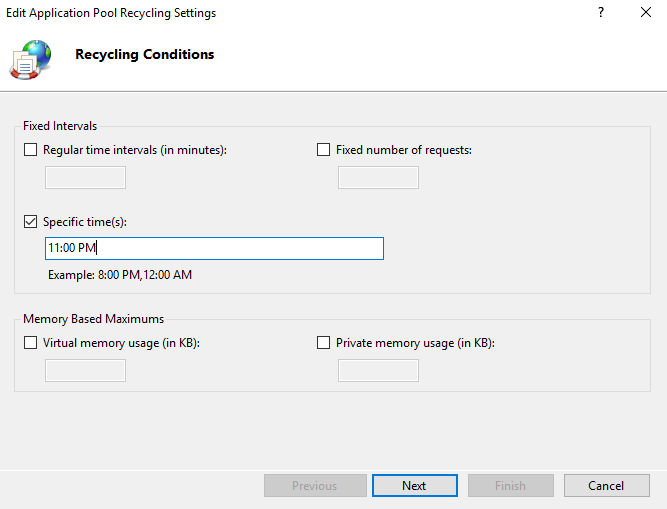
Check the Specific Times box and then enter the time for the pool to be recycle. Press Next |
|
|
6 |
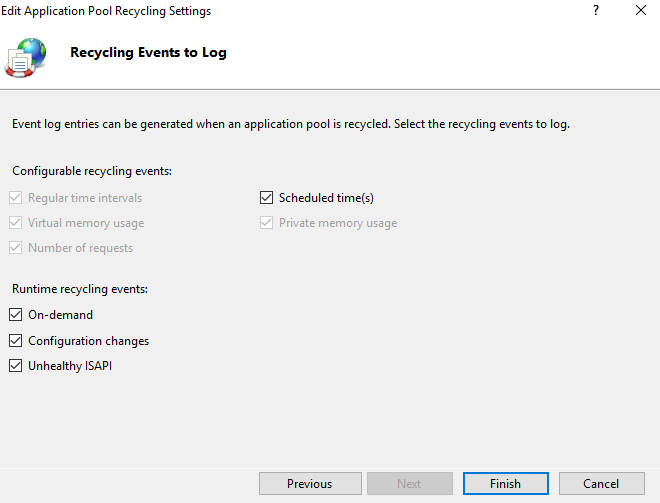
Verify the Schedule time(s) check box is checked and press Finish |
|