After the required approvals have been obtained, the instruction file can now be imported for processing. The following steps provide the instructions:
|
Step Id |
Description |
Example |
|---|---|---|
|
1 |
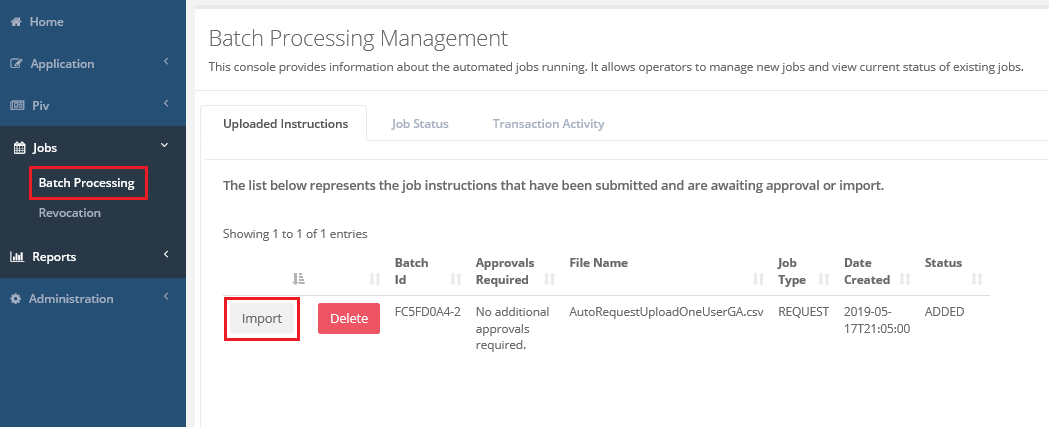
Click Jobs, Batch Processing
Locate the instruction file that was approved
Press the import button. |
|
|
2 |
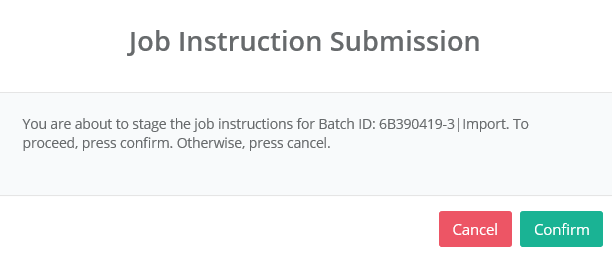
Confirm the job instruction submission. |
|
|
3 |
The job is now submitted for processing. |
|
|
4 |
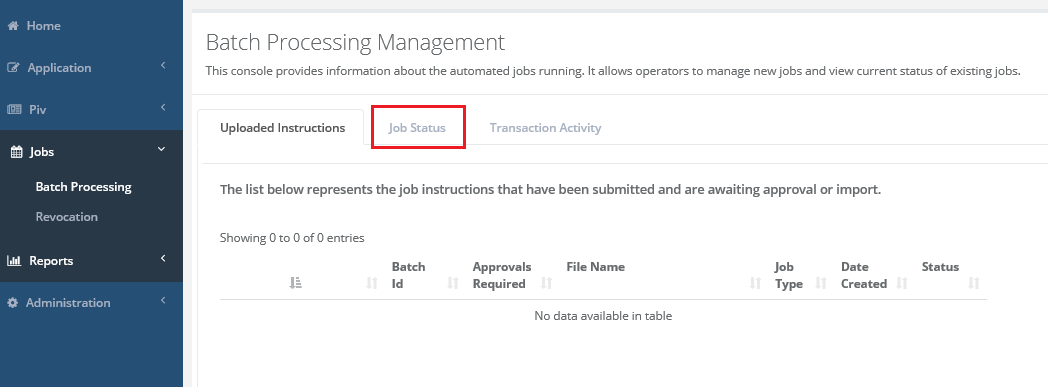
To view the job process, click the job status tab and press the Refresh button |
|
|
5 |
Locate the job and press the + button to list the contents of the job.
It can take up to 5 min to show as complete* |
|
|
6 |
Within the job, you the status can be viewed. Once complete, the user can then be located in IDMS. |
|