Users can be automatically processed by uploading their data via a comma separated value (CSV) instruction file. When requesting a user, the CSV file will contain the external id (the unique identifier in the originating directory), the IDMS credential policy, and the transaction type.
Instruction File Format
The instruction file contains the user and IDMS credential policy detail necessary to process the user. The layout is as follows:
|
UserId |
The IDMS user Id (If known) |
|
ExternalId |
The unique identifier of the user within their originating directory (for example, samaccountname for Active directory and UID for Red Hat Directory) |
|
ProcessingConfiguration |
The credential type |
|
TransactionType |
The type of transaction requested for the user. |
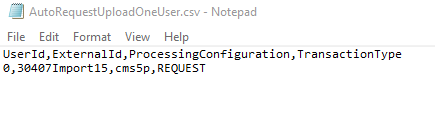
An example of this file is displayed in the screenshot below:
Processing Steps
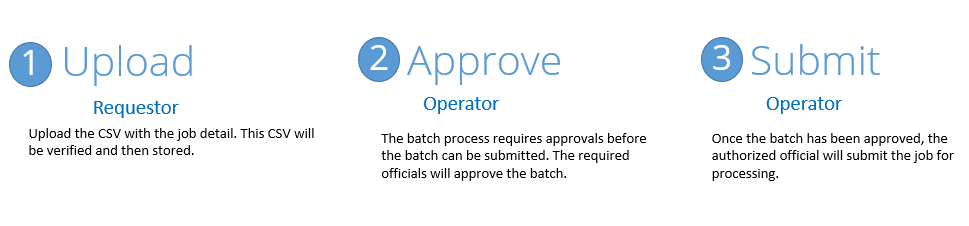
There are three steps to submitting the file.
-
Instruction upload: The instructions will be uploaded to the IDMS
-
Approval: The necessary officials will approve the instructions
-
Submit: The instructions will be submitted to the IDMS for processing.