Required Permissions
Credential Issuer
Credential Manager
To print a smart badge
-
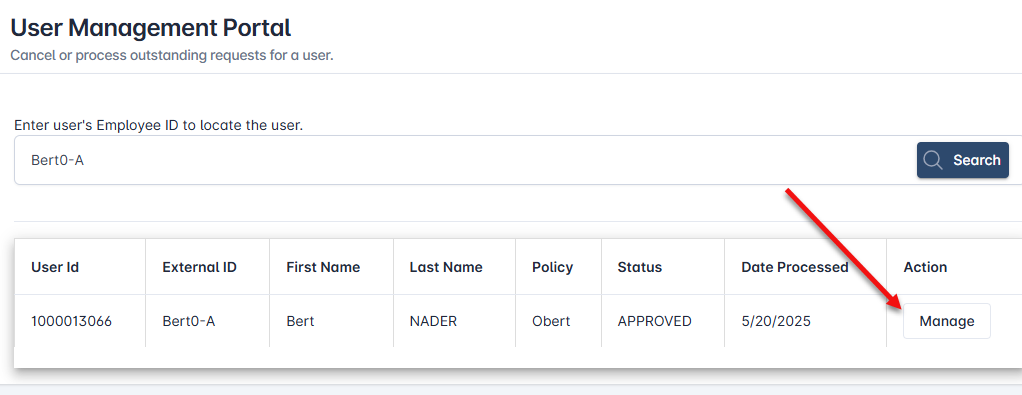
After authenticating, Go to Applications and click Manage and search for the user
-
Click the Manage button
-
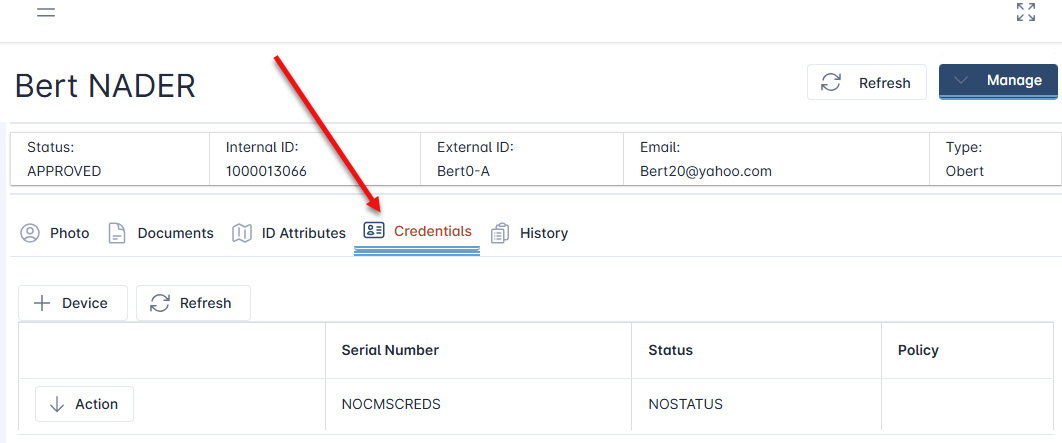
Click the Credentials tab
-
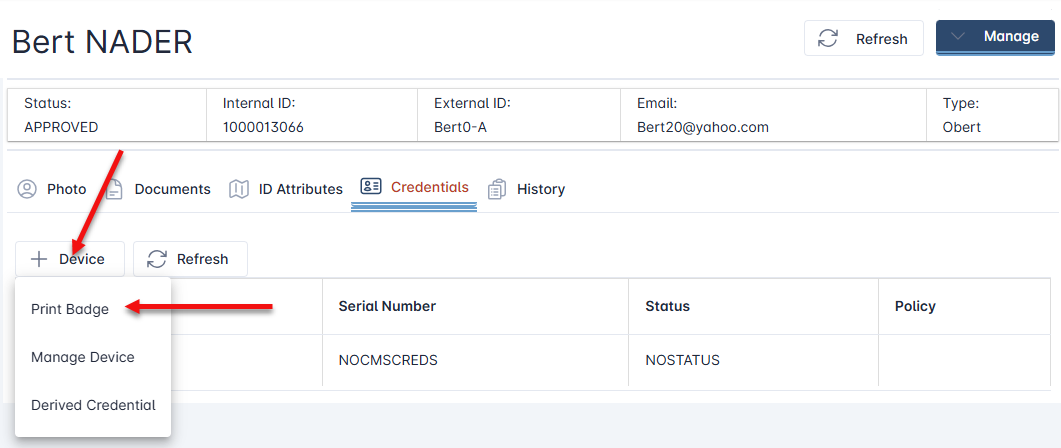
Click the + Device button and click Print Badge
-
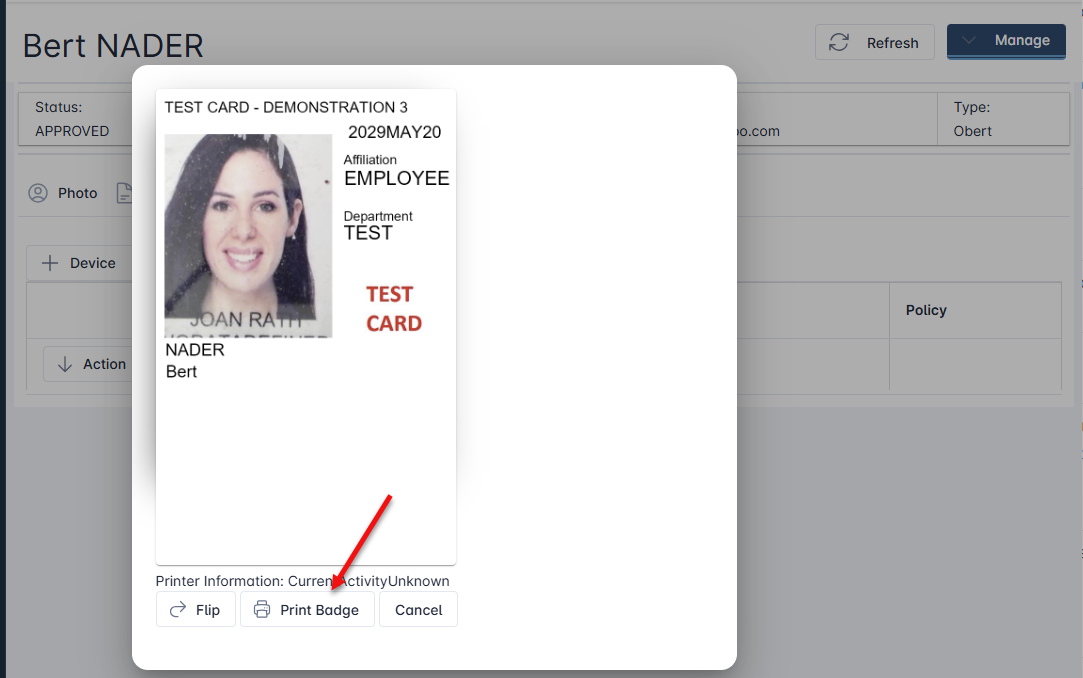
Review the preview image and then press the Print Badge button. The printer will print the badge and eject the badge once compete.