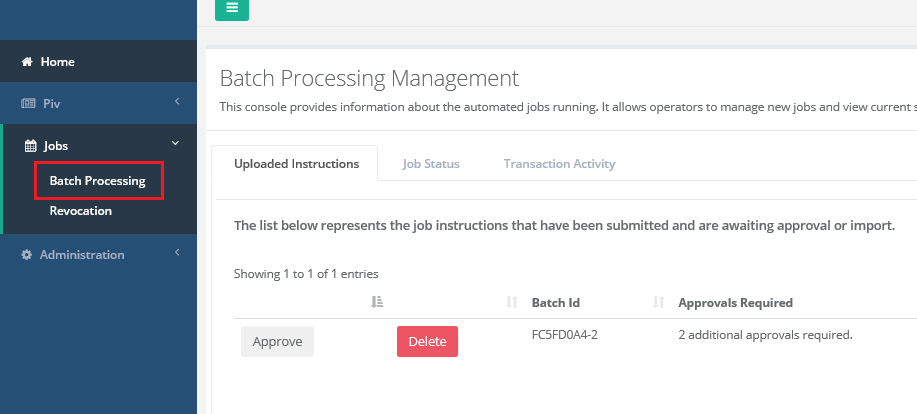
For security purposes, the instruction file be approved by authorized officials. The process for approving is below.
|
Step Id |
Description |
Example |
|---|---|---|
|
1 |
Click Jobs and then Batch processing
Locate the job that was imported and review the approvals required column. This column will list the number of approvals required for the instruction file. |
|
|
2 |
Press the approve button to approve the instruction file. |
|
|
3 |
After approving, review the approvals required column again to see if any remaining approvals are required. |
|
|
4 |
If any remaining officials are required to approve, have the remaining official official log in and approve the instructions. ( step 1-3 ) |
|
|
5 |
Review the approvals required column again to see if any remaining approvals are required. When all of the required approvals are complete, the IDMS will indicate that no more approvals are required. |
|