
The “Credentialing Operator History Report” and the “Identity Proofing Operator History Report” will provide transaction details the IDMS operators have performed across the credentialing management and the identity proofing process.
The reports provide record details into operator actions. The report generation process is below. You can choose to download data as a report by clicking on 'Excel export', 'CSV Export' or use the download button as applicable.
|
Item |
Procedure |
Example |
|---|---|---|
|
1 |
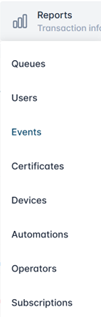
Click Reports, then select Operators. |
|
|
2 |
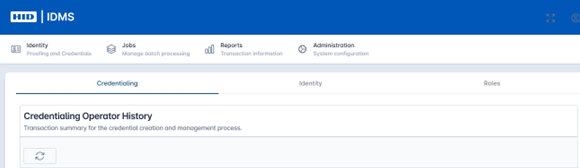
To access the “Credentialing Operator History Report” select the Credentialing tab. Press the Refresh button to load the latest data.
|
|
|
3 |
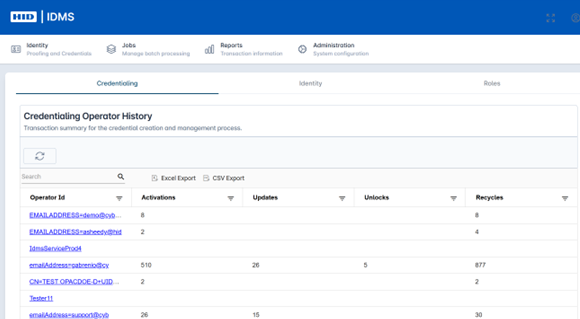
The report populates the following fields: Operator ID, Activations, Updates, Unlocks, and Recycles. The report grid is also searchable to easily locate information. |
|
|
4 |
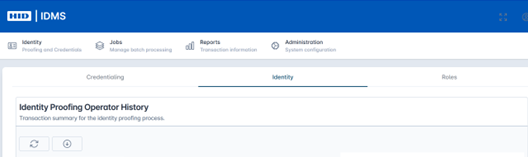
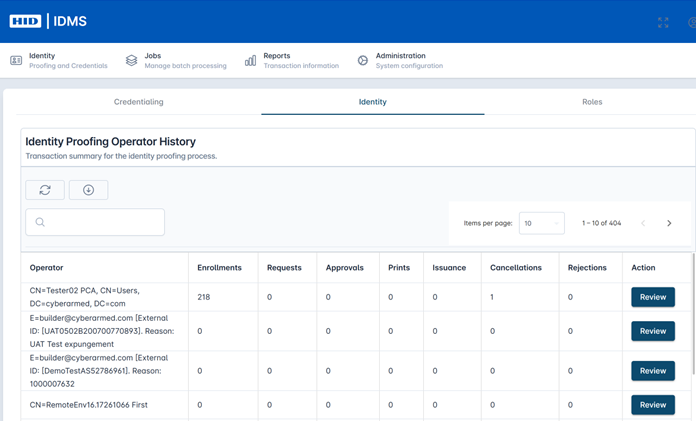
To access the “Identity Proofing Operator History Report” select the Identity tab. Press the Refresh button to load the latest data. |
|
|
5 |
The report populates the following fields: Operator, Enrollments, Requests, Approvals, Prints, Issuance, Cancellations, Rejections, and Action. The report grid is also searchable to easily locate information. |
|
|
6 |
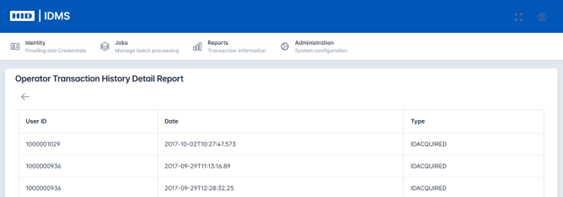
Click the Review button to see the specific details. The system pulls the User ID, Date, and Type for specific transaction. |
|