
IDMS Event Logging: Credential Event Dashboard
This portal provides the operational management and system level transaction auditing for the IDMS system. The interactive dashboard provides summary level management reporting for key system events and drill down details for all system activity. You can choose to download data as a report by clicking on 'Excel export' or the 'CSV Export' button.
The reporting access process is below.
|
Item |
Procedure |
Example |
|---|---|---|
|
1 |
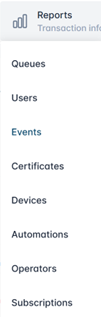
Click Reports, then Events. |
|
|
2 |
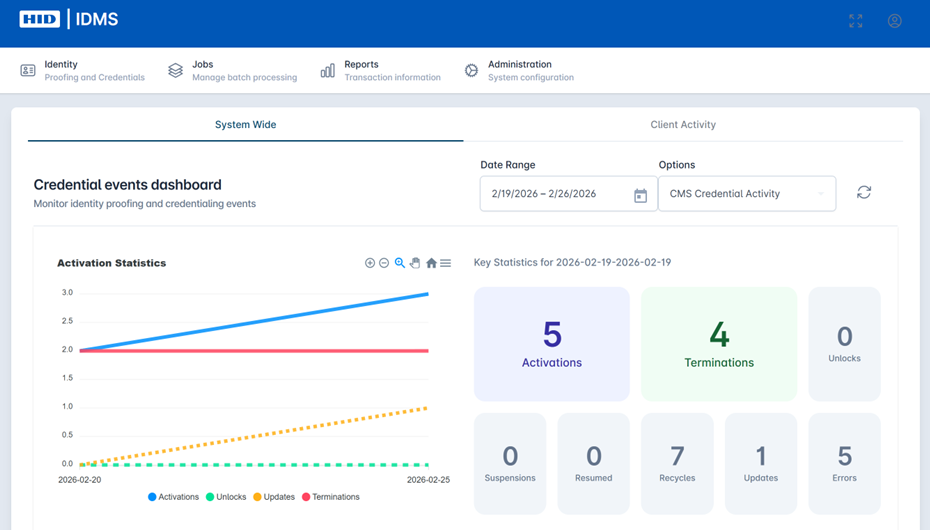
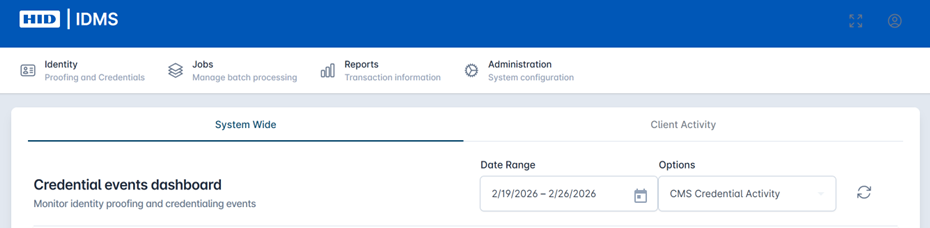
The Credential Events Dashboard will display for IDMS Event Logging. It defaults to the System Wide tab. |
|
|
3 |
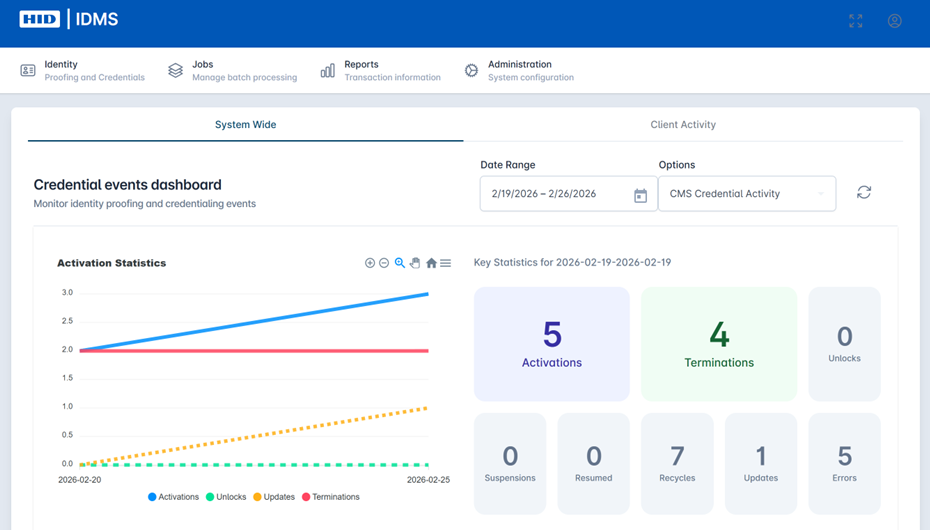
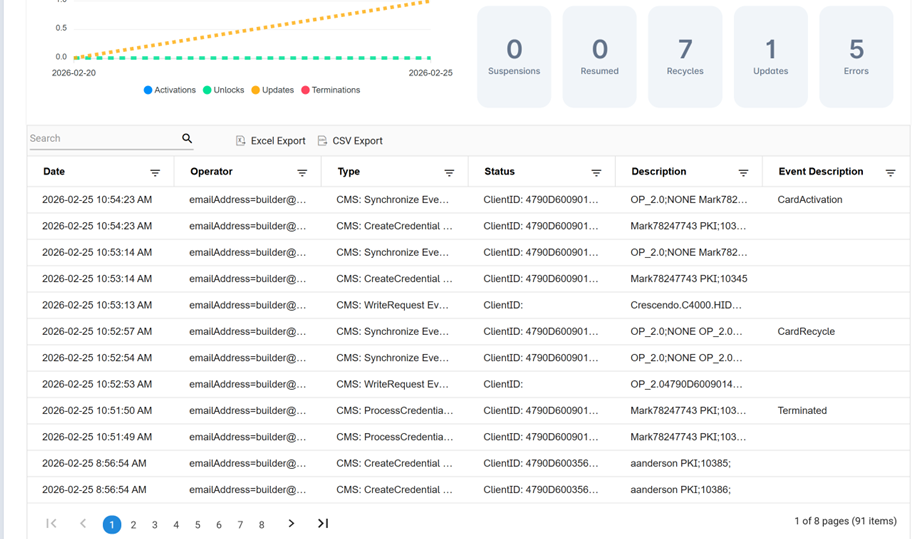
The top of the dashboard displays key summary level reporting metrics such as Activations, Terminations, Unlocks, Suspensions, Recycles, and other. This summary level detail can be drilled into. Select the desired date range and click the Refresh icon to update the data. |
|
|
4 |
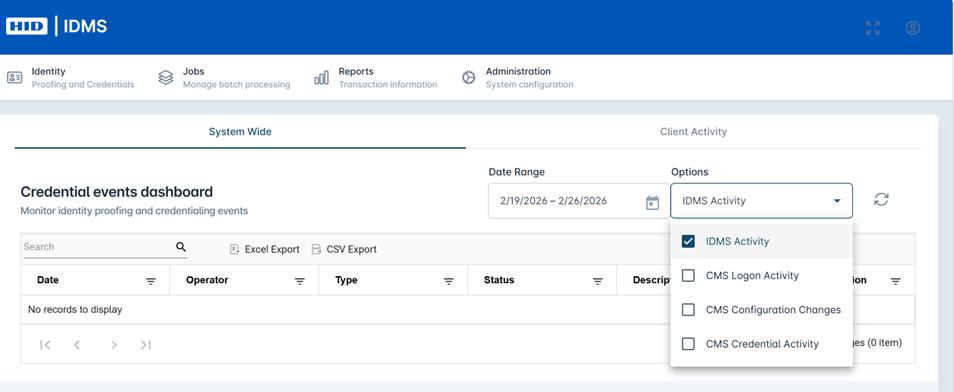
The user can filter by common actions such as IDMS Activity, CMS Logon Activity, CMS Configuration Changes, and CMS Credential Activity. |
|
|
5 |
If you want to access transaction level data for operations management for auditing the IDMS System, select the desired date range and click the Refresh icon to update the data. |
|
|
6 |
Scroll to the bottom of the dashboard to see all the granular events data populated within the table. You can use the search bar to find specific criteria within the logged events. The fields include Date, Operator, Type, Status, Description, and Event Description. User can also filter by specific field to fine-tune search. System also displays control totals for record count. |
|
|
5. |
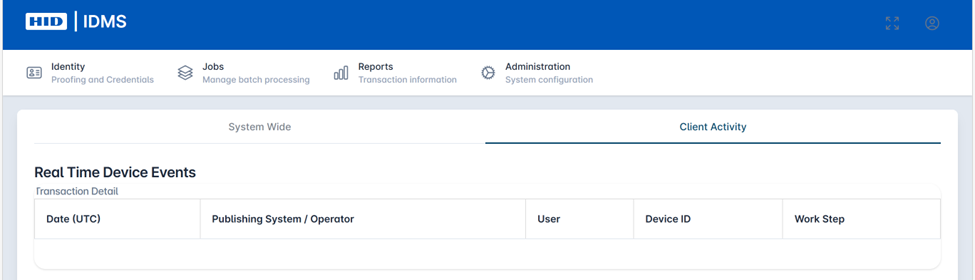
The client can also view specific events generated by workstation activity. To view these events, select the Client Activity tab. The fields include Date, Publishing System / Operator, User, Device ID, and Work Step. |
|