
The steps below provide instructions to view the totals of the credential policies that have been used for issuance. You can then choose to download this as a report by clicking on 'Copy', 'CSV', 'Excel', 'PDF' and 'Print'.
|
Item |
Procedure |
Example |
|---|---|---|
|
1 |
Authenticate to IDMS. The user must have the Reports official role. |
|
|
2 |
Click Reports, then select Activity. |
|
|
3 |
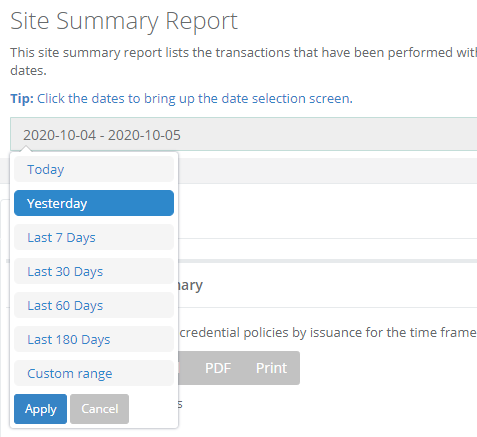
In the date field, select the desired date range for the report. |
|
|
4 |
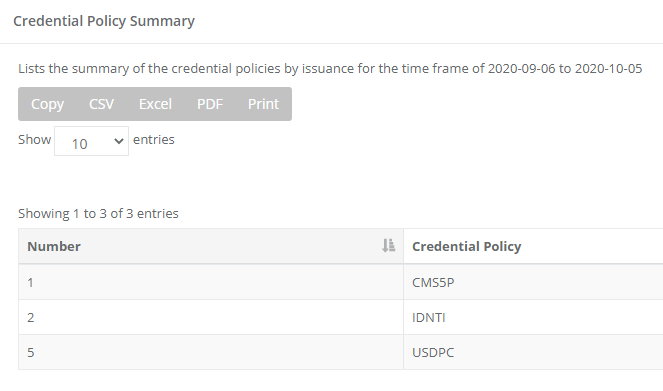
Browse to the "Credential Policy Summary Section" to see the results. You can print or download a report by clicking on 'Copy', 'CSV', 'Excel', 'PDF' and 'Print' options. |
|