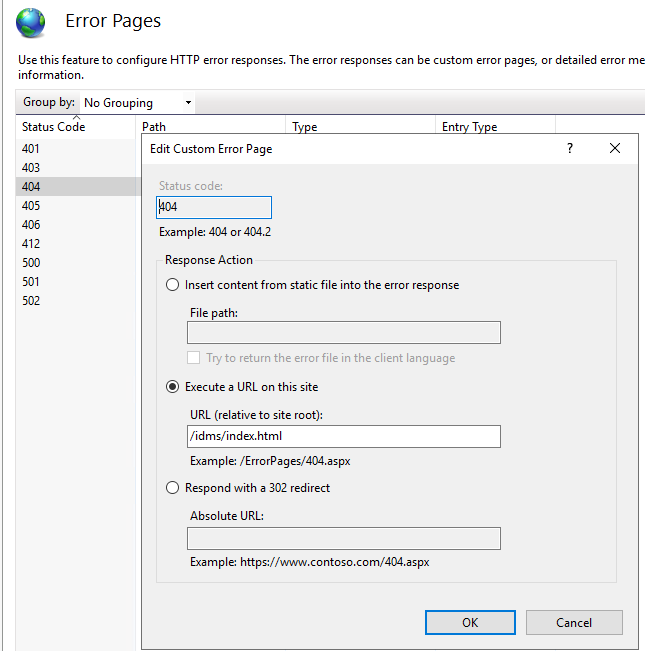
By default, IIS will display a 404 on a reload or deep link. This setting will enable the application to be reloaded without experiencing a 404.
To Enable the Index.html redirect
-
Select your site In IIS Manager
-
Open Error Pages icon in IIS section
-
Open Status Code 404 list item
-
Select Execute URL on this site radio button
-
For the URL, specify /idms/index.html