
The steps below provide the instructions for updating the IIS application server so that it accepts large files from the workstation client. These changes must be made or the workstation client will not be able successfully to save files to the IDMS server.
-
Launch “Internet Information Services (IIS) Manager”
-
Click the IDMS Site
-
In the Features section, double click “Configuration Editor”
-
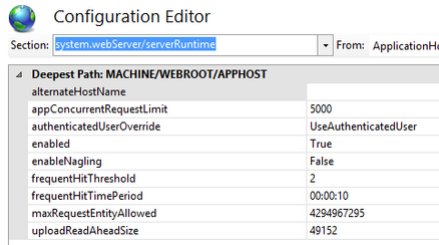
Under “Section” select: system.webServer then serverRuntime
-
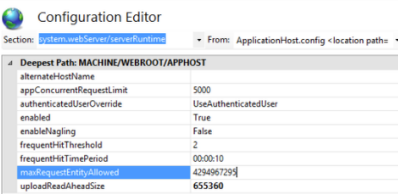
Update the "maxRequestEntityAllowed" size to 4294967295 and update the "uploadReadAheadSize" to 655360
-
Click Apply.