
After IDMS has been installed, the last phase is to encrypt the security configurations. Note: Once the web.config has been encrypted, it cannot be edited using a text editor or IIS manager configuration tool set. If changes need to be made, the web.config will first need to be decrypted (please see decrypt web.config section below).
The steps below provide the instructions for securing the web.config file.
-
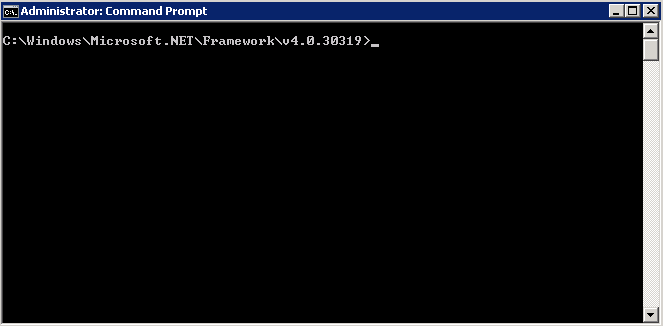
Open a command prompt as an administrator.
-
Go to the C:\WINDOWS\Microsoft.NET\Framework\v4.0.30319 directory.
-
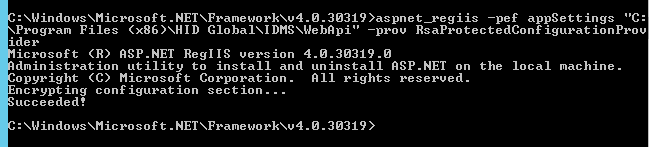
Next, enter aspnet_regiis -pef appSettings "C:\Program Files (x86)\HID Global\IDMS\WebApi" -prov RsaProtectedConfigurationProvider into the command prompt and press Enter.
-
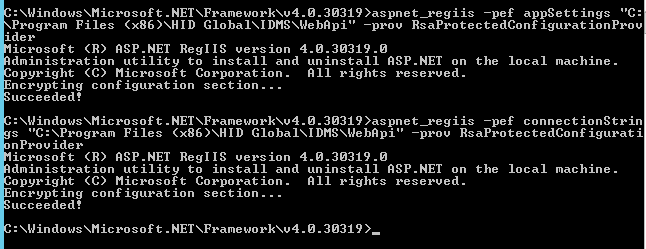
Next, enter aspnet_regiis -pef connectionStrings "C:\Program Files (x86)\HID Global\IDMS\WebApi" -prov RsaProtectedConfigurationProvider into the command prompt and press Enter.
-
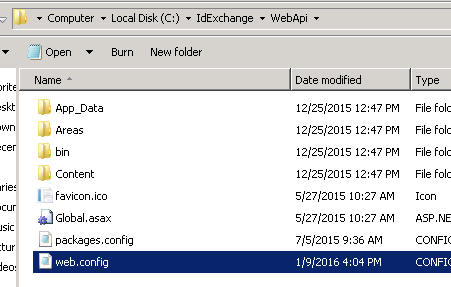
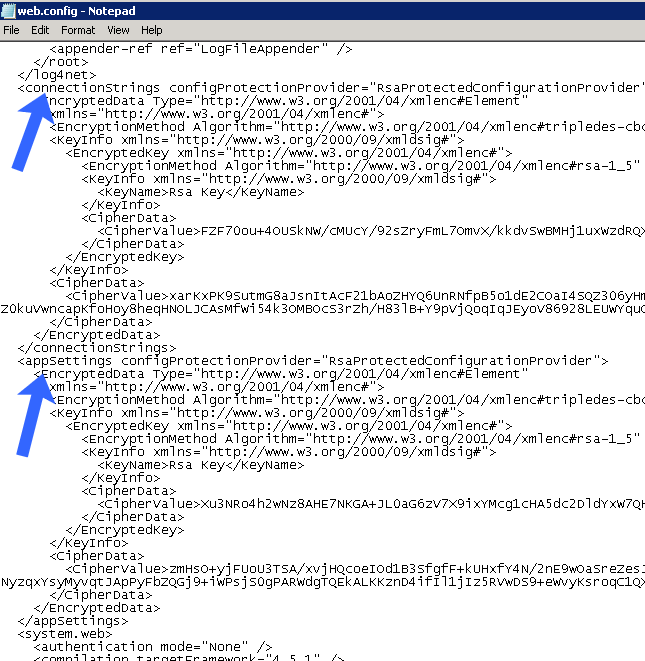
After completion, go the c:\IDMS\WebApi and verify the web.config has been encrypted.
-
Open the web.config and verify the contents are encrypted.
-
Restart IIS
Batch Script
To create an automated script, copy the text below into a new text file and save the file as "EncryptWebConfig.bat". Open with administrative privileges.
|
set curr_dir=%cd% echo ### Encrypting Web Config chdir /D "C:\WINDOWS\Microsoft.NET\Framework\v4.0.30319" aspnet_regiis -pef "appSettings" "C:\Program Files (x86)\HID Global\IDMS\WebApi" -prov RsaProtectedConfigurationProvider
chdir /D %curr_dir% echo ### Web Config Encrypted @pause |
|---|
Decrypting the web.config
If a change needs to be made to the IDMS configurations, the web.config must first be decrypted. This process will require an authorized administrator. The process is as follows:
|
1 |
Log into the IDMS server |
|
2 |
Open a command prompt with administrative privileges |
|
3 |
In the command prompt, type: chdir /D "C:\WINDOWS\Microsoft.NET\Framework\v4.0.30319" |
|
4 |
While in the C:\WINDOWS\Microsoft.NET\Framework\v4.0.30319 directory, enter the following commands aspnet_regiis -pdf "appSettings" "C:\Program Files (x86)\HID Global\IDMS\WebApi"
|
|
5 |
The web.config will be in clear text and can once again be edited. |
Batch Script
To create an automated script, copy the text below into a new text file and save the file as "DecryptWebConfig.bat". Open with administrative privileges.
|
set curr_dir=%cd% echo ### Decrypting Web Config chdir /D "C:\WINDOWS\Microsoft.NET\Framework\v4.0.30319" aspnet_regiis -pdf "appSettings" "C:\Program Files (x86)\HID Global\IDMS\WebApi"
chdir /D %curr_dir% echo ### Web Config Decrypted @pause |
|---|