
An authorized user can be allowed to upload a photo during the request phase. This is useful for when the photo has been captured externally.
Configuring the System to Allow Uploading a Photo
|
Item |
Procedure |
Example |
|---|---|---|
|
1 |
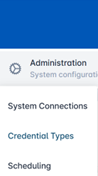
Click Administration and select Credential Types. |
|
|
2 |
Select a Credential Policy and press the corresponding gear button. Press Configure Policy. |

|
|
3 |
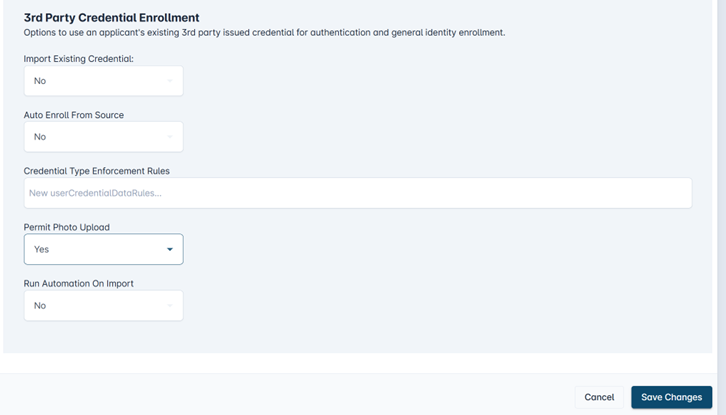
In the Identity Proofing section, scroll to the bottom section under 3rd Party Credential Enrollment. Select the Permit Photo Upload drop down to Yes. |
|
|
4 |
Select Save changes. Then, select Confirm to apply the policy changes. |

|