
Configure the system to automatically generate PINs when a badging official is issuing credentials on behalf of workforce members for later pickup. This removes the need for the official to manually enter a PIN and optionally allows a PIN mailer to be printed for distribution to each badge holder.
Automatic PIN Generation Setup
Use these steps to configure the credential policy for automatic PIN generation.
|
Item |
Procedure |
Example |
|---|---|---|
|
1 |
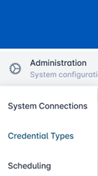
Click Administration and select Credential Types. |
|
|
2 |
Select a Credential Policy and press the corresponding gear button. Press Configure Policy. |

|
|
3 |
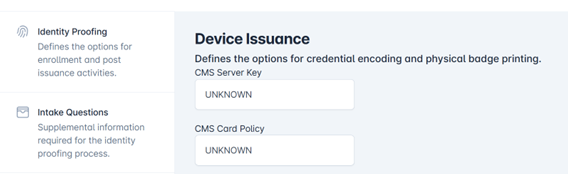
Click the Device Issuance tab within the credential policy. |
|
|
4 |
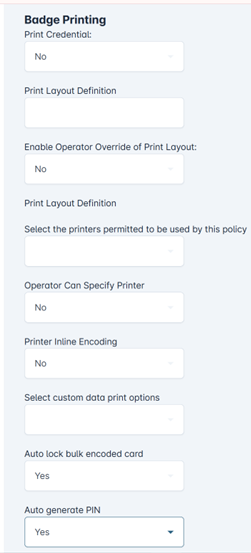
Scroll to the bottom of the page under the Badge Printing section, and set the Auto generate PIN to Yes. |
|
|
5 |
Press the Save Changes button. |
|
|
6 |
Select the Confirm button to apply policy changes. |

|