
The device replacement setting specifies the CMS card policy that will be used in the replacement process as well as enables a default replacement reason to be set.
Prerequisites
-
Required Permissions: System Manager Role Definitions
-
Required Software: The IDMS must be connected the to the HID Credential Management System.
Settings Description
-
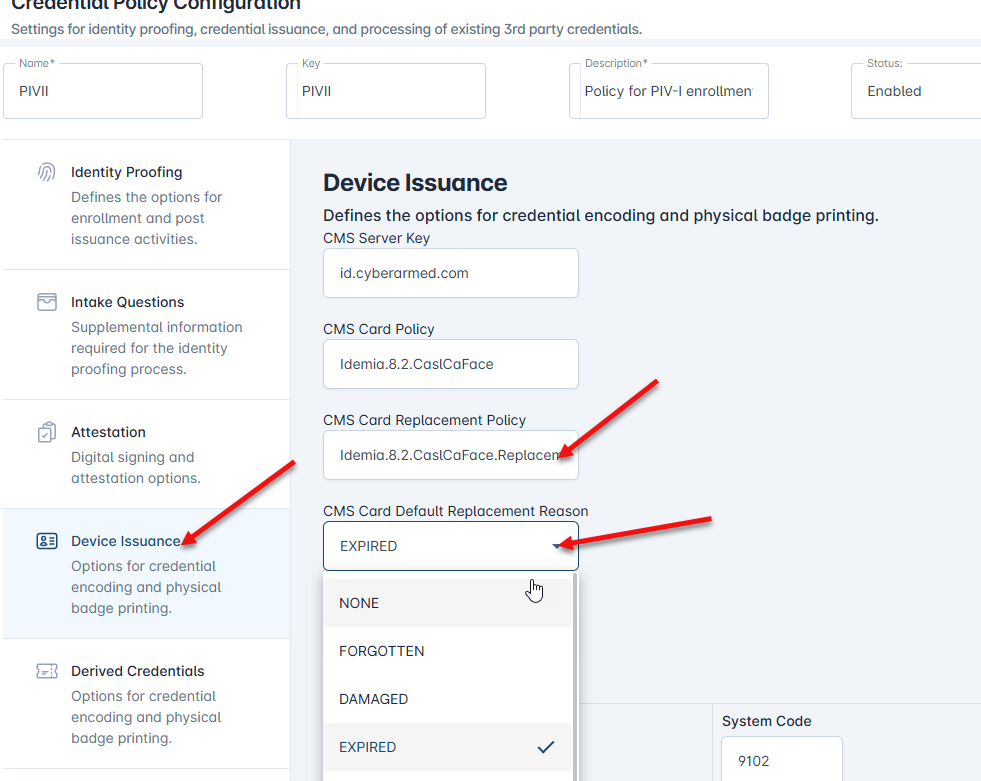
CMS Card Replacement Policy: The HID CMS Device Policy that will be used when issuing a replacement card.
-
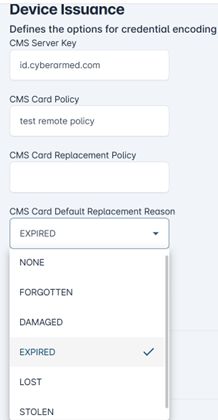
CMS Card Default Replacement Reason: This is the default reason to be used when creating a replacement.
To specify multiple credential replacement options, insert the | operator between the CMS credential policy names.
For example, Crescendo2300|CrescendoPIV. This will allow the officer to select either the Crescendo2300 or CrescendoPIV from a drop-down menu.
Reference: Configuring Device Issuance Policy
How configure the Device Issuance Policy Replacement Settings
|
Item |
Procedures |
Example |
|---|---|---|
|
1 |
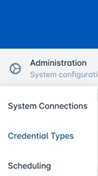
Click Administration and select Credential Types. |
|
|
2 |
Select a Credential Policy and press the corresponding gear button. Press Configure Policy. |

|
|
3 |
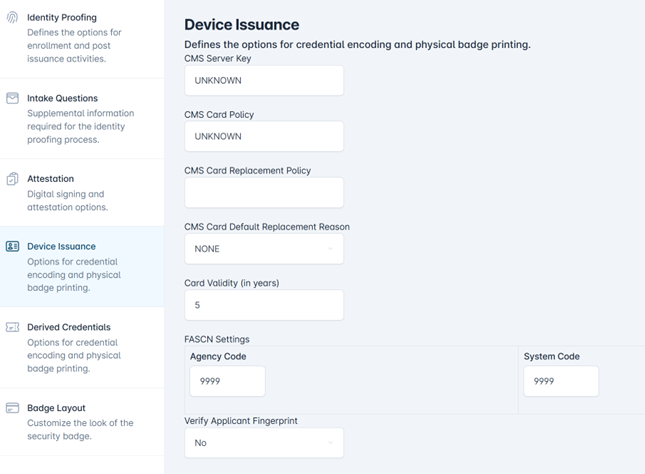
Select the Device Issuance tab. |
|
|
4 |
Enter the CMS Card Replacement Policy. |
|
|
5 |
Select the Default replacement reason from the drop- down box. If no replacement reason should be set, select NONE. Options include none, forgotten, damaged, expired, lost, or stolen. |
|
|
6 |
Once complete, scroll to the bottom and press the Save Changes button. |
|