These instructions provide procedures for installing IDMS to issue YubiKey Devices.
Planning
Prerequisites
These tasks must be performed before the installation starts. These tasks are independent of the IdExchange install.
Grant IDMS Certificate Issuance Permissions
Certificate template for Derived PIV Authentication
Installation
Configuration
Retrieving Custom Active Directory Attributes
Create a policy for the Yubikey
|
|
|
|
|---|---|---|
|
1 |
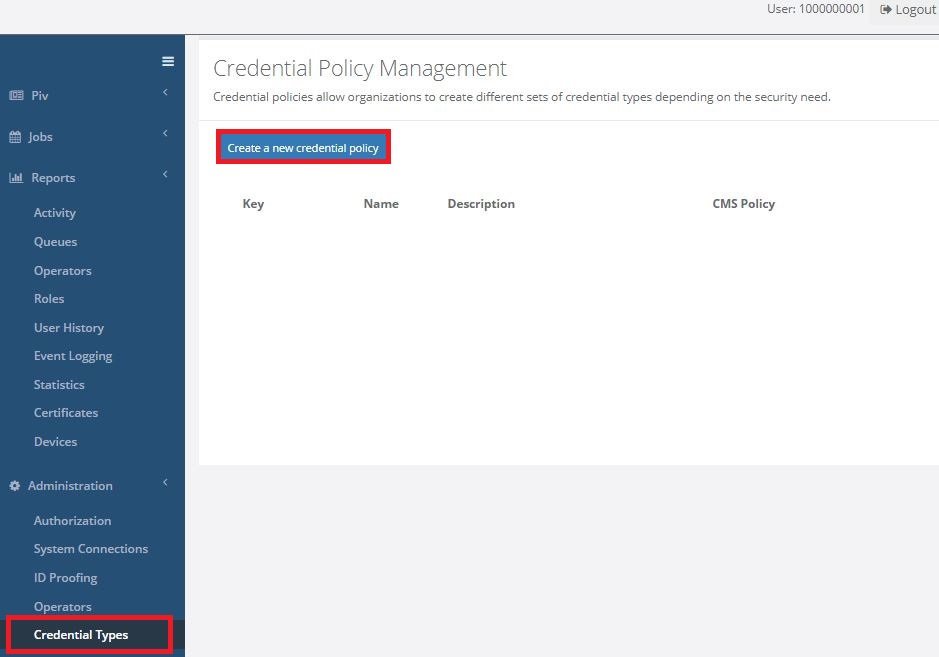
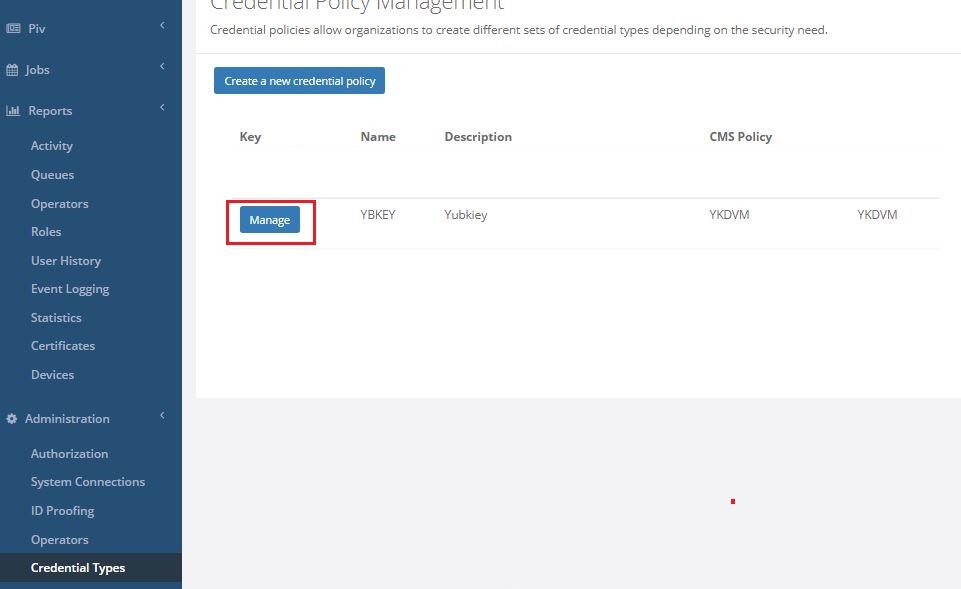
In the IDMS portal click "Credential Types" under "Administration" tab. Click "Create a new credential policy". |
|
|
2 |
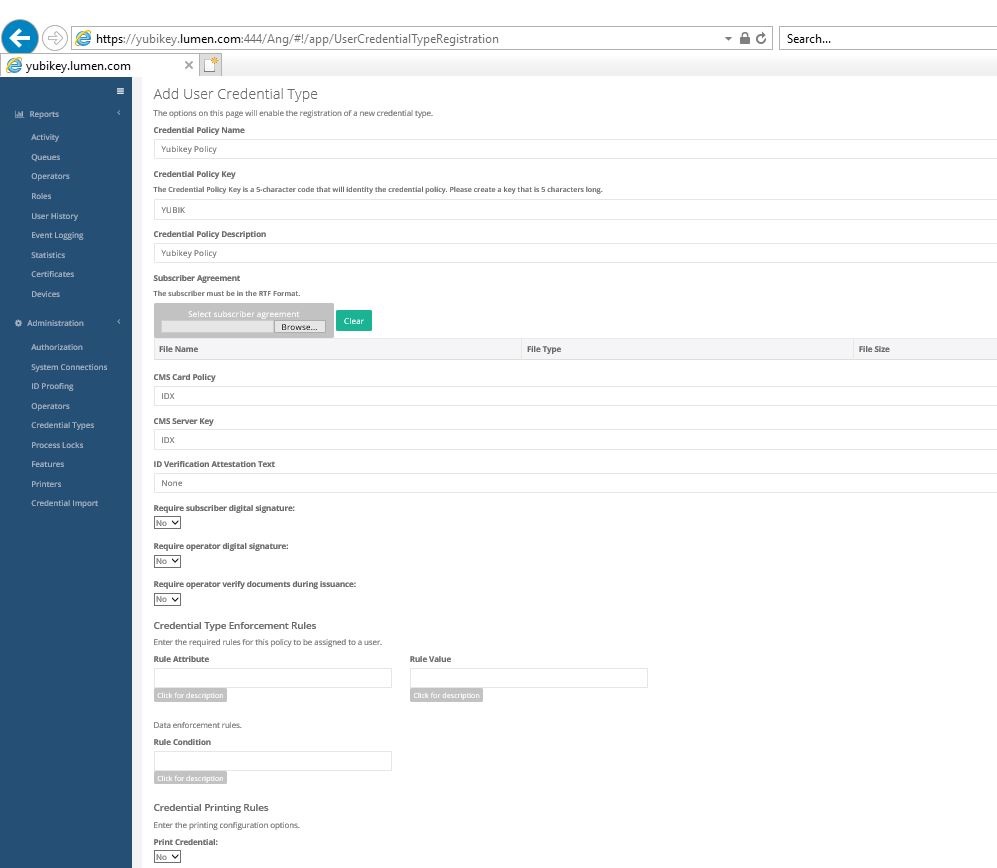
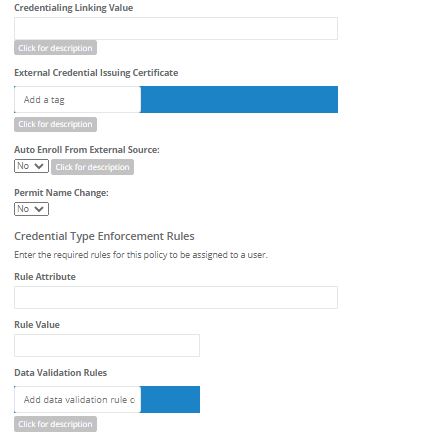
Follow the format on the page. Credential Policy Name = Give it a name Credential Policy Key = Give it a key code Credential Policy description = Give it a description. Match the remaining settings with the example shown. (Picture 1)
Click "Add". |
(Picture 1) |
|
3 |
Next to the policy that was created above click "Manage". |
|
|
4 |
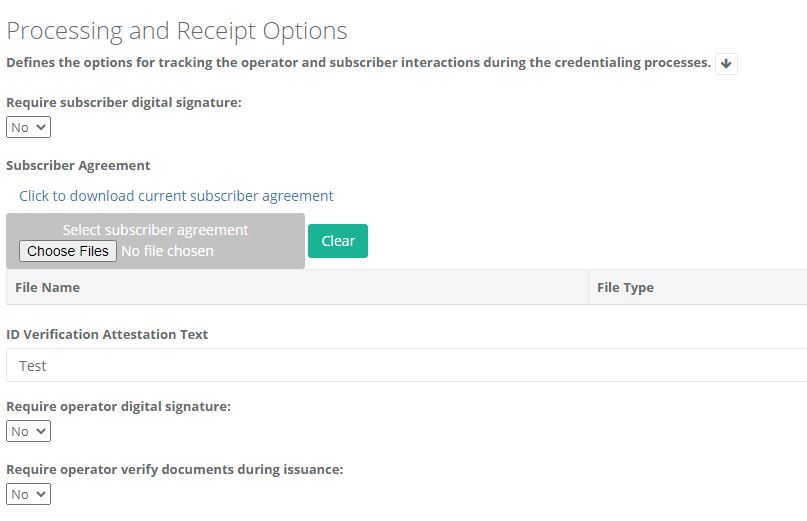
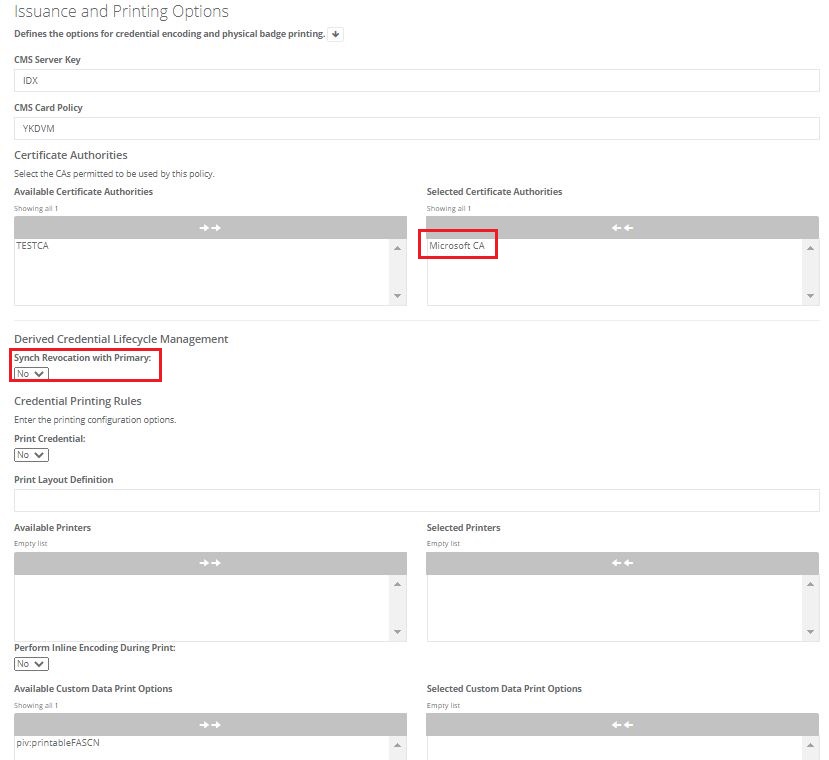
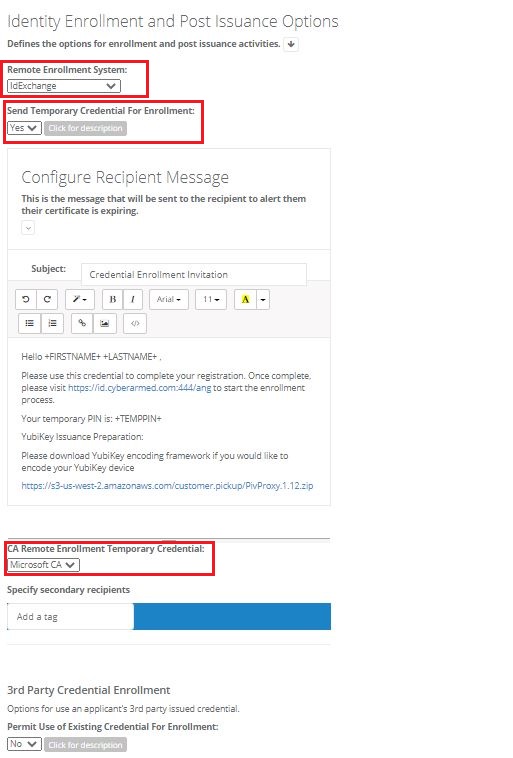
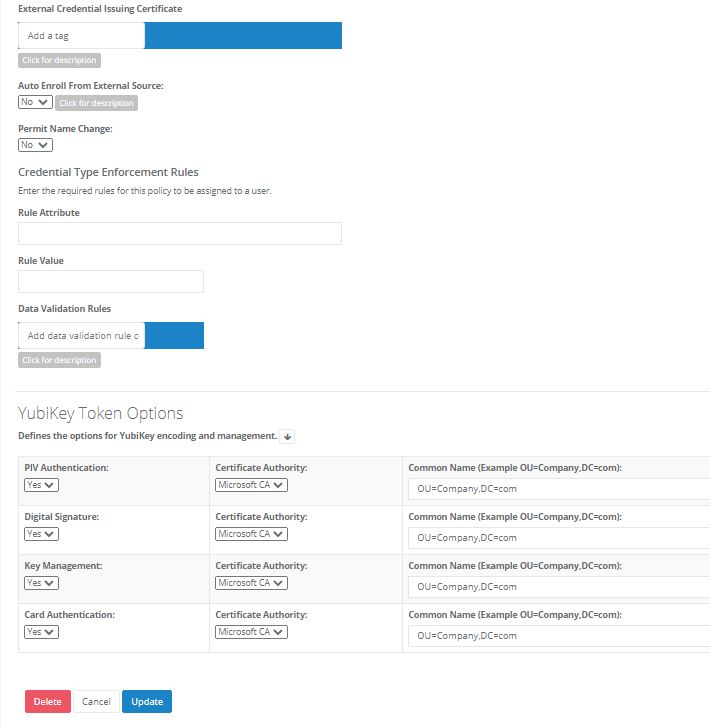
Match the configurations. |
|
|
5 |
Click Update |
|
Update Operator Roles
|
|
|
|
|---|---|---|
|
1 |
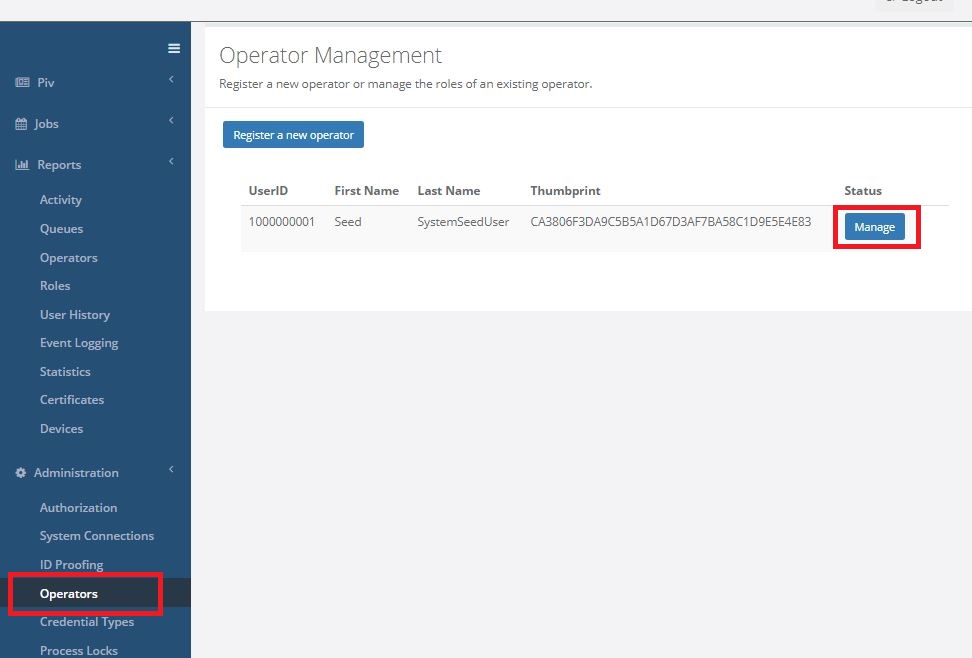
In IDMS portal click "Operators" under "Administration" tab. Next click on "mange" next to the user. |
|
|
2 |
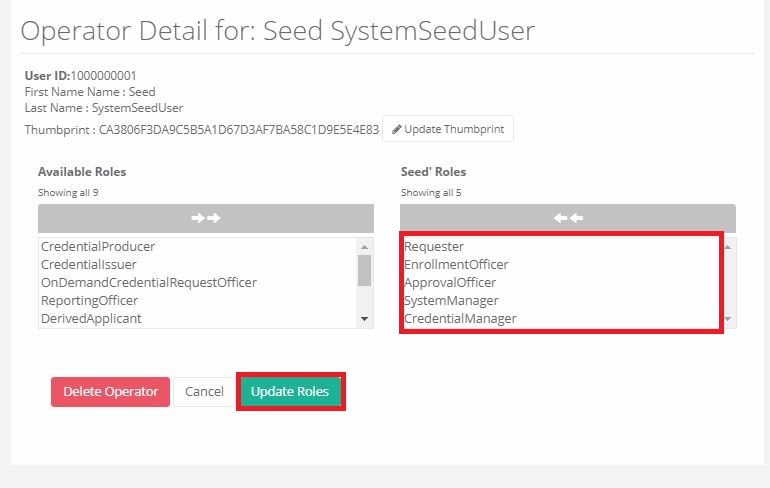
Click on the roles to add them to the operator.
Roles required : "Requester" "Enrollment Officer" "Approval Officer" "System Manager" "Credential Manager" Once added, press "Update Roles" |
|