Prepare the Certificate authority
|
|
|
|
|---|---|---|
|
1 |
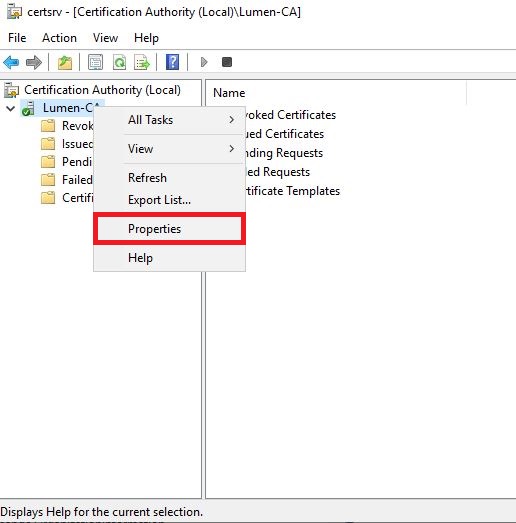
Open Certificate authority snap-in Right click on the CA server and press "properties" |
|
|
2 |
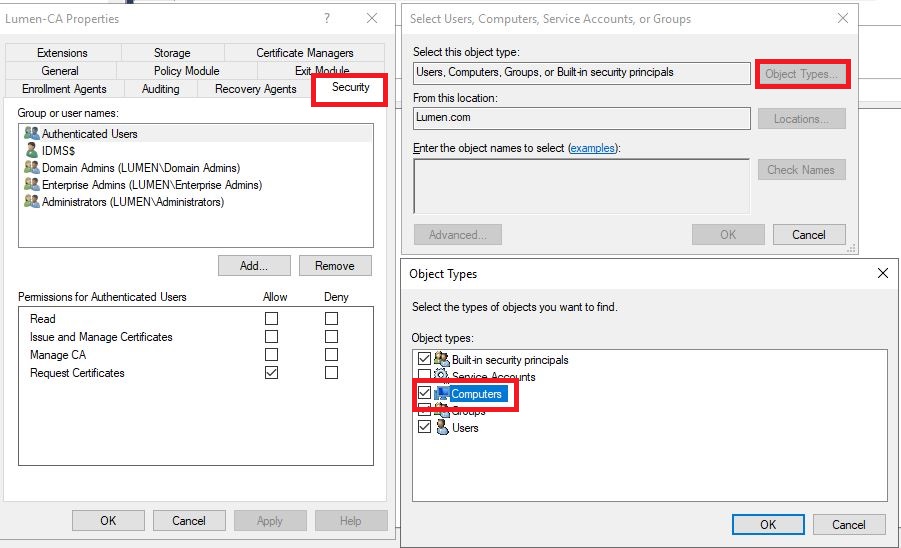
Click "security" tab Click "Add" under Group or user names. Click "Object types" Select the "Computer" Click OK |
|
|
3 |
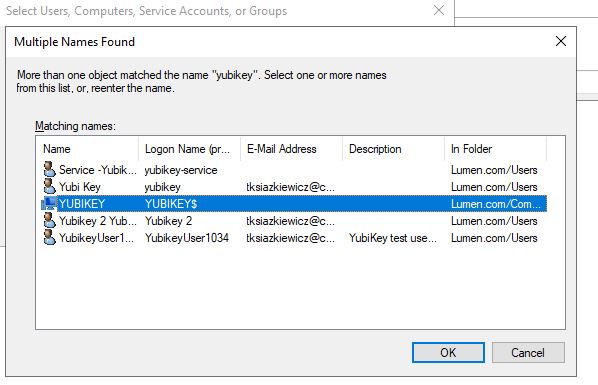
Search for the IDMS Server (Computer)
Click OK |
|
|
4 |
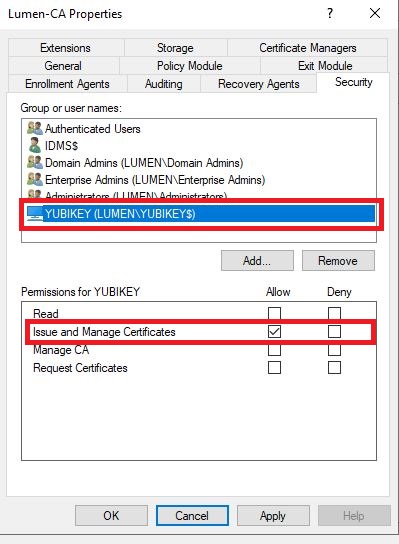
Select the IDMS Server then allow the "Issue and Manage Certificates" permission.
Click OK |
|