Configure the IDMS connection to the Certificate authority.
|
|
|
|
|---|---|---|
|
1 |
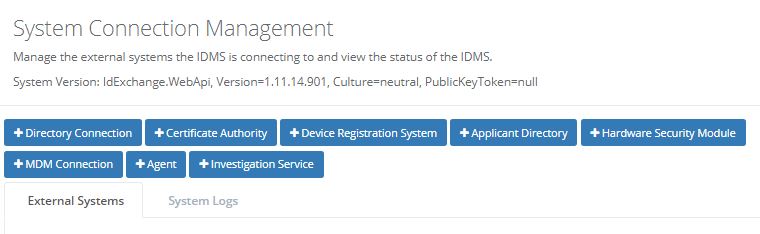
In the IDMS portal click "System Connections" under the "Administration" tab.
Click "+Certificate Authority". |
|
|
2 |
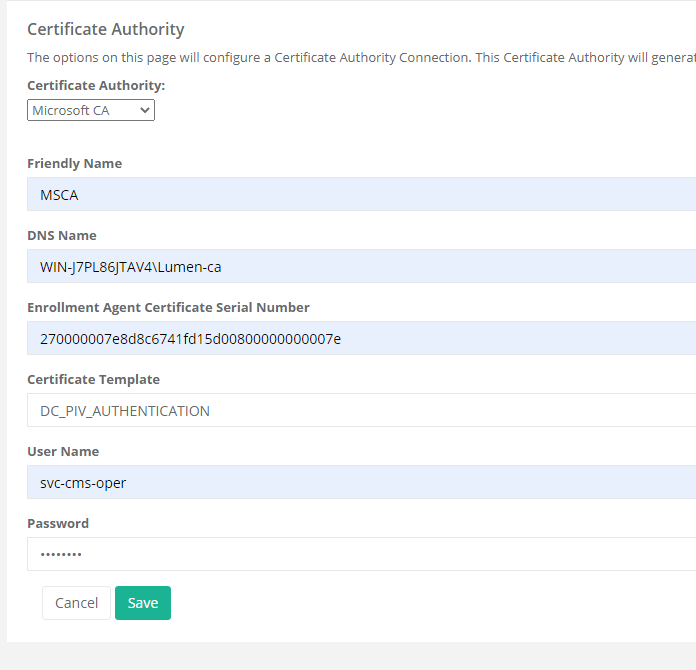
Select the Certificate Authority type. Give it a friendly name. DNS Name = IP address of the Certificate Authority server followed by backslash with the name of the Certificate Authority. Enrollment Agent Certificate Serial Number = Insert the serial number of the certificate we create above. See (Creating Enrollment Agent Certificate ) Section. Insert the name of the certificate template that was created in the step 3 above (Create and Configure the Certificate template for the Yubikey). Username = username of the service account for IDMS, or account with the permission to read and view the Certificate authority. Password = Password for above account. Click Save |
|
|
3 |
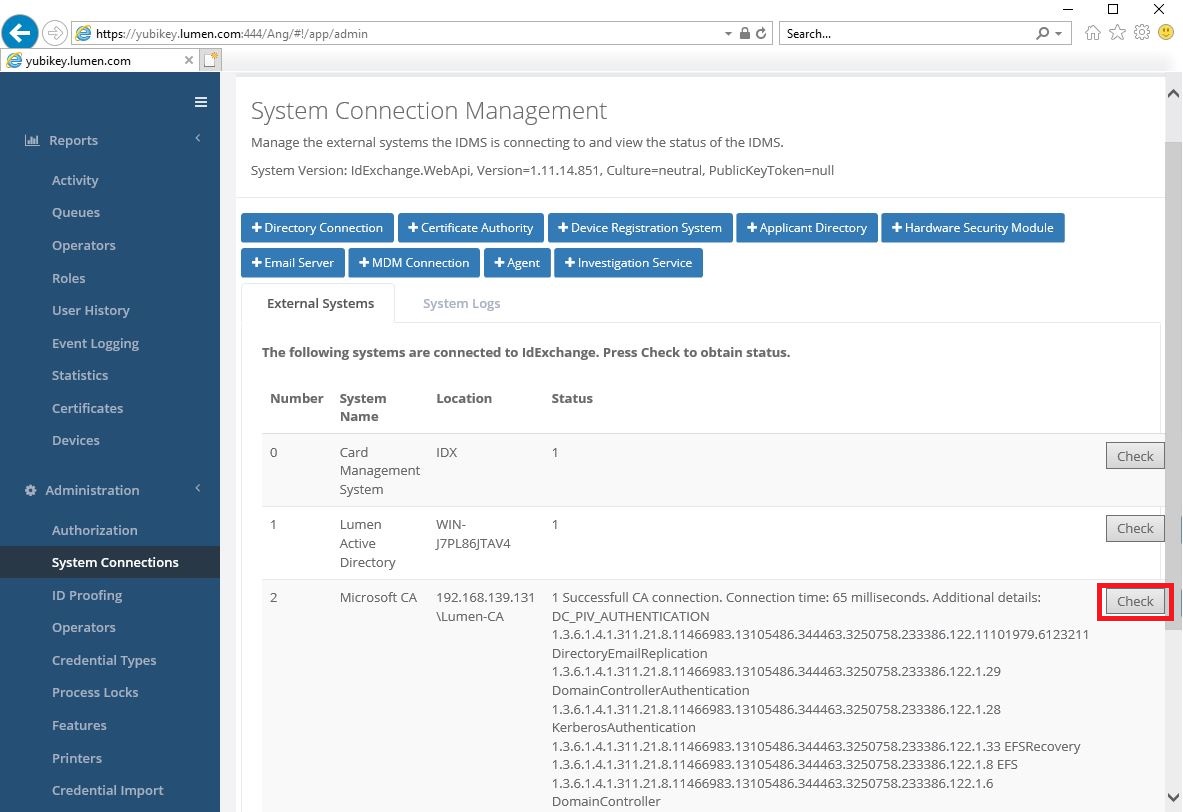
To test the connection click on the "check" button. Connection should be successful and showing the available certificate templates. |
|