The system will utilize the enrollment agent certificate when issuing certificates as part of the smart card programming process.
Creating Enrollment Agent Certificate
|
|
|
|
|---|---|---|
|
1 |
Log in to CA server |
|
|
2 |
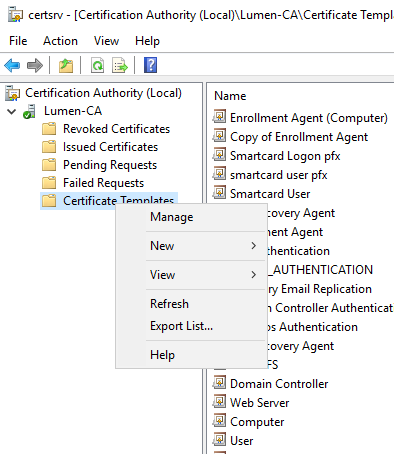
Open Certificate Authority, Right click on Certificate Templates then press Manage |
|
|
3 |
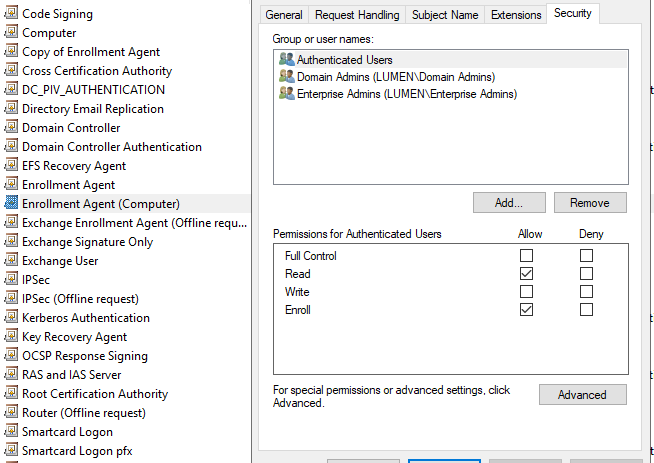
Right click on the Enrollment Agent (Computer).
Under Security tab, select Authenticated Users and allow them to Enroll. Press OK |
|
|
4 |
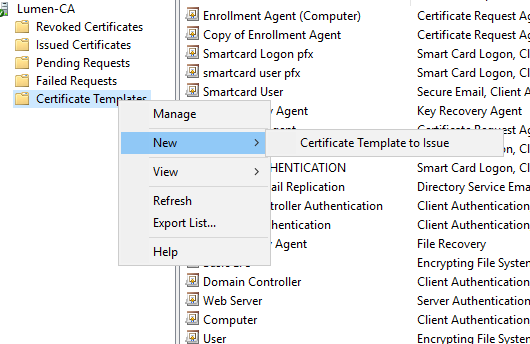
Back in Certificate Authority, right click on Certificate Templates and press New then Certificate template to Issue.
Then Select the Enrollment Agent (Computer) Certificate and press OK. |
|
|
5 |
Log In to IDMS server |
|
|
6 |
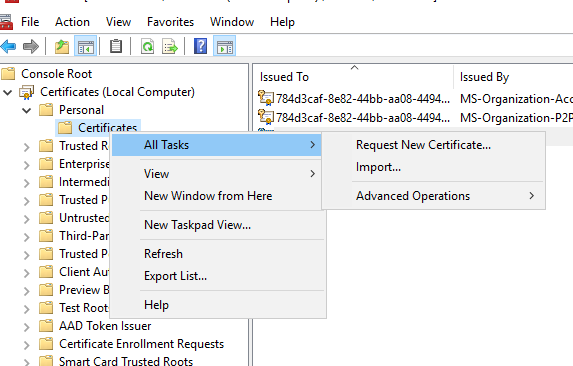
Open MMC → Certificates→ Local Computer.
Under Personal Certificates, right click and press All Tasks, then Request New Certificate. |
|
|
7 |
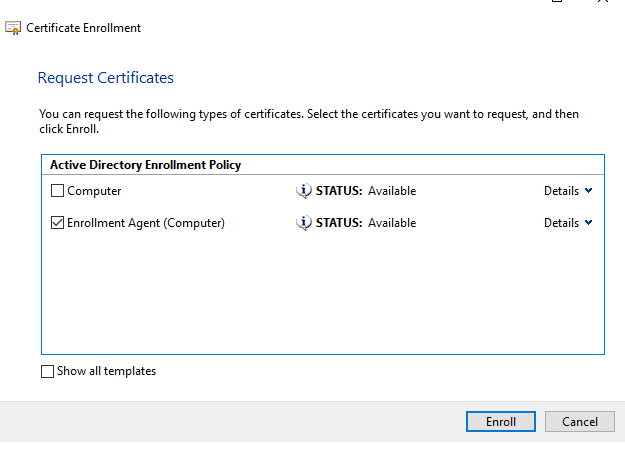
Proceed with the defaults then select the Enrollment Agent (Computer) Certificate and Press Enroll. |
|
|
8 |
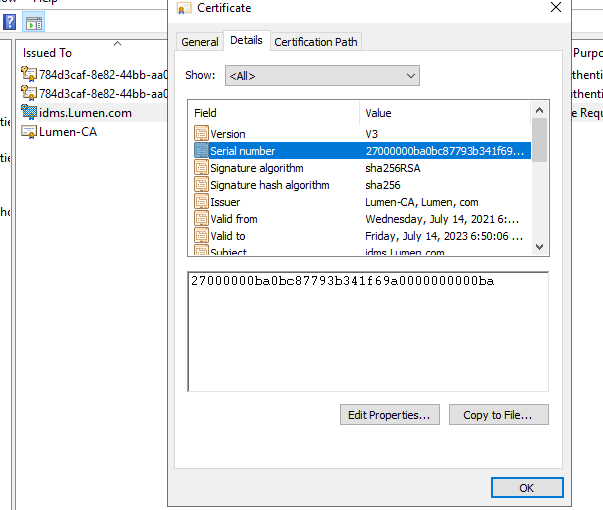
Open the Certificate that was issued then press Details tab then select the Serial Number.
Save the Serial number of the certificate - it will be used in the next section. |
|